
22 July 2020 bought the 15 keys version, played with it and returned it on the same day (thanks Amazon!).. to buy the 32 keys version instead!
What the Stream Deck is
A programmable control pad: a grid of small LCD keys sitting on your desk, each one showing an icon and running whatever you assign to it. Elgato built it for Twitch streamers. Most of the people who own one now are not streaming anything.
For a knowledge worker the framing is different. It is not a shortcut pad. It is a second surface for the work your computer does when you are not looking at it, plus a physical trigger for the 20 things you do every day that currently cost 3 clicks each.
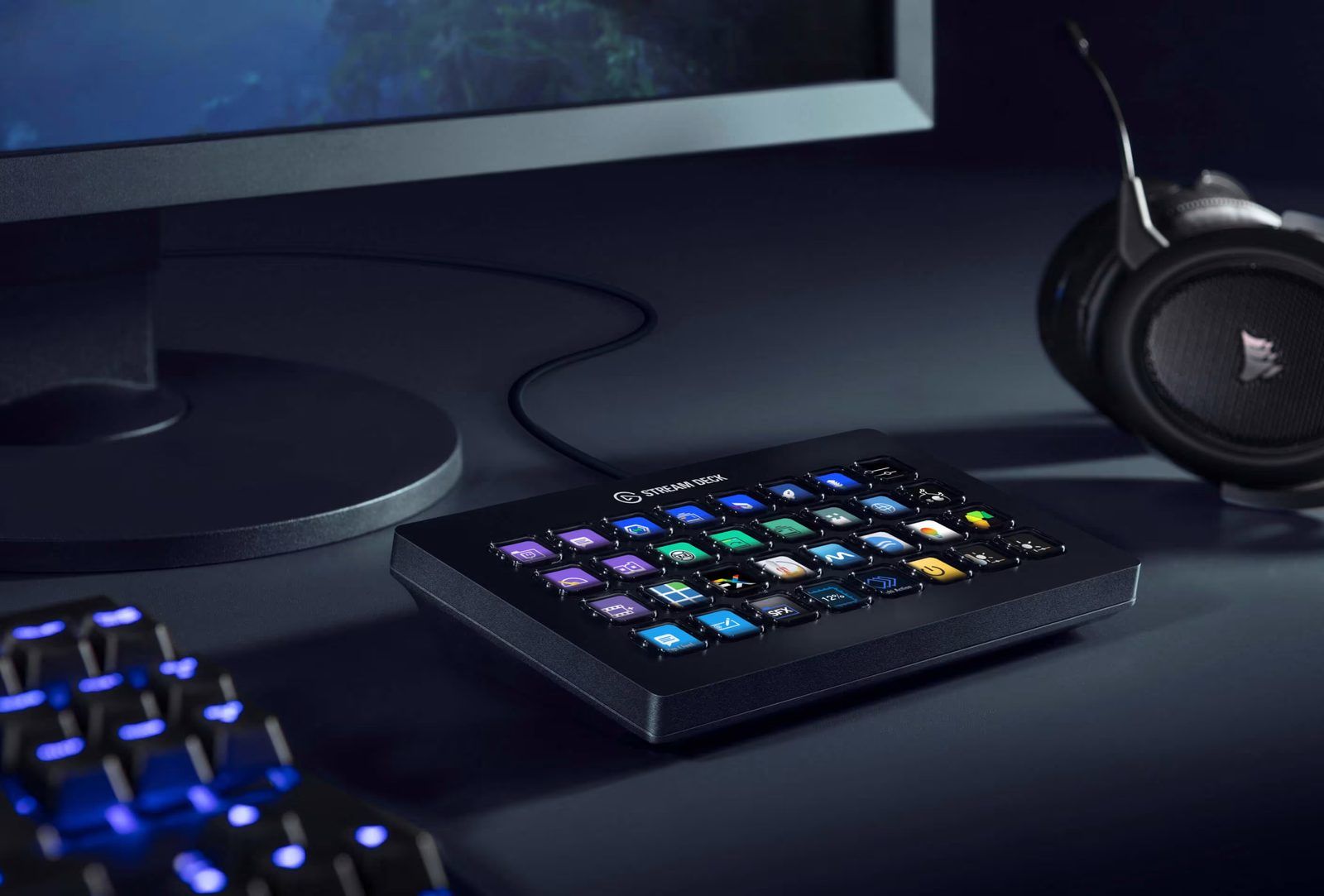
Two capabilities do the heavy lifting, and only one of them is obvious:
- Press a key, something happens. Launch an app, run a shell script, open a URL, set a Hue scene, mute the mic, paste a block of text.
- A key shows you state. The LCD is redrawn by the plugin, so a key can display a number that changes: a build status, a token count, a meeting timer, whether a background job finished. This is the half most people never use, and it is the half that changes how you work.
What it can do for a business user
Run the boring things
Any .sh file becomes a key. That is the whole trick, and it turns every Python script you have written into a button. My backups, my transcription jobs, my site deploys and my daily routine all live on 1 key each.
Chain actions together
A multi-action fires a sequence with delays between steps: open Terminal, run a command, wait, open Chrome at localhost. One press replaces a small ritual.
Switch context automatically
Profiles are whole layouts. The Stream Deck app can swap profile when an application comes to the front, so the keys under your hand change when you move from Outlook to OBS. Folders nest inside a profile for things you use weekly rather than hourly.
Control the meeting
Mute and unmute, camera on and off, screen share, raise hand. Zoom and Teams both have official plugins that read state back, so the key shows whether you are actually muted rather than what you think you pressed. Add a key light toggle and a smart bulb scene and you have a 1-press "I am on camera" mode.
Show you what is running
Plugins can poll an API and redraw the key. CPU load, disk space, a CI build, a stock price, an LLM budget. The key becomes a small dashboard that does not need a window.
Say the same thing again
Canned text keys for the paragraph you type 30 times a month: the follow-up, the calendar link, the standard objection answer.
The logic: how 100+ keys fit on 32
This is the part nobody explains, and it is the reason most Stream Decks end up half empty. The device has 32 physical keys. The layout behind it has 4 levels, and once you understand them the ceiling disappears.
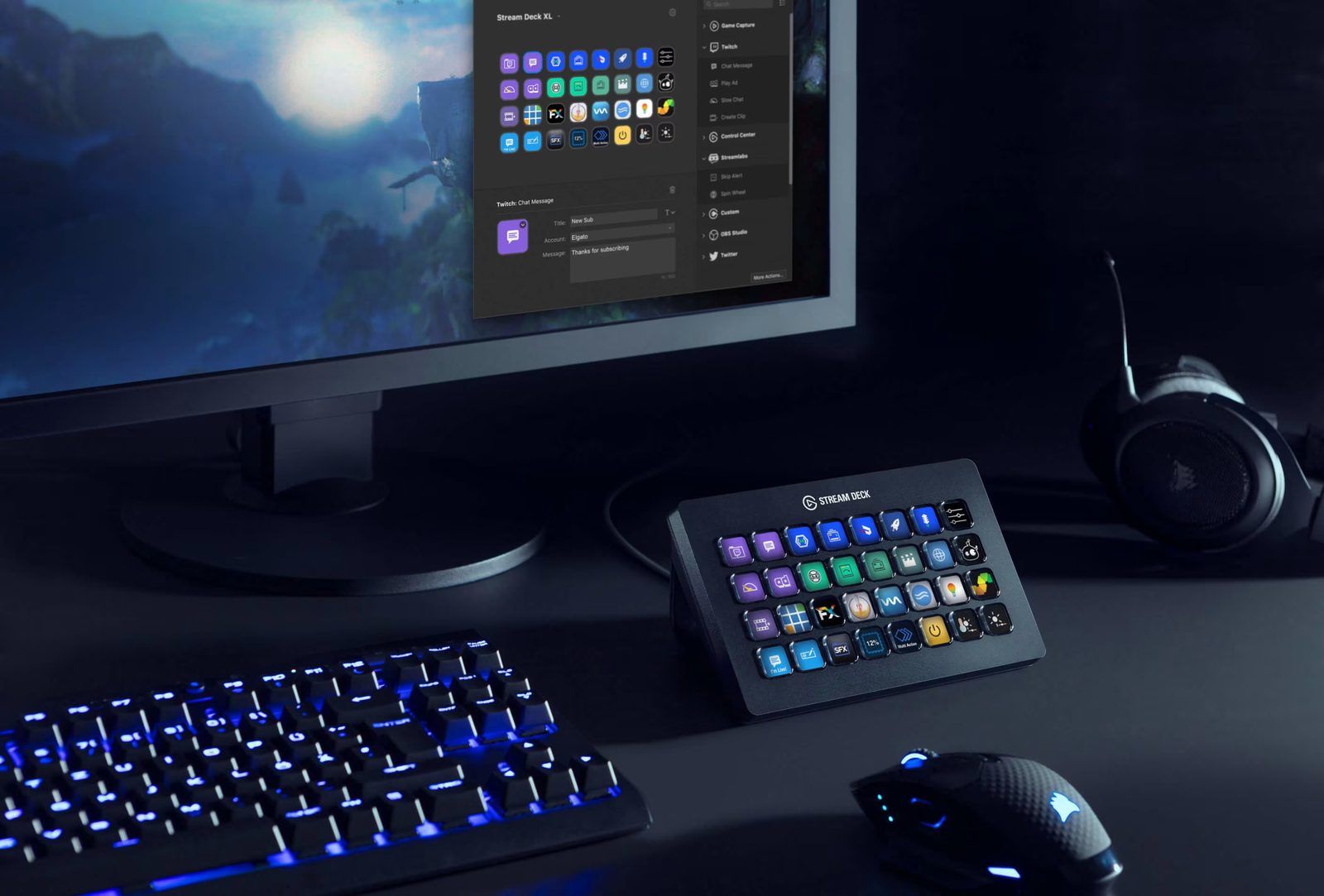
The 4 levels
| Level | What it is | How you move between them |
|---|---|---|
| Device | The physical grid. 32 keys on an XL | It is the hardware. Nothing to switch |
| Profile | A complete layout for the whole device | Auto-switched by app, or picked by hand |
| Page | One screen inside a profile | A next-page key, or the page dots in the app |
| Folder | A key that opens a sub-grid | Press to enter, top-left key goes back |
Do the arithmetic and the constraint stops mattering. A profile with 3 pages and 4 folders holds 32 × 3 + 4 × 31, so well over 200 addressable slots. My own setup runs 100+ keys on a 32-key device and I never scroll for anything I use daily.
Frequency decides depth
The only rule that matters. Put things where their usage frequency says, not where their category says.
| Where | What belongs there | Cost to reach |
|---|---|---|
| Main page | Pressed daily | 0 presses |
| Second page | Daily, but a different context | 1 press |
| Folder | Weekly or monthly | 2 presses, and you must remember it exists |
| Own profile | A whole different mode of work | Auto-switched, or 1 press |
A folder you have not opened in a month is a dead key. Its contents belong in a terminal command, not on the device.
Profile or folder?
The test is how much changes. If more than half the keys would be different, make it a profile. If you are adding a drawer to a layout that otherwise stays put, make it a folder.
- Profile = a mode. Meeting, prospecting, editing, home.
- Folder = a drawer inside a mode. Backups, uploads, a client's set of links.
Profiles can auto-switch on the frontmost application, which is the feature that makes the whole thing feel intelligent: open OBS, the keys become OBS keys, without you doing anything.
The 3 kinds of key
- Trigger. Press, something happens. A script, an app, a URL, a scene.
- Toggle. 2 states, and the key shows which one you are in. Mic muted or live, light on or off. The value is that you read the state instead of guessing it.
- Display. No press needed. A plugin polls something and redraws the key. Token spend, disk space, a build status, how many sessions are waiting on you.
Most people build only the first kind and wonder why the thing feels like a fancy keyboard. The second and third kinds are what turn it into an instrument panel.
How to build one
The first 30 minutes
- Install the Stream Deck app from Elgato and plug in the device.
- Drag an action from the library on the right onto a key.
- Set the Title and drop an image on the Icon well in the inspector below.
- Press the key. That is the whole loop, and everything else is a variation on it.
Put a shell script on a key
The single most useful thing you can do with the device, and the reason it works for anyone who codes.
- Write the script and keep it in 1 folder. Mine all live in
~/sh/. - Make it executable:
chmod +x ~/sh/myjob.sh. - Drag the System → Open action onto a key.
- Point the path at the
.sh. Wrap it in quotes if it contains spaces. - On macOS, grant the Accessibility and Automation prompts the first time it runs.
The pattern I use everywhere is a thin wrapper that opens a Terminal window so I can see the output:
#!/bin/zsh
osascript <<EOF
tell application "Terminal"
    activate
    do script "cd ~/py/myproject && source venv/bin/activate && python3 run.py"
end tell
EOF
The Stream Deck opens the .sh, the .sh opens Terminal, Terminal runs the real job. Change the script and the key changes with it, without ever touching the Elgato app.
Make a folder
- Drag Stream Deck → Create Folder onto a key.
- Double-click the key to enter it. The top-left slot becomes a Back key on its own.
- Fill it, then name the parent key after what is inside. "Backups", not "More".
Make a multi-action
- Drag Stream Deck → Multi Action onto a key.
- Drop each step into the list, in order.
- Insert Delay steps wherever an app needs time to launch. 100ms between keystrokes, 500ms or more after opening an application.
My INDEXALL ADMIN key is 3 steps: start the local server, wait for the port, open Chrome at localhost:8080.
Add pages
- Click the
+beside the page dots under the canvas. - Put the next-page key in the same position on every page, so navigation never moves under your finger.
Auto-switch profiles per app
- Open Preferences → Profiles.
- Create a profile and set its Application to the app you want it bound to.
- It takes over when that app is frontmost and reverts when it is not.
Back it up
Right-click a profile and Export. You get a .streamDeckProfile file. Store those next to the scripts they call, because one without the other is useless after a machine rebuild.
3 mistakes to avoid
- Absolute paths. They rot silently. Keep every script in 1 folder and reference that folder consistently.
- Naming keys after tools. Label the outcome, not the app. "PUBLISH", not "Terminal".
- Building it in 1 sitting. Add a key when you notice yourself doing something twice. A layout designed up front is a layout you will not use.
Strengths
- It turns invisible work visible. A background job with no window gets a key that shows its state.
- It is faster than a shortcut you forgot. Muscle memory on a labelled key beats recalling a 4-key chord.
- It scales down as well as up. 6 keys is enough for meeting controls. 32 is enough for an entire operating layer.
- Everything is a file. Profiles export and import, so a setup survives a machine rebuild.
Limitations
- Setup is the cost. The device is cheap next to the hours you will spend arranging it. That time pays back, but it is real.
- Absolute paths rot. My oldest profile still points at
/Users/nicolas/...from a machine I retired years ago. Half of it is dead. Nothing warns you. - macOS permissions bite. Accessibility and Automation prompts have to be granted, and a system update can silently revoke them.
- It is single-machine. No sync between computers unless you export and import by hand.
- Software dependency. The hardware does nothing without the Elgato app running.
The 2026 lineup
| Model | Keys | Notes |
|---|---|---|
| Stream Deck Mini | 6 | Meeting controls and nothing else. Fine as a first one |
| Stream Deck Neo | 8 | Plus an info strip for time and notifications |
| Stream Deck MK.2 | 15 | The mid-range default. Scissor keys, shorter travel |
| Stream Deck + | 8 | Adds 4 rotary dials and a touch strip. Best for audio and video work |
| Stream Deck XL | 32 | What I use. The size where it stops being a shortcut pad |
| Stream Deck Studio | 32 | Rack-mounted, Ethernet, for broadcast racks |
| Stream Deck Pedal | 3 | Foot pedals. Push-to-talk without leaving the keyboard |
| Stream Deck Mobile | n/a | iOS and Android app. Works, but the hardware is a different thing |
Buy 1 size up from what you think you need. I returned the 15-key version the same day I bought it.
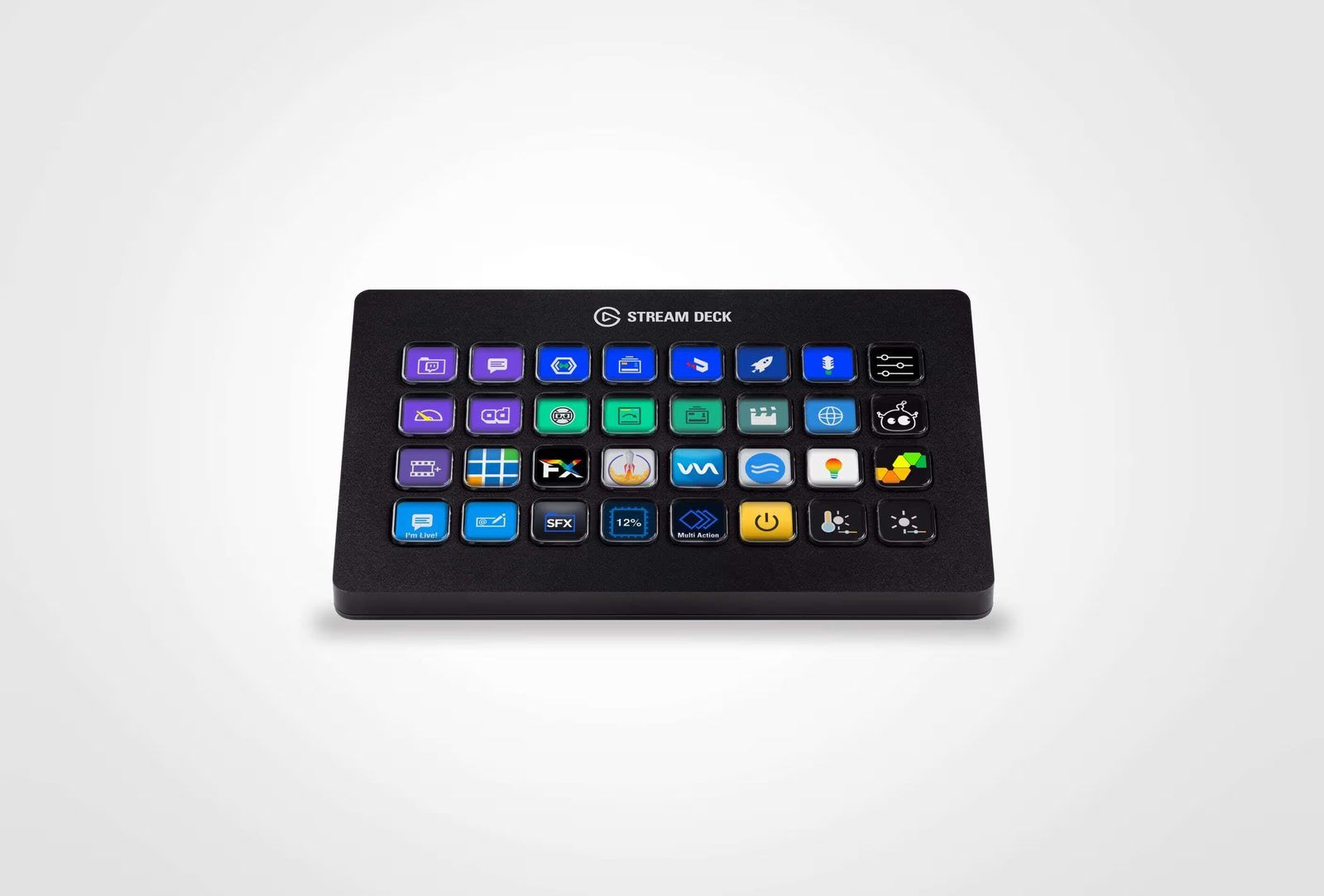

My setup
Stream Deck XL, 32 keys in an 8 by 4 grid, 3 profiles: Home, Meeting and Screenflow. Home is the daily driver and holds the whole automation layer. The plugins installed are Agent Vitals, OBS Studio, Philips Hue, Elgato Control Center, Camera Hub, Key Creator, Volume Controller, Zoom, Teams, PowerPoint, VS Code and mmhmm.
Home profile, main page
Some of the keys across the 100+ on my Streamdeck:
| Key | What it does |
|---|---|
| TODAY $ | Claude token spend today. Press to switch between cost and tokens |
| CLAUDE CODE | Running Claude Code sessions, and how many are waiting on me |
| TODAY | Chats, messages and tokens for the day |
| SESSION 5H | 5-hour session limit used, with the time left before reset |
| WEEKLY | Weekly limit used, plus the per-model share |
| BACKUP NIC | Runs backup_Nic.py, my personal backup job |
| CLAUDE UPDATE | Runs notes2claude.py, pushes my notes into Claude's knowledge base |
| TRANSCRIBE ALL | Transcribes my voice notes |
| DAILY | Runs DAILY.py |
| PROCESS EE | Inbox processing |
| NN PUBLISH | Builds and deploys this notes site |
| BUSY | Philips Hue scene. Sets the room to do-not-disturb |
| Speedtest | Opens Speedtest and runs it |
| PINGEE | Runs run_pingee.sh |
Home profile, folders
| Folder | What is in it |
|---|---|
> |
Utilities: LinkedIn export, Kaltura video and deck upload, Kaltura download, contracts, SSH to the Dream Machine, Claude cleanup, DB and git backups, media copy jobs |
BtoB |
Prospecting: company report, LinkedIn check and radar, comment drafting, sequence flags (engaged / no / do-not-engage), stats, send, publish |
Quit |
Quit-everything and shutdown routines |
Meeting profile
This one is wired to OBS, the ATEM and the lights. It is the profile for recording a demo or running a customer call.
| Key group | What it does |
|---|---|
| OBS scenes | Avatar Demo, Meeting Recording, Teams Call Record, Demo Screen with mic, Demo Screen without audio, Demo Screen + webcam, ATEM Mini test |
| Lights | Elgato Key Light on/off, brightness stepper, colour temperature stepper |
| Room | Philips Hue BUSY scene |
| Apps | ATEM Software Control, Elgato Camera Hub, Activity Monitor, Alfred |
| Audio | Lo-fi track from the soundboard |
Screenflow profile
The legacy one, built for Kaltura product demos: folders for SLIDES, DEMOS and VIDEOS, with a key per feature (embed, analytics, SSO, breakout rooms, RTMP, syndication, translation).
Claude Code usage on the keys
The newest addition, and the one that changed my day the most. Agent Vitals is a free MIT-licensed plugin that reads your local Claude sign-in and puts usage, session state and permission prompts on the keys.
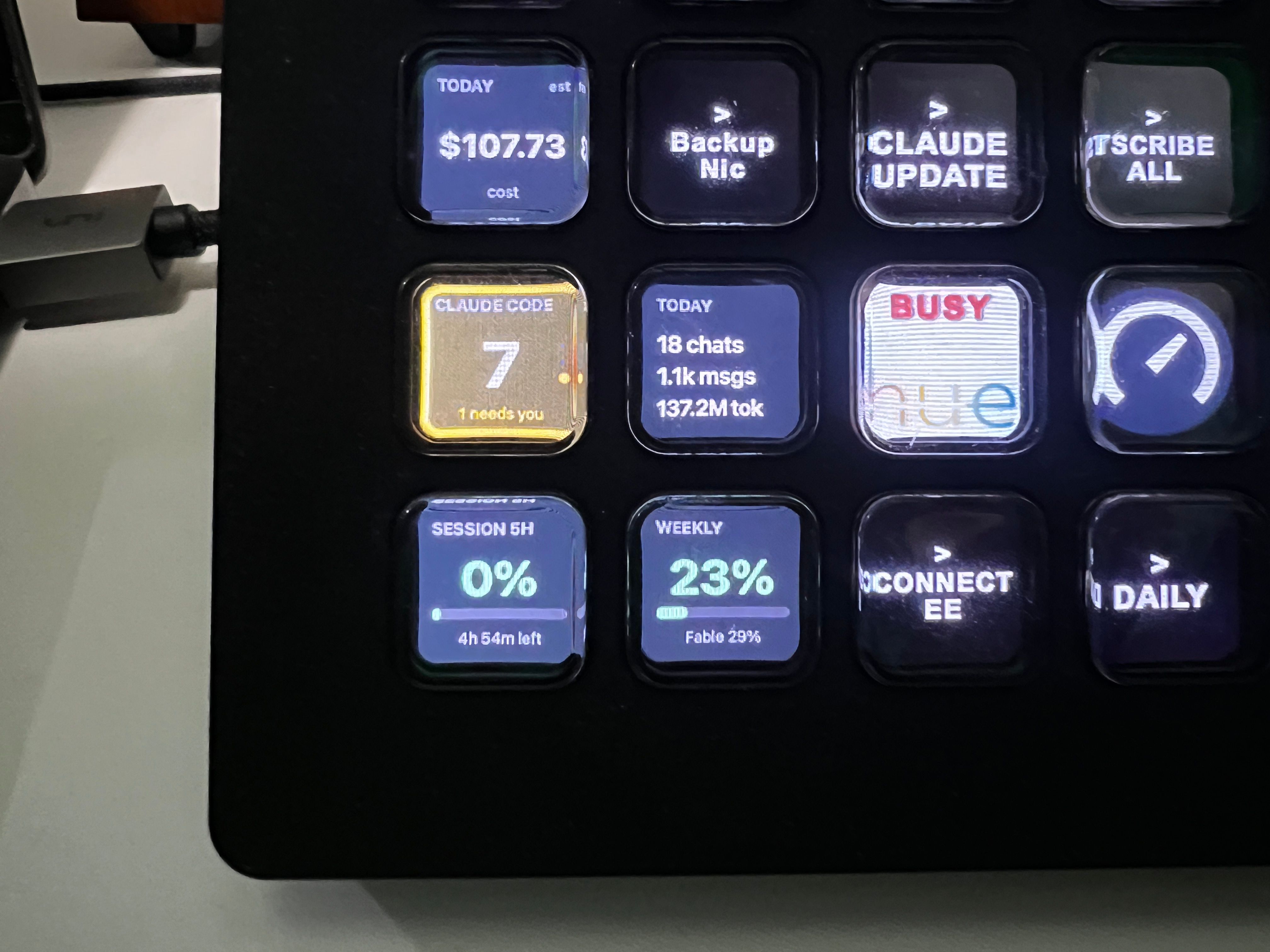
What each key gives me:
- Session (5h) and Weekly show the same percentages
/usageprints in the terminal, as a live gauge with a reset countdown. No more discovering the cap mid-task. - Active Sessions counts every running Claude Code session and, in yellow, how many are waiting on me. In the photo: 7 running, 1 needs an answer.
- Today's Activity rolls up chats, messages and tokens for the day.
- Usage shows the running cost. Press it to flip between euros and tokens.
- Allow / Always Allow / Deny mirror the 3 options a permission prompt shows in the terminal. The key lights up when a session asks, and 1 press answers it without switching windows.
The last one is the real unlock. Running several Claude Code sessions in parallel used to mean cycling through terminal tabs looking for the one that stopped. Now the key tells me, and I answer from the desk.
Install is a download from GitHub releases and a double-click. It is not on the Elgato Marketplace.

The project page has the install steps and the full key list: Agent Vitals documentation.
Tricks
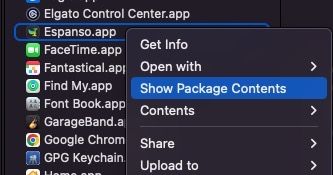
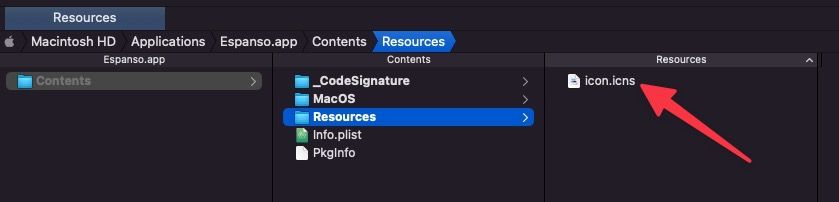
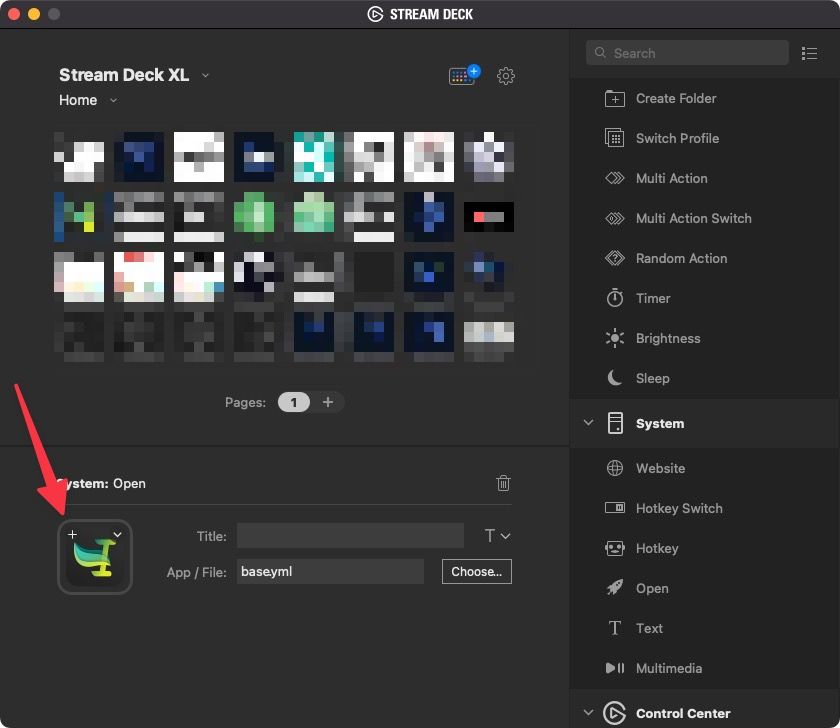
use a macOS app icon as key picture
- in the
Applicationsfolder on macOS, locate the.appof the app - right-click and select
Show Package Contents
- navigate to the subfolder
Resourcesand find theicon.icsfile (or the relevant.icsfile)
- drag it to the icon area of your key/workflow in the Streamdeck app
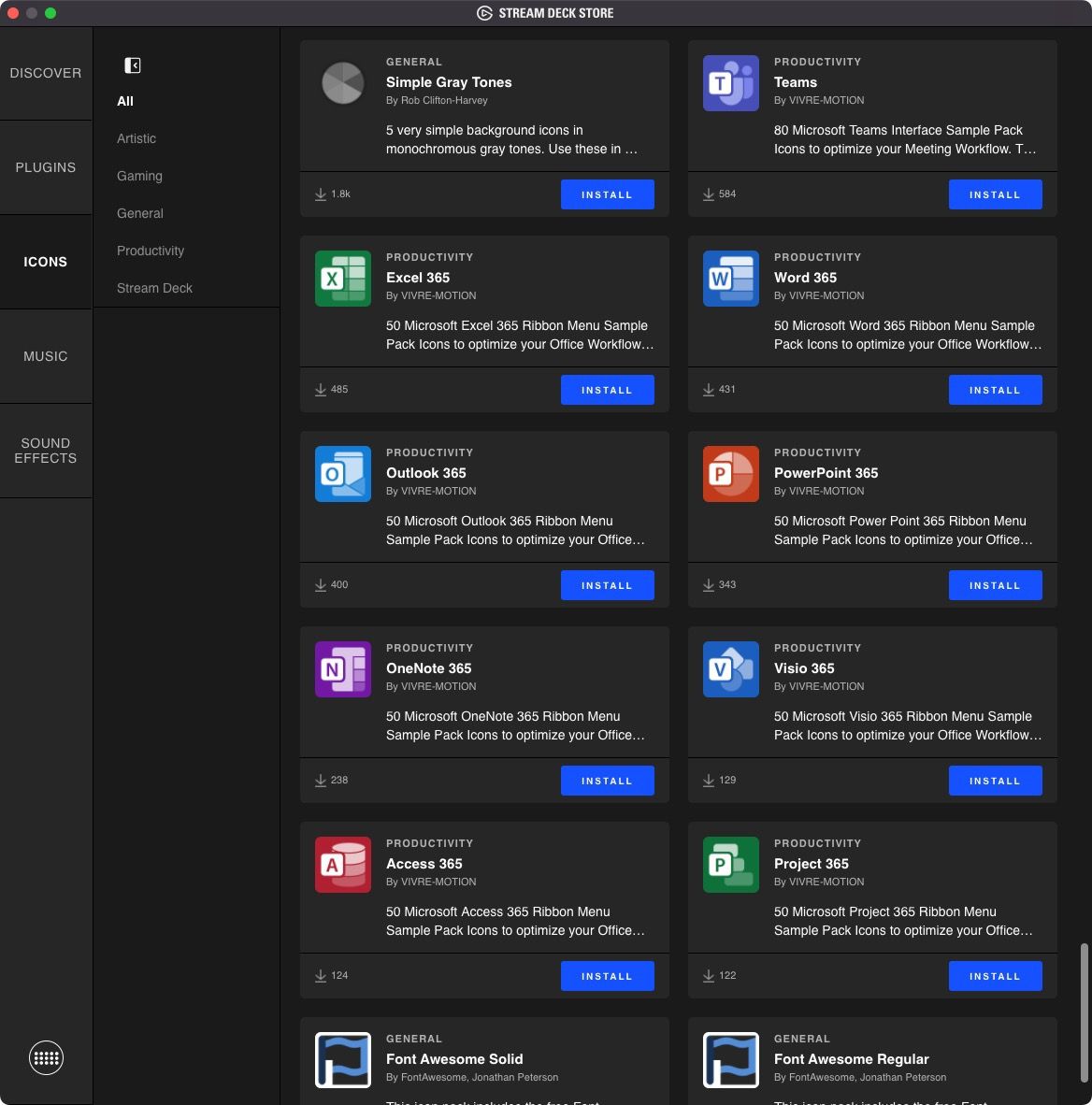
Icons
Microsoft Office icon sets are now available:
how to run a shell script
Simply use an Open action, pointing to a .sh file.
How to run Python scripts with shell scripts
keep the scripts in one place
Every script key of mine points at ~/sh/. One folder, 1 naming convention, and a profile export that still means something after a machine rebuild. Wrapping the real work in a thin .sh also means I can change what a key does without touching the Stream Deck app.
Alternatives
https://www.streamscheme.com/stream-deck-alternatives/
Loupedeck
