
22 July 2020 bought the 15 keys version, played with it and returned it on the same day (thanks Amazon!).. to buy the 32 keys version instead!
What the Stream Deck Is
The Elgato Stream Deck is a programmable control pad with customizable buttons that trigger actions on your computer. It’s designed for streamers, content creators, and anyone who wants quick access to macros, apps, and system functions without navigating menus.
Core Features
Customizable Buttons
Each button displays an icon that you can assign to actions like launching apps, switching scenes, sending chat messages, controlling audio, executing macros, and more.
Profiles & Folders
Create multiple button layouts (profiles) and nested folders to organize actions by workflow or application context.
Integrations
Native support for OBS, Zoom, Teams, Discord, Twitch, YouTube, Spotify, and many more tools enables one-tap control for common tasks.
Common Use Cases
Live Streaming
Switch scenes, control sources, mute audio, trigger media, chat commands, and manage live interactions without leaving your streaming software.
Video Conferencing
Assign buttons to mute/unmute mic, toggle camera, share screens, launch meeting links, or adjust volume quickly during calls.
Productivity & Creative Work
Use it to run scripts, open tool palettes, manage system functions (brightness, volume), trigger shortcuts in creative apps (Photoshop, Premiere, DaVinci Resolve).
Strengths
- Highly customizable: Tailor actions to nearly any software or workflow.
- Visual feedback: LCD icons update dynamically to reflect states (e.g., mic muted).
- Time savers: Reduces reliance on keyboard shortcuts and app menus.
- Scales with needs: From 6 buttons to 32+ with larger models.
Limitations
- Learning curve: Setting up complex macros and nested folders takes time.
- Software dependency: Most power comes from the Stream Deck app; requires updates and occasional troubleshooting.
- Single user focus: Not ideal for multi-user shared environments without custom setup.
Setup Tips
- Group actions by context (e.g., streaming, meetings, editing) to avoid clutter.
- Use clear, consistent icons for fast muscle memory.
Model Variants
- Stream Deck Mini: Compact 6-button version for essential controls.
- Stream Deck (standard): Mid-size with 15 buttons, great balance.
- Stream Deck XL: Larger layout with 32 buttons for extensive setups.
- Stream Deck Mobile: iOS/Android app alternative that mirrors hardware functionality (but I do highly recommend the hardware versions - whole different ball game).
Conclusion
Elgato’s Stream Deck is a versatile controller that streamlines complex workflows into a tactile, programmable interface. It’s valuable for streamers, professionals, and anyone who benefits from quick, context-aware control over tools and tasks.
Tricks
use a macOS app icon as key picture
- in the
Applicationsfolder on macOS, locate the.appof the app - right-click and select
Show Package Contents
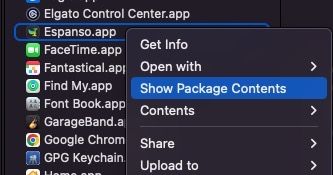
- navigate to the subfolder
Resourcesand find theicon.icsfile (or the relevant.icsfile)
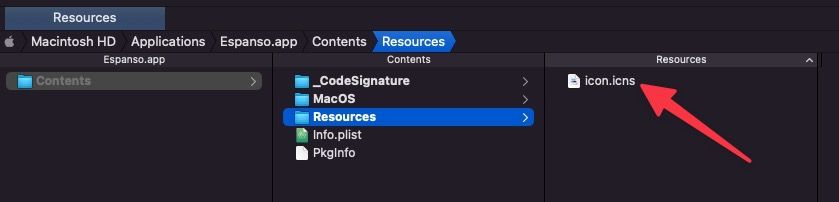
- drag it to the icon area of your key/workflow in the Streamdeck app
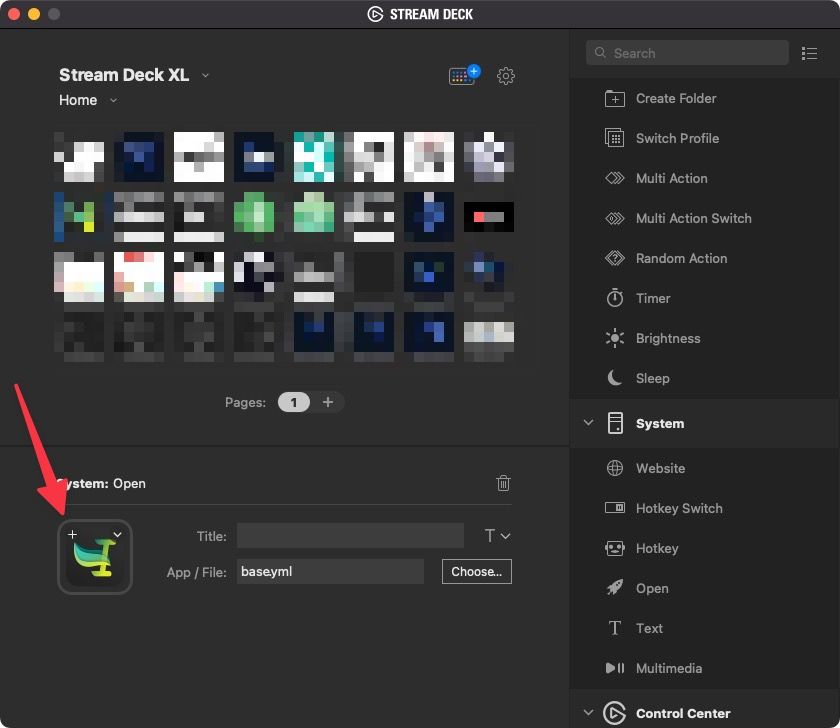
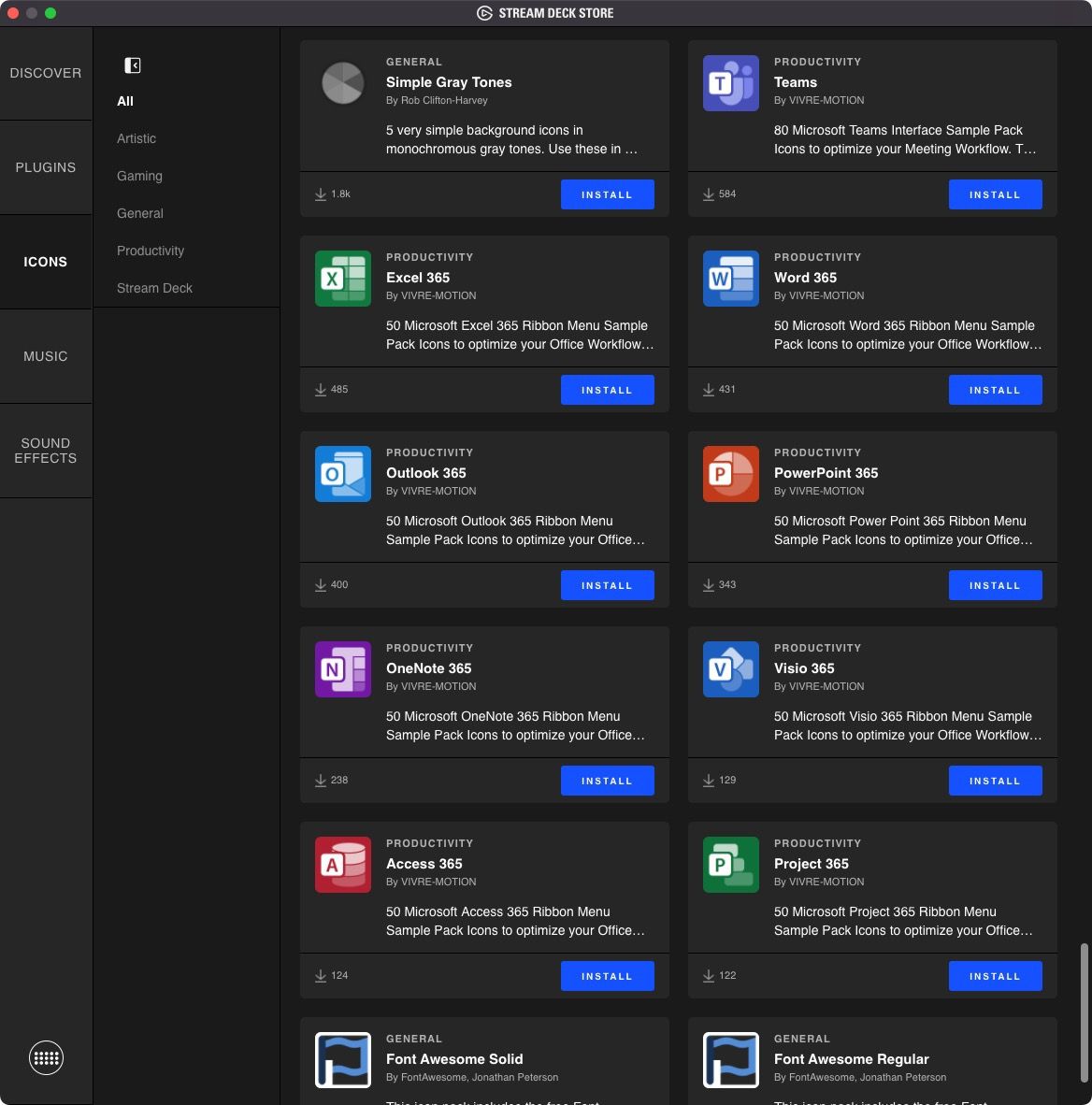
Icons
Microsoft Office icon sets are now available:
how to run a shell script
Simply use an Open action, pointing to a .sh file.
How to run Python scripts with shell scripts
Alternatives
https://www.streamscheme.com/stream-deck-alternatives/
Loupedeck
