
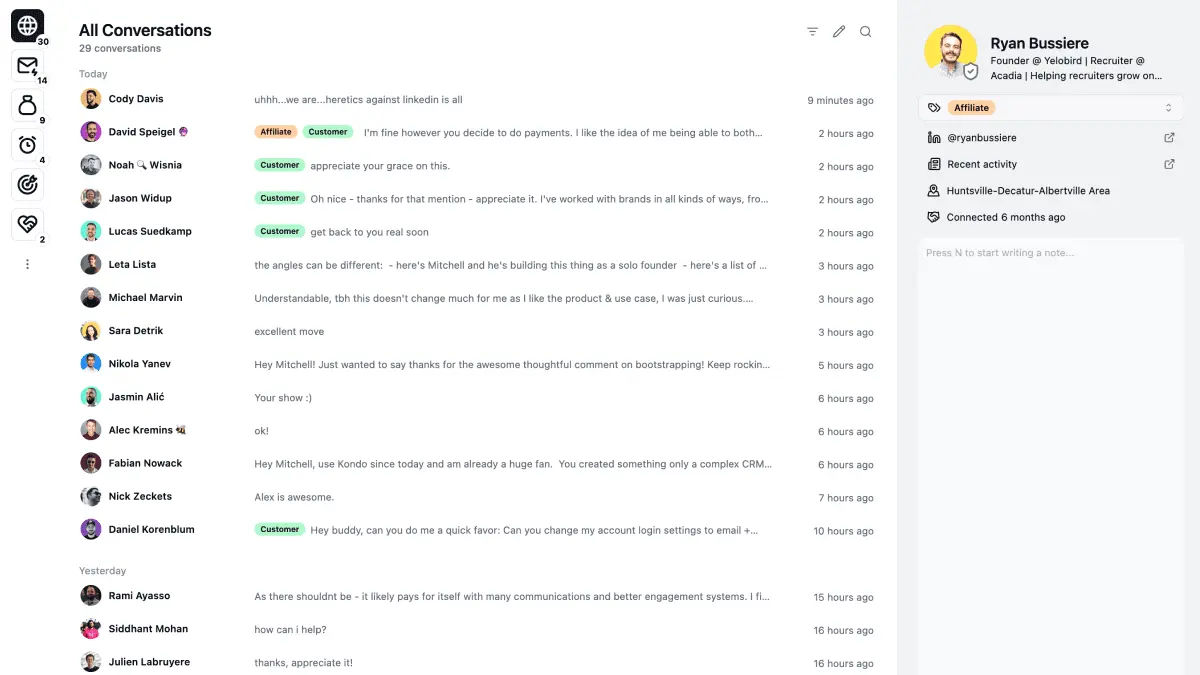
Kondo is a keyboard-driven inbox for LinkedIn direct messages, plus iMessage, WhatsApp, Telegram, X and Instagram in one place. It exists because LinkedIn's own messaging has no labels, no snooze, no templates and no way to tell a live deal from a recruiter pitch. If your pipeline arrives through DMs, that is a real problem. The name is the pitch: tidy the inbox, do not automate it.

What it does
- Labels and split inboxes. Tag a conversation, then filter to just that tag. Customers in one view, candidates in another.
- Snooze and reminders. Press
H, the thread disappears and comes back when you said. The single feature that stops follow-ups dying. - Snippets. Saved replies with variable fields, so the 30th "here is my calendar" takes 2 keystrokes.
- Keyboard shortcuts throughout. Navigate, label, archive, reply without touching the mouse.
- Private notes per contact. Written in the same pane as the conversation, never visible to them.
- Voice notes, with transcription. Send them from the desktop, read incoming ones as text.
- CRM sync. Names, headlines, labels, conversation history and message status pushed into your CRM as structured records.
- One inbox for 6 platforms. LinkedIn, iMessage, WhatsApp, Telegram, X, Instagram.
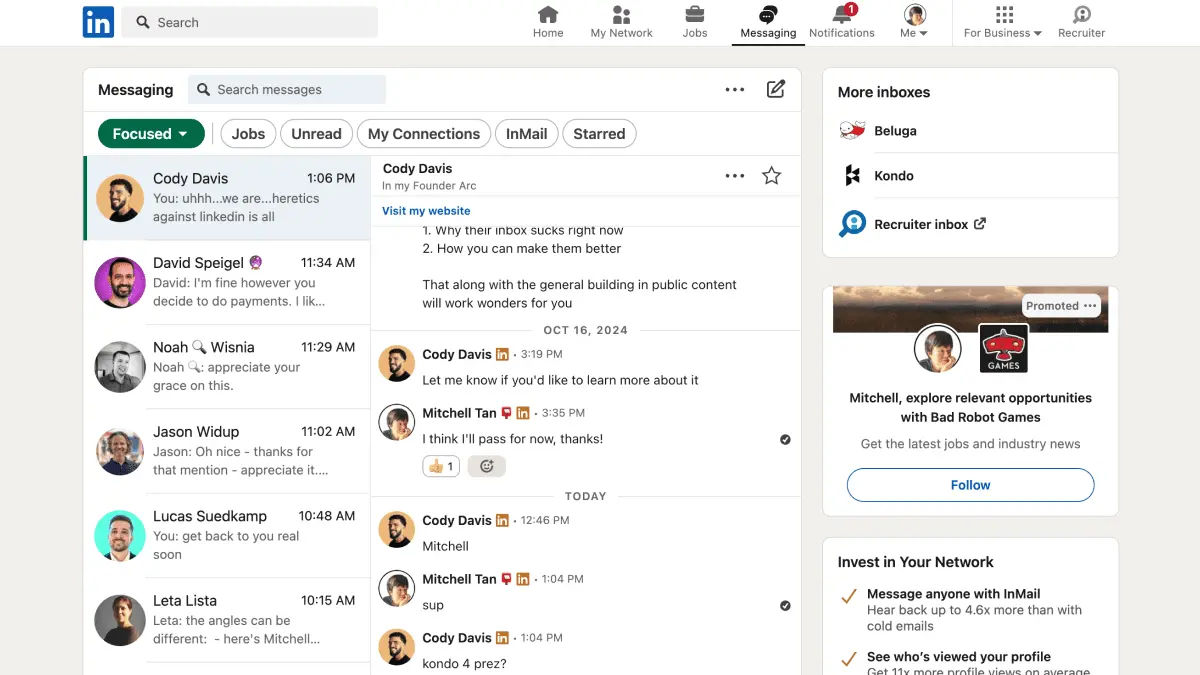
This is the LinkedIn inbox it replaces. The gap is the whole product.
For business people
The problem Kondo solves is narrow and real: LinkedIn DMs are a pipeline channel running on a consumer-grade inbox. There is no way to mark a thread as a live opportunity, no way to make it resurface on Thursday, and no record of any of it in your CRM. So threads go cold and nobody notices.
Where it fits: founders selling through their own network, creators with an inbox full of inbound, sales reps working replies rather than sequences, recruiters juggling candidate threads. If you send 5 LinkedIn messages a week you do not need this. If your inbox is where the deals actually live, the case makes itself.
Cost shape: per seat, per month, with a 20% discount for annual billing.
| Plan | Annual price | What you get |
|---|---|---|
| Basic | 28 USD / user / month | Unlimited labels and snippets, reminders, voice notes |
| Business | 36 USD / user / month | Basic plus Sales Navigator inbox, CRM sync, analytics, MCP connector for Claude |
| Enterprise | 52 USD / user / month | Business plus unlimited sync destinations, SAML SSO, VIP support |
Monthly billing costs more. All plans carry a 14-day money-back guarantee. Enterprise is demo-gated rather than self-service.
The limitation worth understanding before you buy: Kondo deliberately does not automate anything. No bulk sending, no sequences, no auto-replies, no scraping. That is a design decision, not a missing feature, and it is the reason the company argues it stays inside LinkedIn's terms. If you wanted an outreach machine, this is not it.
For technical people
How it gets your messages
Kondo reads the active LinkedIn session cookie from your browser, the same approach Texts and Beeper use for the networks they bridge. You never hand over a password, and the company states it does not store LinkedIn credentials.
Message data is cached locally on your machine and, per Kondo's own security write-up, never reaches their servers. That is a genuinely better posture than the scraper-and-cloud-database model most LinkedIn tools run on, and it means Kondo has no view of your conversations.
What it explicitly does not do:
- Scrape LinkedIn pages
- Modify LinkedIn's appearance
- Automate sending, liking or commenting
- Bulk message, sequence or auto-reply
Sync targets
| Type | Destinations |
|---|---|
| Native | HubSpot (listed on their marketplace), Salesforce, Notion, Google Sheets, Attio, Clarify |
| Data tooling | Clay |
| Generic | Custom webhooks, Zapier, Make |
Synced fields are names, headlines, labels, conversation history and message status. The docs do not state whether sync is one-way or two-way, or what the latency is. Worth asking before you wire it into a production CRM.
The MCP connector
The Business plan includes an MCP server, so Claude can query your Kondo inbox directly. That turns "who did I speak to at that company and what did we agree" into a question you ask rather than a search you run. For anyone already running Claude against their own data, this is the feature that makes the tier upgrade interesting.
What is missing
No SOC 2, ISO 27001 or third-party audit is claimed anywhere on the site. For a personal tool that is fine. For a security review at a large company it is the first thing that will come back.
Background
Kondo launched in September 2024, founded by Mitchell Tan. Self-funded, small team, no venture backing. The positioning is openly borrowed: "Superhuman for DMs", and the testimonials lean on it, including one from Gaurav Vohra of Superhuman himself and one from Mark Kosoglow.
The category around it is thin. Most LinkedIn tools are outreach automation (Expandi, Taplio, Lempod), which is a different product solving a different problem and carrying much more account risk. The universal-inbox apps (Texts, Beeper) bridge more networks but give you no CRM layer and no sales semantics. Kondo sits in the gap: 1 network's inbox, done properly, with a pipeline on top.
Who it's for
- Founders doing founder-led sales. Your DMs are the pipeline.
- Creators with inbound. A post that lands leaves 200 threads behind it.
- Recruiters. Candidate threads with labels and reminders is the whole job.
- Anyone running Claude over their own data, because of the MCP connector.
Not for: outbound teams wanting volume, anyone who touches LinkedIn twice a month, or a security-conscious enterprise that needs an audit report.
My take
The product is well aimed and the local-cache architecture is the right call. If I were living in LinkedIn DMs, I would pay for this.
I am not, and for a specific reason: my LinkedIn account is flagged, and I do not touch linkedin.com at all. My LinkedIn data lives in a local SQLite database with 30,000+ connections, and every tool I build reads from there. Any product that rides my live session cookie sits exactly in the category I have reason to avoid, however careful its design. Kondo's argument that it stays inside the terms of service is credible, and it is still LinkedIn who decides what counts.
So: good tool, wrong tool for me. The part I would take regardless is the pattern. Labels plus snooze plus snippets plus a sync target is the shape any high-volume inbox wants, and it is not hard to build over a database you already own.
Worth watching if the multi-platform side matures. A single keyboard-driven inbox over WhatsApp, iMessage and Telegram, with labels and CRM sync, would be interesting on its own without LinkedIn in the picture.
Further reading

- Kondo pricing
- CRM integrations
- Privacy policy
- Texts, the other session-cookie universal inbox