
Update: retired in October 2026
15 Oct 2026 The ATEM Mini left my setup on 14th October 2026. I didn't upgrade to the Pro, as the original note below says. I removed the switcher altogether.
I only ever had 1 camera on it, so I used it for 2 jobs. Both now run in dedicated software on my Mac:
- Chroma keying moved to Webcamee, my own green screen virtual camera: Webcamee: my own green screen virtual camera. It keys on the Mac's GPU, follows the daylight across the wall, and uses a person mask so green reflections never punch holes in me. The ATEM's keyer sampled 1 green for the whole wall.
- Hardware camera control moved to Camera look, my script that sets the Pocket 4K for calls. It talks to the camera's own REST API, which reads every value back. The ATEM relayed the same commands over HDMI, but write only, so I never knew what the camera held.
The chain is now 1 box shorter:
BMPCC 4K -> HDMI (video + NTG3 audio) -> Elgato Cam Link 4K -> USB -> Mac Studio -> Webcamee -> Teams
By October my calls used the ATEM's own USB-C webcam output, and the Cam Link hung off its HDMI output. Now the Cam Link takes the camera directly, and the NTG3 audio still rides the HDMI signal, so it stays in sync with no extra interface.
The 1 thing the camera's REST API can't set is the dynamic range. That's a one-off setting on the camera's touchscreen.
The original note stays as it was written. The "Should I upgrade" answer still holds: the Pro's streaming, recording and multiview solve problems I don't have. What I hadn't seen in August is that the Mac could take over the 2 jobs I actually used. The scripting that made the box outlive its spec sheet is also what let it go: once the camera had its own API, the ATEM was only relaying.
12 Aug 2026
The ATEM Mini is a hardware video switcher the size of a keyboard. Four HDMI cameras go in, one picture comes out, and the computer sees the result as an ordinary webcam. That last part is the whole trick: every meeting app already knows how to accept a webcam, so a proper multi-camera production arrives in Teams or Zoom with no plugin and no driver.
Blackmagic announced it at IBC on 13th September 2019 at 295 USD and shipped that November. I have had mine since 2020, and it is still the piece of studio kit doing the most work per euro spent.
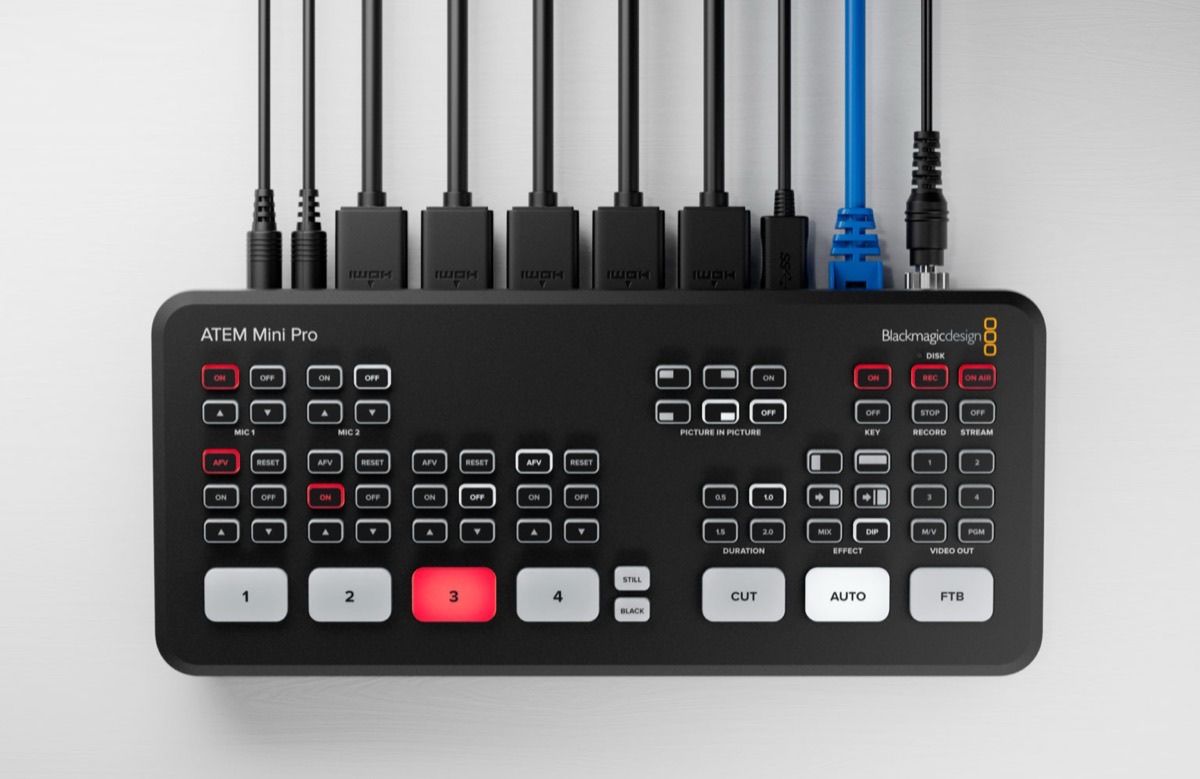
What the original model does
| Video in | 4 x HDMI, 720p and 1080 HD |
| Video out | 1 x HDMI, program only |
| Webcam out | 1 x USB-C, appears as a standard webcam |
| Audio in | 2 x 3.5 mm, plus embedded HDMI audio on every input |
| Ethernet | Control only, no streaming engine |
| Effects | Chroma keyer, DVE picture-in-picture, media players, mix and dip |
| Launch price | 295 USD, September 2019 |
The parts that matter daily are the least glamorous. Cut and Auto with a fixed transition duration. AFV so a camera's audio follows it on air. The chroma keyer, which is what makes a painted green wall useful. And the USB-C webcam output, which turns the whole chain into a device Teams treats as a Logitech.
My signal chain
Everything in the studio funnels through it:
BMPCC 4K -> HDMI -> ATEM Mini -> HDMI -> Elgato Cam Link 4K -> USB -> Teams
Rode NTG3 -> mini-XLR -> BMPCC 4K -> HDMI audio -> ATEM Mini -> Cam Link -> Teams
Audio rides the HDMI signal the whole way, so the shotgun mic needs no separate interface and no sync fix. See Blackmagic Pocket Cinema Camera 4K for the camera end of that chain.
Two things I learned the hard way and would tell anyone setting one up:
- The base Mini has no DHCP client. The Pro and Extreme get an address automatically; this one does not. You set a static IP in ATEM Setup or it never appears on the network. Mine sits at a fixed address outside the DHCP pool.
- It is scriptable. The control protocol runs on UDP 9910 and is straightforward to drive from Python. Input switching, media player, audio levels, and camera control relayed over HDMI to the BMPCC: ISO, shutter, white balance, tint, iris and focus on an electronic lens, and the in-camera colour corrector. Menu-only camera settings such as codec and dynamic range still need the touchscreen.
That second point is the reason the box has outlived its spec sheet for me. It is not a switcher I press buttons on; it is a switcher a script drives.
What it never got
The base model has no streaming engine, no disk recording and no multiview. Those are not firmware gaps, they are missing hardware, and the manual is explicit that streaming, recording to USB disks and multiview belong to the Pro and Extreme models. There is no update path.
Practically that means:
- To go live to YouTube you stream from the computer, not from the box.
- To record the programme feed you record on the computer, in OBS or Resolve.
- The single HDMI output shows programme only, so a confidence monitor costs you your only output.
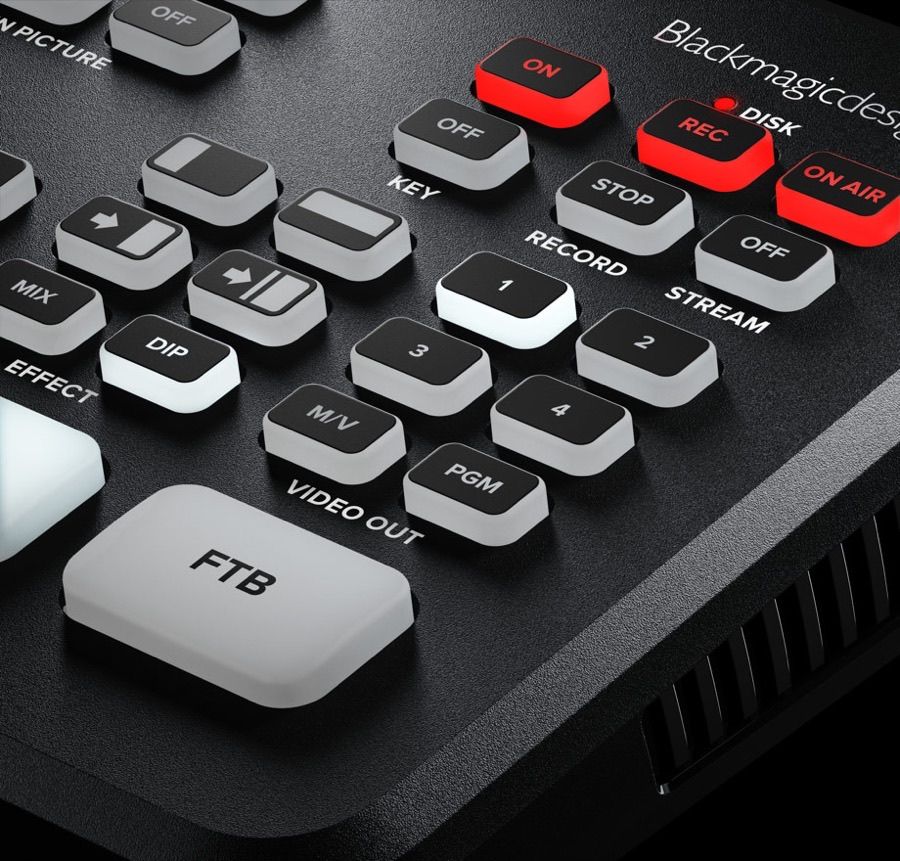
Those red REC and ON AIR buttons are the Pro's, and they are the honest summary of the difference between the two models.
The 2026 line-up
The original Mini is gone. It no longer appears on the product page or in the tech specs product selector. The range now starts one step up:
| Model | Price | What you get over the one below |
|---|---|---|
| ATEM Mini Pro | 349 USD | Streaming engine, USB disk recording, multiview |
| ATEM Mini Pro ISO | 585 USD | 5 record streams, auto DaVinci Resolve project |
| ATEM Mini Extreme | 1,249 USD | 8 HDMI in, 4 chroma keyers, 2 HDMI out, SuperSource |
| ATEM Mini Extreme ISO G2 | 2,245 USD | Thunderbolt, CFexpress, 10G Ethernet, XLR with phantom |
The Pro at 349 USD is the interesting one, because it is only about 50 USD more than the original cost and it adds the three things the base model can never do.
Software has kept moving regardless. ATEM Switchers 10.3 shipped on 9th July 2026, adding USB digital audio output for Fairlight Live and Blackmagic Cloud Stream Router support. Both target models with hardware mine lacks, which is the pattern now: the shared installer still covers the old box, the headline features do not.
Should I upgrade
No, and the reasoning is worth writing down because it keeps coming back.
The Pro's three features solve problems I do not have. I do not broadcast live to a platform; my output goes into Teams, which the webcam out already handles. I record with OBS on a machine that is far better at it than a 349 USD box. And multiview matters when you are cutting between four operators, not when you are the only person on camera.
What would change my mind is a second camera becoming permanent. The moment there is a real cut to make, multiview stops being a luxury, because switching blind to a source you cannot see is how you put the wrong shot on air. Until then the money belongs elsewhere.
My take
Six years, no failures, and the best argument for it is that I stopped thinking about it. It is the least fashionable thing in the studio and the one I would replace first if it died.
Buy the Pro if you are starting today. The base model was the right purchase in 2020 and would be the wrong one now, not because it got worse but because 50 USD buys the streaming and recording that used to be the reason to own a computer in the chain at all.
Firmware recovery notes, the XLR-to-TRS trick for getting more microphones in without a mixer, and the Cam Link and Teams gotcha all live in my older ATEM Mini note.
Further Reading
- ATEM Mini product page, the current Pro, Pro ISO and Extreme range
- ATEM support and downloads, firmware and ATEM Setup
- Blackmagic Design
- My older note with the firmware recovery steps: ATEM Mini