
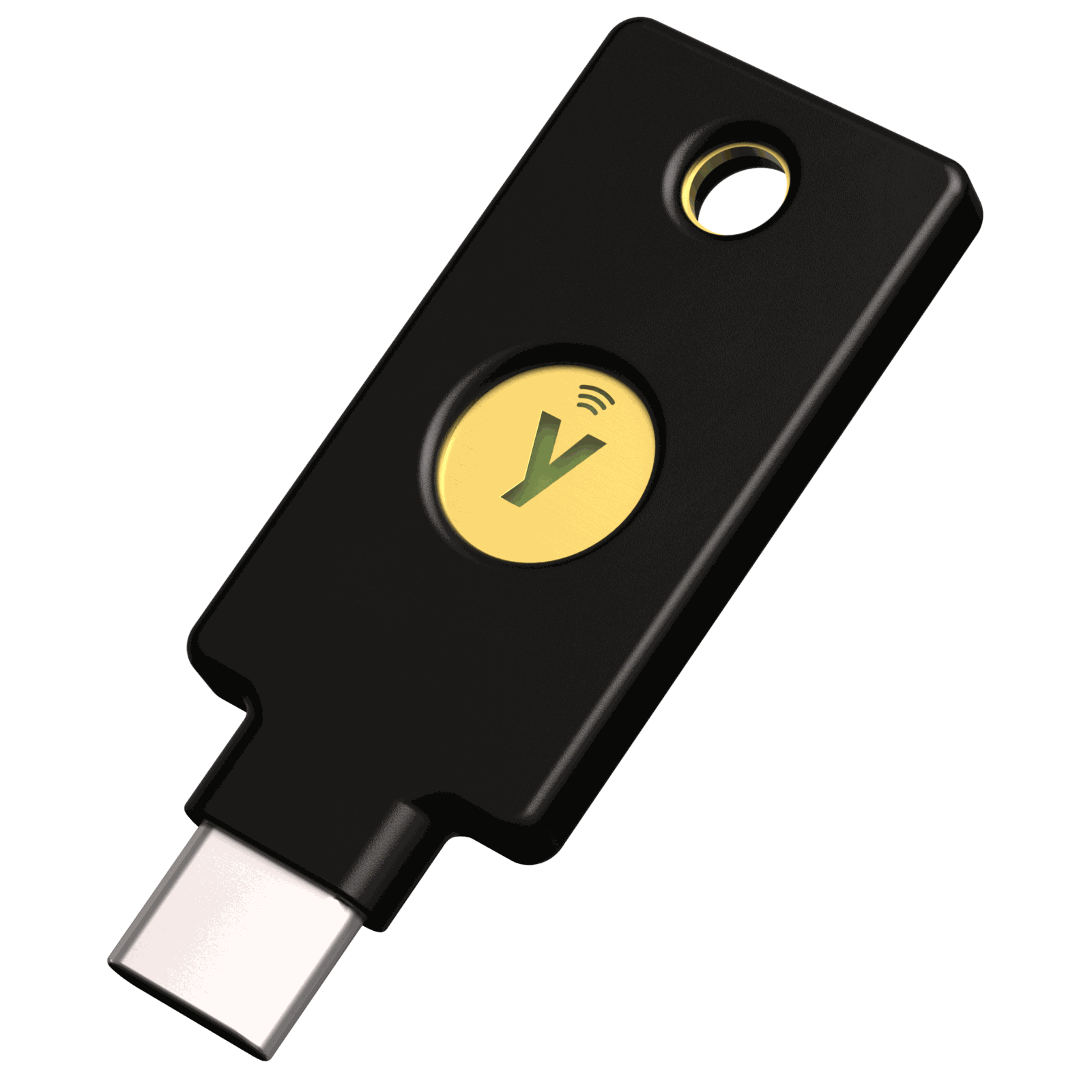
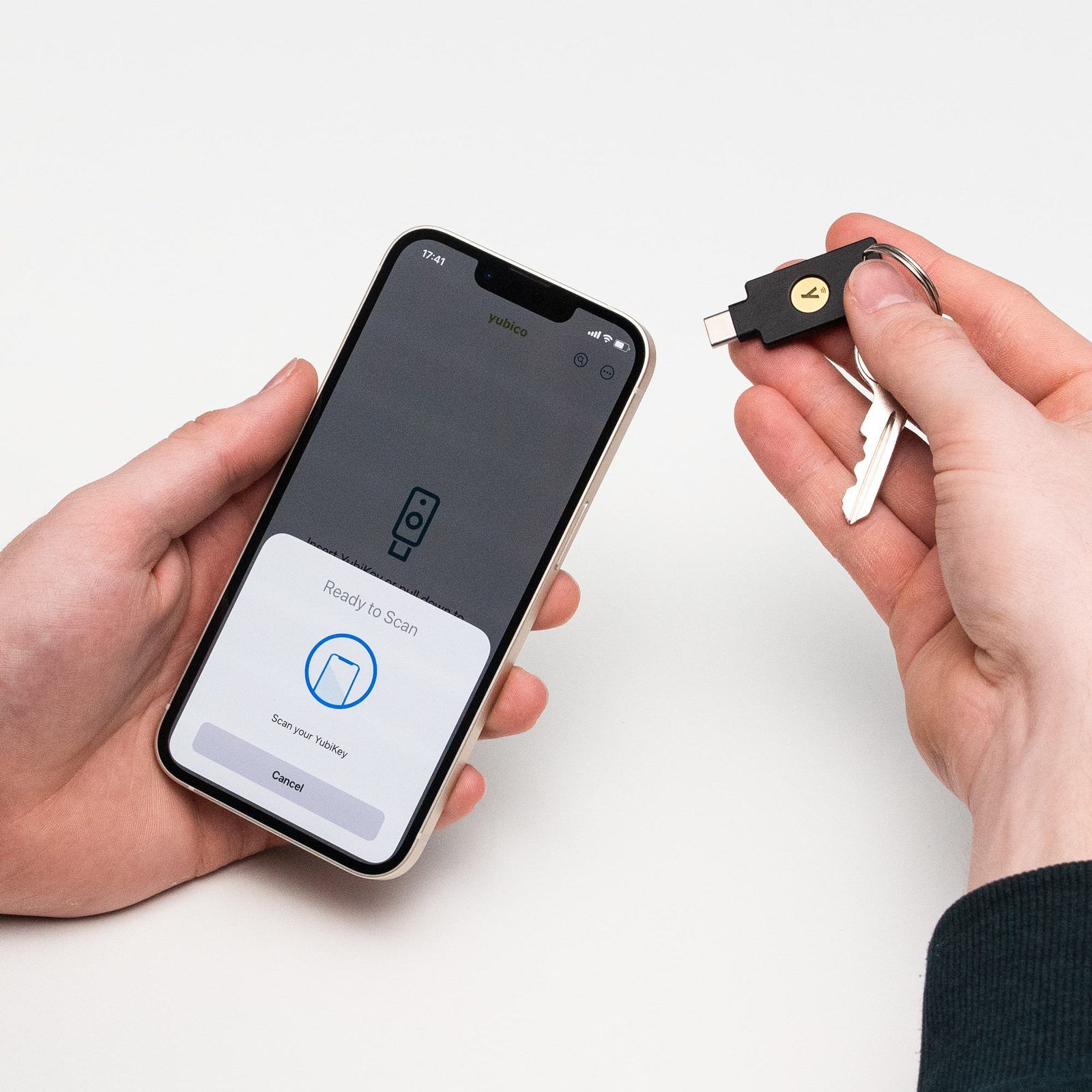
The YubiKey 5C NFC is a hardware security key from Yubico. It proves it's you when you sign in, by a touch on the key: plugged into USB-C, or tapped against a phone over NFC. A password can be phished. A key can't, because it checks the website's address before it answers. It is the most popular model of the YubiKey 5 Series, and the one that fits a modern Mac, a USB-C laptop and an iPhone.
Overview
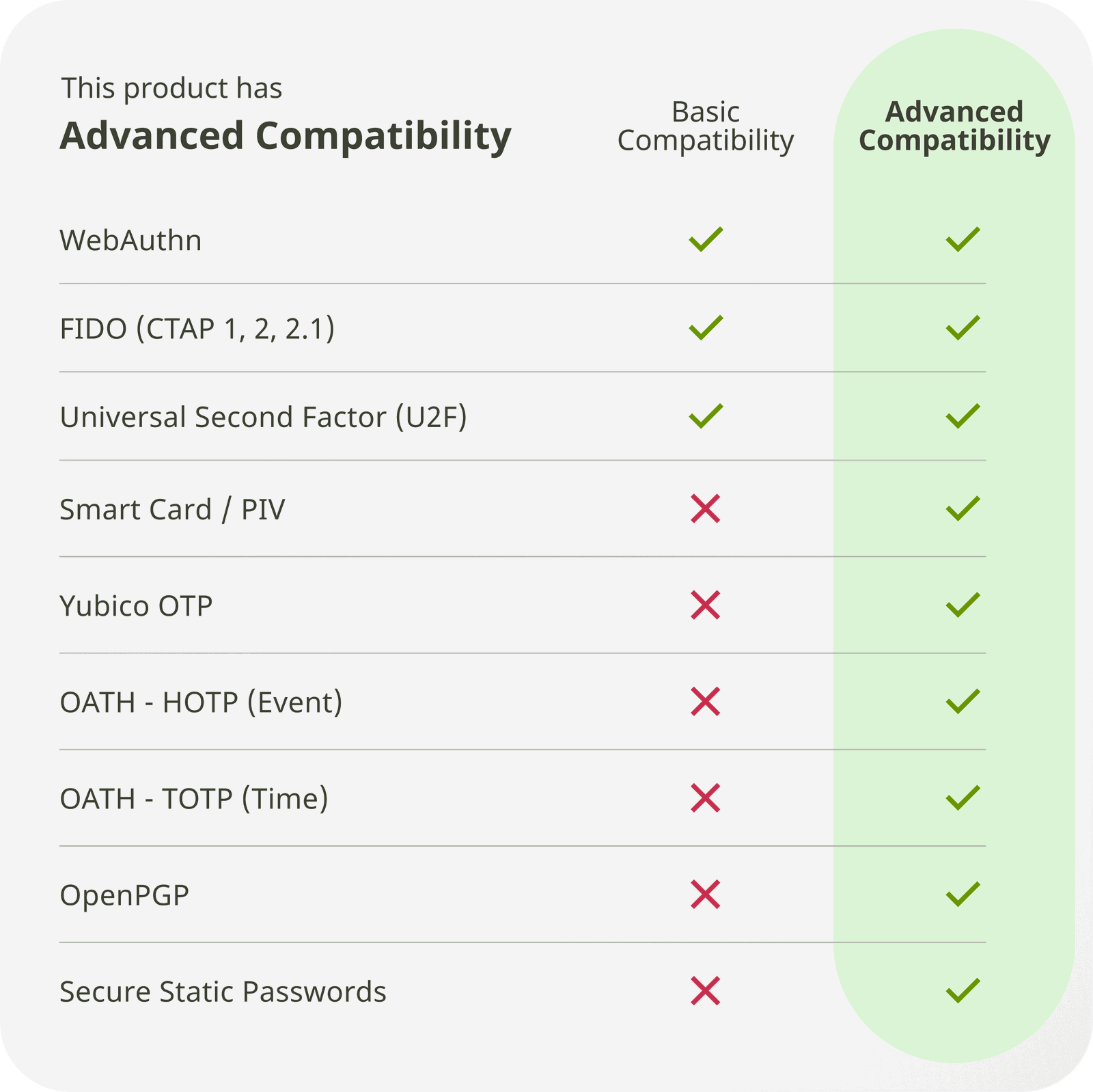
- What it is: a multi-protocol security key for passkeys, 2-factor logins, one-time codes, smart-card certificates and PGP.
- Connections: USB-C and NFC. No battery, no Bluetooth, no app needed for most logins.
- Firmware: version 5.8 on keys sold now, with room for 100 passkeys and 64 authenticator codes.
- Price: €69.02 including VAT at Yubico's German store on 23rd October 2026. Free shipping in the EU from €100 excluding VAT, so 2 keys ship free.
- Made in: Sweden.
Specifications
| Connectors | USB-C 2.0, NFC (ISO 14443-3 Type A) |
| Size and weight | 18 x 45 x 3.7 mm, 4.1 g |
| Build | Glass-fibre reinforced plastic, IP68 water and dust resistant, crush resistant |
| Firmware | 5.8, not updatable |
| Passkeys | 100 discoverable FIDO2 credentials |
| Authenticator codes | 64 OATH slots (TOTP and HOTP) |
| Smart card (PIV) | 24 certificates |
| Protocols | FIDO2/WebAuthn, CTAP 2.1, U2F, PIV, OpenPGP, Yubico OTP, OATH, static password |
| Crypto | RSA up to 4096, ECC P-256 and P-384, Ed25519, X25519 |
| Durability | 100,000+ insertions, 500,000+ write cycles |
| Operating range | 0 to 40 °C |
| Works with | Windows, macOS, ChromeOS, Linux, iOS and Android over NFC or USB-C |
What it does, in practice
- Passkeys and security keys (FIDO2): the strongest use. Register the key on Google, Microsoft, Apple, 1Password, Bitwarden, GitHub, AWS and 100s of other services. Sign-in then needs the key and a touch, sometimes a PIN. This is the phishing-proof part.
- Authenticator codes (TOTP): the key stores the secrets of 6-digit codes, and the free Yubico Authenticator app reads them on desktop or phone. The secrets never sit on the phone, but the codes themselves can still be phished.
- Smart card (PIV): certificates for Mac login, SSH or enterprise sign-in.
- OpenPGP: signing and encrypting email or Git commits, with the private key stored on the YubiKey.
How it adds a layer of safety, in simple terms
A password is a secret you know. Anyone who learns it, from a fake login page, a data leak or malware, can use it from anywhere in the world. Codes by SMS or an authenticator app help, but a fake page can ask for the code too and pass it on in real time.
The YubiKey is something you have, and it works differently:
- The secret never leaves the key. When you register it on a site, the key creates a key pair for that site. The private half stays locked in the key's chip. Nobody can copy it, not even you.
- The key checks who is asking. At sign-in, the site sends a challenge. The browser tells the key which website it really is. The key only answers for the exact site it was registered with, so a look-alike phishing site gets nothing.
- A human has to touch it. The key signs the challenge only after a physical touch, and a PIN if you set one. Malware on the computer can't press the button.
The result: to get into an account protected this way, an attacker needs the physical key in their hand, and usually your PIN too. Stealing a password from the other side of the world is no longer enough.
What it doesn't do: it protects the login. Once you are signed in, the session (a cookie in the browser, or a token) is what keeps you in. Malware that steals a live session, or an API key in a file, gets around the key. The key raises the bar at the door, not inside the house.
Using it with AI agents
AI agents such as Claude Code or a browser agent act on your machine with your access: they run commands, push code, open websites and call APIs. That is the point of them, and also the risk. An agent can be tricked by a prompt injection in a web page or a file, or simply make a mistake, and it does it at machine speed.
A YubiKey helps in 3 ways.
1. A human approval the agent can't fake
Anything set up to need a touch on the key becomes an action only a person can approve. The agent can prepare the commit, the deployment or the transfer, but it stops at the touch. This is a physical human-in-the-loop that no prompt can talk its way past, because there is no prompt: there is a finger on a sensor.
Good candidates:
- SSH: a key stored on the YubiKey (
ed25519-sk) needs a touch for every connection, so an agent can't log into your servers on its own. - Git commit signing: each signed commit needs a touch, so a commit signed by you was approved by you.
- sudo and admin rights: with Yubico's
pam-u2fmodule, admin actions on a Mac or Linux machine need the key. - Password manager unlock: 1Password and Bitwarden can require the key, so an agent with access to your machine can't open the vault by itself.
# SSH key that lives on the YubiKey: needs a touch, and the PIN, at every use
ssh-keygen -t ed25519-sk -O resident -O verify-required -C "yubikey-5c-nfc"

# Sign Git commits with that key
git config --global gpg.format ssh
git config --global user.signingkey ~/.ssh/id_ed25519_sk.pub
git config --global commit.gpgsign true
If the built-in ssh-keygen refuses the -sk key type on macOS, use OpenSSH from Homebrew.
2. Lock the accounts that hand out the keys
Agents shouldn't sign in as you. They should run on API keys and tokens with limited rights. But those tokens are created in accounts: Anthropic, OpenAI, GitHub, AWS, Google, the password manager. Whoever controls those accounts can create new tokens, raise the limits or read the billing.
Put the YubiKey on exactly those accounts. Then a leaked password, or an agent tricked into opening a fake login page, can't take over the account that issues every other credential. Passkeys are phishing-proof, so an agent that lands on a look-alike site can't hand over a login it doesn't have.
3. A clear line between what the agent can and can't do
The key turns a vague policy into a physical boundary:
| The agent can do alone | Needs a human and the key |
|---|---|
| Read and write files in the project | Push signed commits |
| Call APIs with its own scoped token | Create, rotate or delete API keys |
| Draft an email, a deployment, a payment | Log into the admin console, approve a payment |
| Use the sessions it was given | Unlock the password manager, use SSH, use sudo |
The limits
- It doesn't police the agent's own tokens. An API key in a
.envfile works without the YubiKey. Keep those tokens narrow, short-lived where possible, and out of reach of untrusted content. - It doesn't protect open sessions. A browser where you are already signed in is open to anything that can drive that browser. Use a separate browser profile for agents, with only the logins they need.
- It only works where it's required. If a service also accepts SMS or a password as a fallback, an attacker uses the fallback. Remove weaker methods once both keys are registered.
Yubico is also building for this: its product page lists preview support for hardware-backed signatures and "AI-based workflows" on firmware 5.8, so a key could one day sign an agent's actions directly.
Firmware: why 5.7 and later matter
The firmware is fixed at the factory and can't be updated. A key keeps the features and the flaws it shipped with.
- 5.7 (2024): raised the capacity from 25 to 100 passkeys and from 32 to 64 OATH codes, and added Ed25519.
- EUCLEAK (September 2024): Yubico's advisory YSA-2024-03 covers a flaw in an Infineon crypto library in YubiKey 5 and Security Key firmware before 5.7.0. Yubico rates it moderate: an attacker needs the physical key, knowledge of the target accounts and specialised equipment. The only fix is a newer key.
- 5.8 (current): adds CTAP 2.3 features, PRF for digital wallets and encrypted credential storage, and previews for payment confirmation and signing.
Check the firmware of a key bought second-hand or from old stock in Yubico Authenticator. Anything below 5.7 is worth replacing.
Set it up right
- Buy 2 keys and register both everywhere. One on the key ring, one at home. A single key is a single point of failure, and losing it can lock you out.
- Apple Account: Apple's Security Keys feature needs at least 2 FIDO-certified keys, from iOS 16.3 and macOS Ventura 13.2.
- Set a FIDO2 PIN at first use, in Yubico Authenticator.
- Keep recovery codes for every account you protect, stored offline.
- Prefer passkeys over TOTP where a service offers both.
Pros and cons
Pros:
- Phishing-proof sign-in for every service that supports passkeys or security keys.
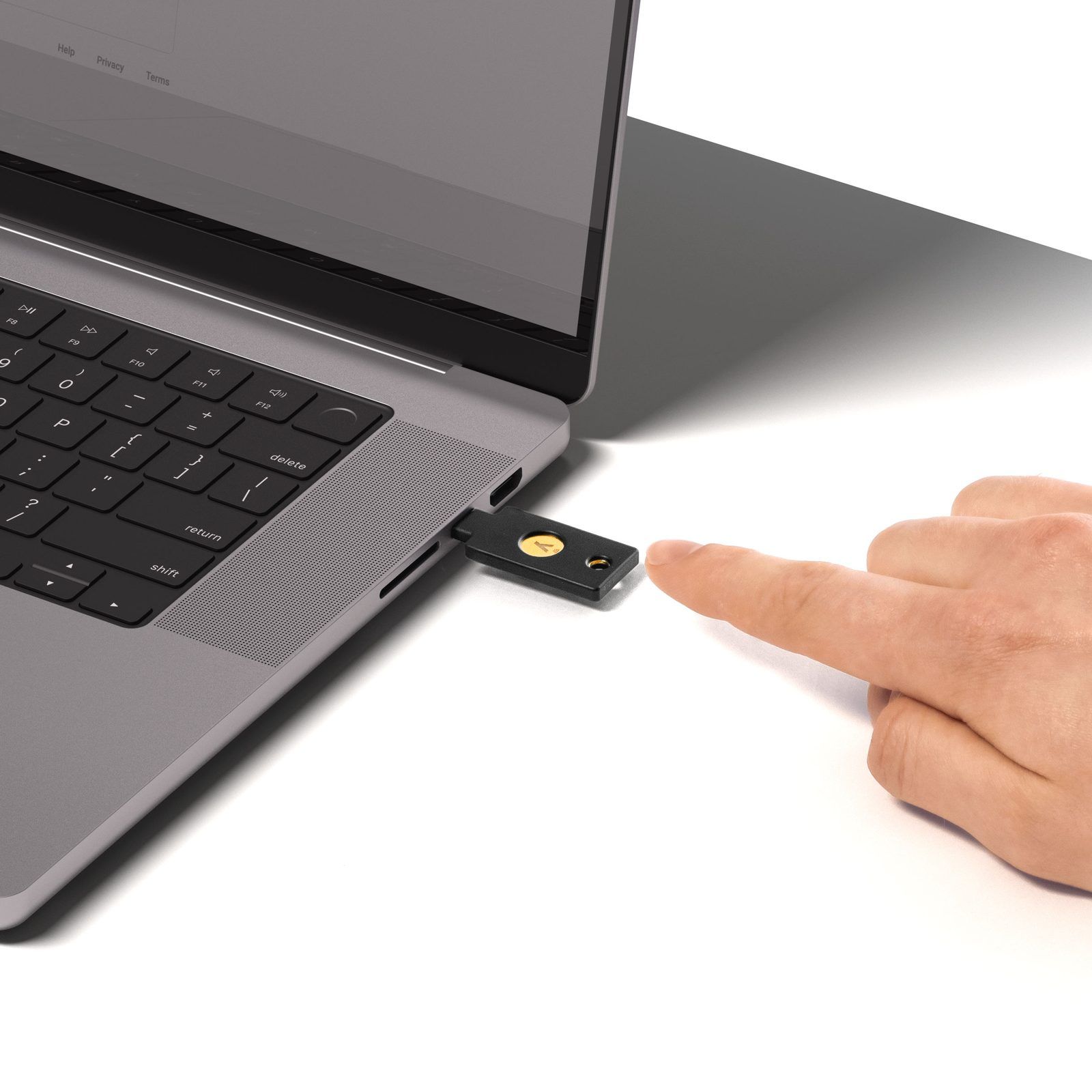
- USB-C and NFC in one key: Mac, PC and iPhone with no adapter.
- Everything in one device: passkeys, TOTP, PIV and OpenPGP.
- Tough: IP68, crush resistant, no battery. It lives on a key ring.
- Large capacity on firmware 5.7 and later: 100 passkeys, 64 codes.
Cons:
- Firmware can't be updated. A flaw means a new key.
- You need 2, so the real price is about €138.
- Account-by-account setup. Each service needs its own registration, on both keys.
- Closed firmware. Nitrokey is the open-source alternative.
- More than most people need: if passkeys are all you use, the Security Key Series does the job for half the price.
Alternatives
Prices from Yubico's German store, 23rd October 2026:
| Key | Price | Difference |
|---|---|---|
| Security Key C NFC | €34.51 | FIDO2 and U2F only: no TOTP, PIV or OpenPGP |
| YubiKey 5C NFC | €69.02 | All protocols, USB-C and NFC |
| YubiKey 5C | €77.35 | Same, without NFC |
| YubiKey 5C Nano | €80.92 | Stays in the port, no NFC |
| YubiKey 5Ci | €101.15 | USB-C and Lightning, for older iPhones |
| YubiKey 5C NFC FIPS | €104.72 | FIPS-certified, for regulated environments |
| YubiKey Bio | €116.62 | Fingerprint instead of a PIN, FIDO only |
Outside Yubico, Nitrokey 3 offers open-source firmware that can be updated, and Token2 sells cheaper FIDO2 keys from Switzerland.
Buying
- Yubico direct: YubiKey 5C NFC, €69.02, 45-day returns.
- Official German resellers listed by Yubico: BerryBase, OMG.de and Alternate.
- Avoid marketplace sellers you can't verify: a security key is only as trustworthy as its supply chain.
Verdict
The YubiKey 5C NFC is the default hardware key for anyone on Mac, USB-C and iPhone. Buy 2, register both on the accounts that matter most (Apple, Google, Microsoft, the password manager, email), and use passkeys wherever a service offers them. If you only ever need passkeys, the €34.51 Security Key C NFC is the cheaper way to the same protection.
Further Reading


- Set up your YubiKey, Yubico
- Works with YubiKey catalogue, the services that support it
- Security advisory YSA-2024-03 (EUCLEAK), Yubico