
The TickTime TK3 is a physical Pomodoro timer: a small cube that starts counting the moment you tip it onto a labelled face. No app, no account, no notification stack. You put it on the desk, flip it, and the phone stays where it is. That last part is the whole argument for spending 60 EUR on something your phone already does for free.

Overview
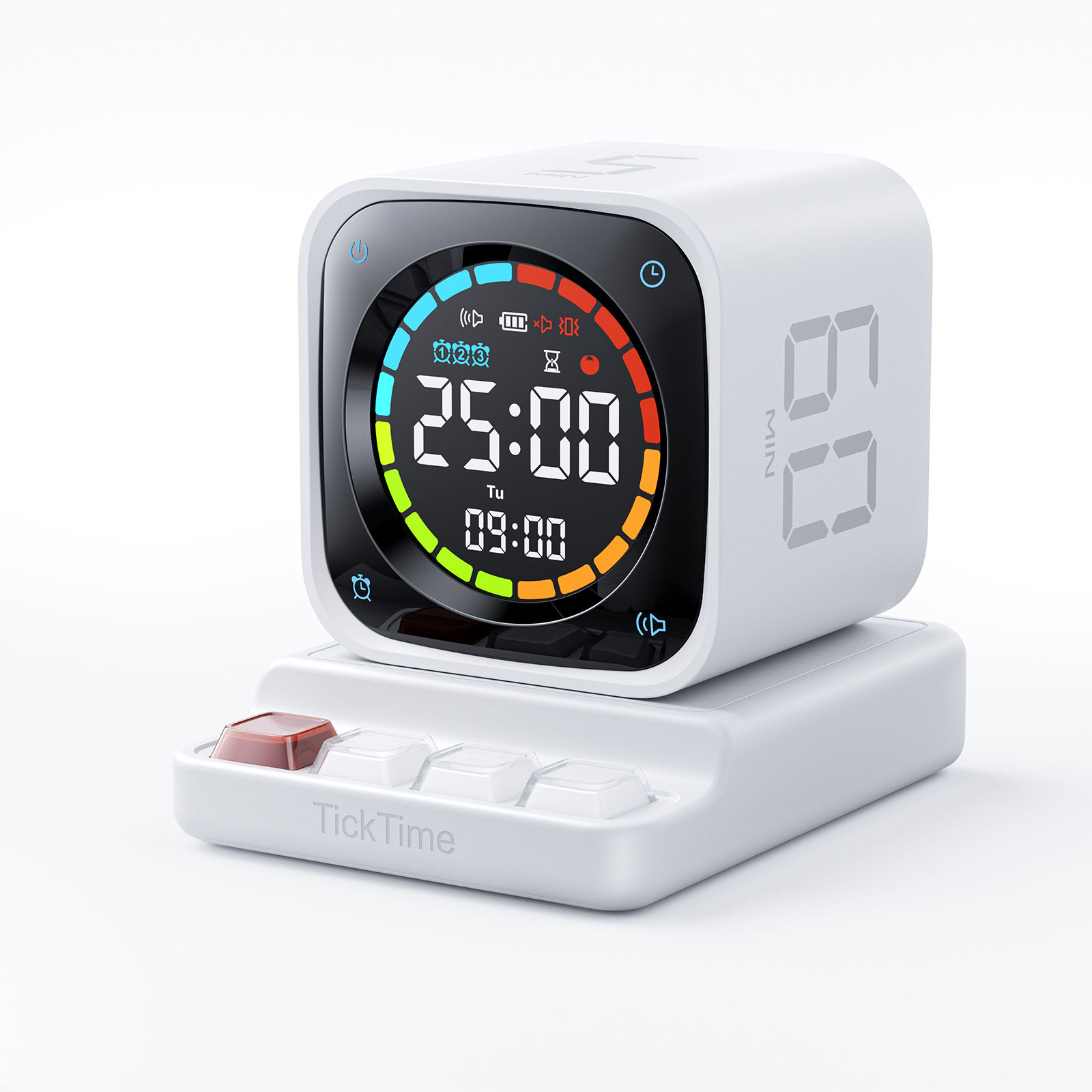
Four things in one small box: a flip timer, a full Pomodoro cycler, a stopwatch, and a desk clock with three alarms.
- Flip to start. Tip the cube onto the face marked 5, 10, 30 or 60 and the countdown runs immediately. A gravity sensor does the work.
- Real Pomodoro cycling. The 25/5 preset runs four focus-and-break cycles automatically instead of making you reset after every block. This is the feature that separates the TK3 from the pile of cheap cube timers.
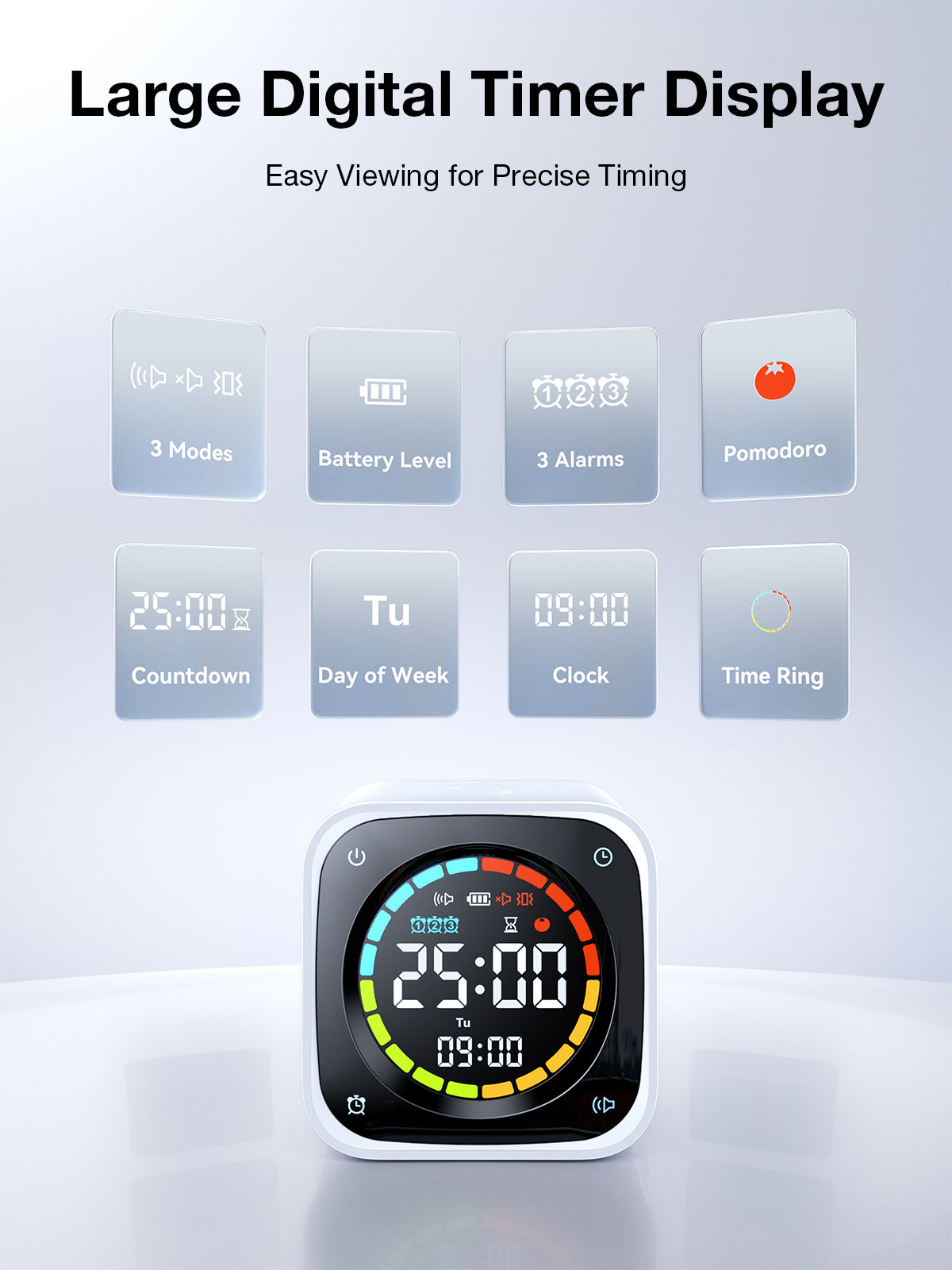
- Three alert modes. Sound, silent flash, or vibration. Vibration is the one that matters in an open office or a shared room.
- Round LED display. A ring of coloured segments drains as time runs down, with the countdown, the weekday and the clock stacked in the middle.
Price at the time of writing: 53.99 USD on TickTime's own store, marked down from a 69.99 USD list. In Germany it sits at 59.99 EUR on Amazon.de for either colour.
Specifications
| Spec | Detail |
|---|---|
| Dimensions | 2.6 x 2.4 x 2.6 in (about 66 x 61 x 66 mm) |
| Weight | 0.4 lb (about 180 g) |
| Material | ABS plastic, matte finish |
| Display | Round LED, coloured time ring, battery level, weekday |
| Flip presets | 5 / 10 / 30 / 60 min |
| Pomodoro mode | 25/5, four cycles, automatic |
| Custom countdown | 1 to 99 min |
| Stopwatch | Counts up, 1 to 99 min |
| Alarms | Three daily alarms |
| Alert modes | Sound, silent flash, vibration |
| Battery | 1400 mAh, up to 10 days per charge |
| Charging | USB-C |
| Colours | White, Black |
| In the box | Cube, base, USB-A to USB-C cable, manual |
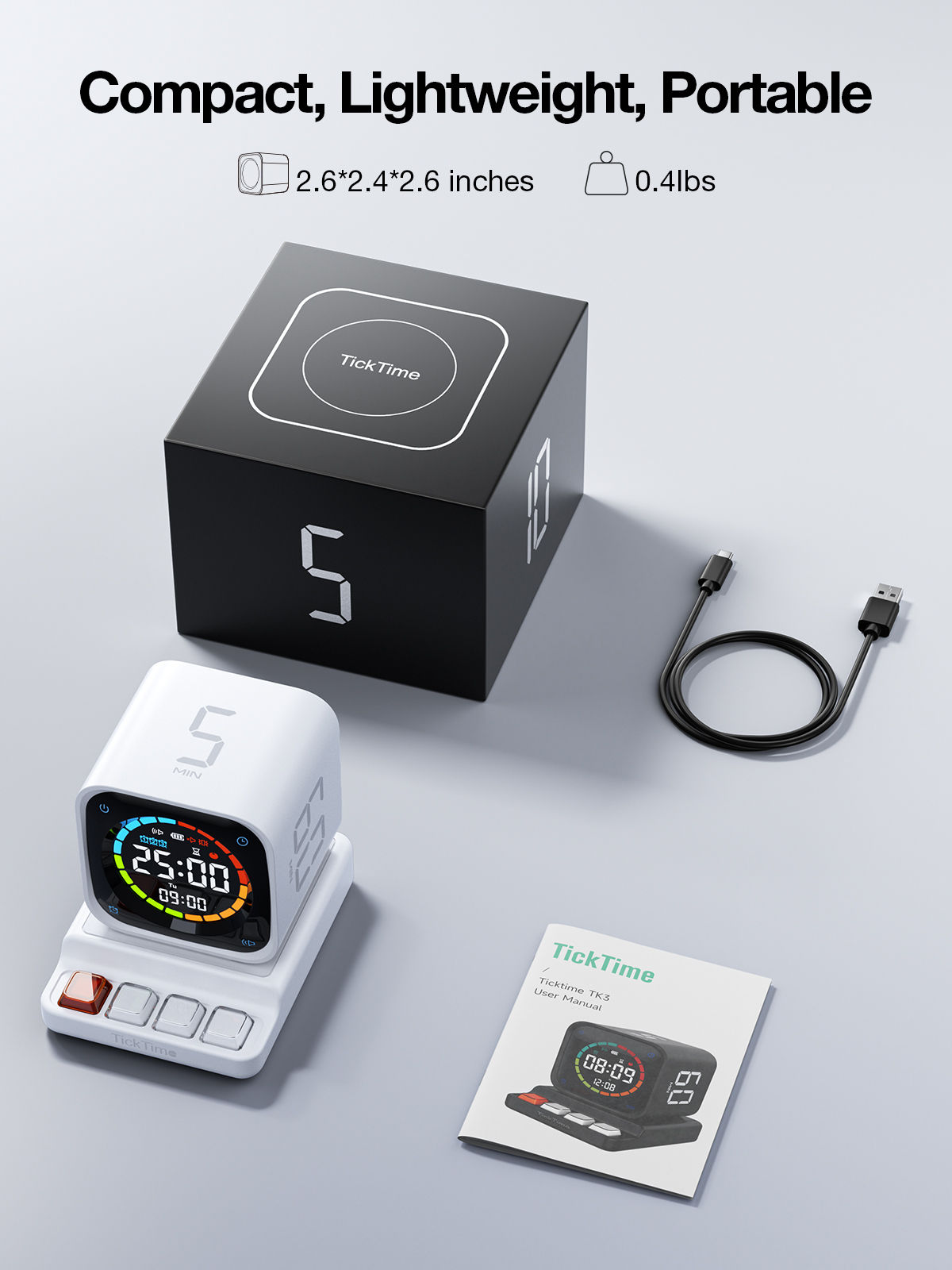
The base is the part the spec sheets skip. It carries four keycap-style buttons, one of them red and translucent, and the cube docks on top of it. Whether those buttons are shortcuts, mode switches or task markers is not stated anywhere on the product page, which is a gap I would want closed before ordering.
Background
TickTime started with a hexagonal timer crowdfunded on Indiegogo in 2020, which pulled in roughly 481,000 USD. The six-sided TickTime Cube followed on Kickstarter and became the brand's volume product. The TK3 is the step up from that: it keeps flip-to-start but trades two preset faces for a real display, and adds the clock, stopwatch and alarms the Cube never had.
That trade is the point. The original Cube is a timer and nothing else. The TK3 is a desk object that happens to be a timer, which is either the upgrade or the compromise depending on whether you wanted more functions on your desk in the first place.
Pros and cons
Good:
- Flipping is genuinely faster than unlocking a phone and opening a timer app. The friction difference is the product.
- Automatic 25/5 cycling with no reset between blocks.
- Vibration and silent-flash modes make it usable in meetings and shared spaces.
- 10-day battery on USB-C. Charge it monthly and forget it.
- Large enough to read across a room, small enough to travel.
Less good:
- 60 EUR is a lot for a single-purpose desk object. The value is behavioural, not technical.
- Only four flip faces, against six on the older Cube. Anything else needs the custom countdown.
- Stopwatch caps at 99 minutes, so it will not time a long call or a workout end to end.
- ABS plastic at this price feels thin next to the wood and aluminium finishes on rival timers.
- No published warranty term that I could find, and no documentation of what the base buttons do.
Who it is for
Anyone whose focus problem is the phone. If your timer lives on the device that also holds Slack, mail and everything else, the timer loses. A separate object on the desk sidesteps that entirely.
It is marketed hard at ADHD users, and the reasoning holds: a visible, shrinking colour ring turns abstract time into something you can see, and flipping is a physical commitment to the block. The same logic works for anyone timeboxing deep work, and the meeting angle is real too. Set 25 minutes on the table at the start of a call and the room self-polices.
Skip it if you already run Pomodoro from a menu-bar app without drifting. This solves discipline, not scheduling.
Buying
| Official store | ticktime.com, 53.99 USD |
| Germany, white | Amazon.de B0F8J74V43, 59.99 EUR |
| Germany, black | Amazon.de B0F8J551SX, 59.99 EUR |
Both German listings are sold by Ticktime Official and shipped by Amazon, so returns and warranty run through Amazon rather than a Chinese direct-import chain. That is worth the small premium over the US store price once shipping, duty and VAT are counted.
Alternatives
| Product | Why consider it |
|---|---|
| TickTime Cube | Six flip faces, cheaper, no clock or stopwatch. Buy this if you only want a timer |
| Time Timer | The classic red-disc visual timer. Analogue, silent, the reference for ADHD use |
My take
The engineering here is unremarkable and that is fine. What you are buying is one less reason to touch the phone, in a form that sits on the desk and reminds you it is there. Flip-to-start removes the two seconds of friction where the good intention usually dies.
At 60 EUR it is priced like a design object rather than a timer, and the missing documentation on the base buttons and the warranty is sloppy for that money. The automatic 25/5 cycling is what justifies it over the older Cube. If the four flip faces cover your usual blocks, this earns its desk space. If they do not, the cheaper Cube covers more presets for less.
Further reading
- TK3 product page, White
- TK3 collection, both colours
- Amazon.de listing
- TickTime Cube on Kickstarter
- TickTime Cube review, MakeUseOf