
The Lofree Flow84 is a 75% low-profile mechanical keyboard with an aluminium case, a gasket mount and hot-swappable switches. It sells on typing feel rather than features, and it has the reviews to back that up: 4.7 stars across 335 of them on Lofree's own store.
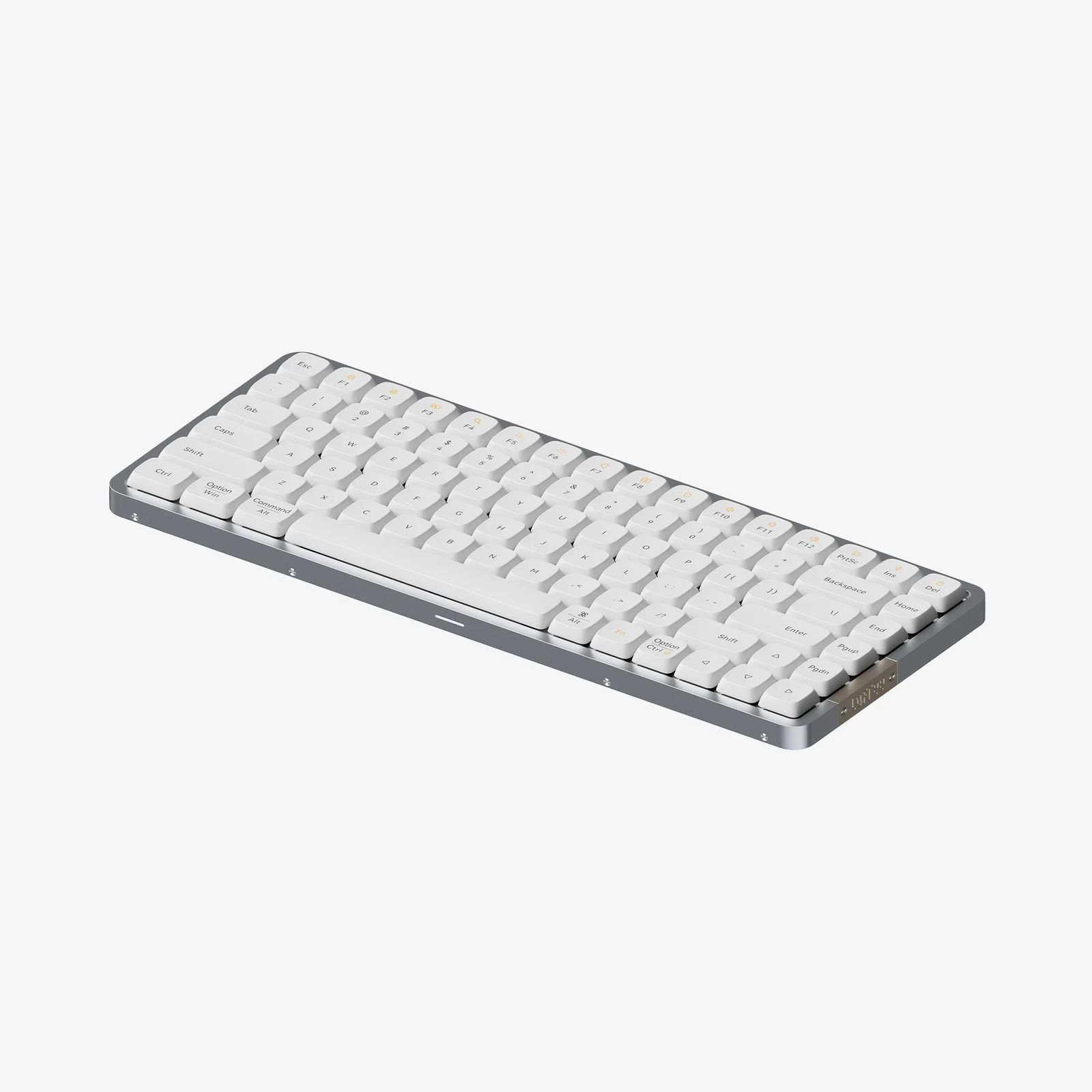
It now costs 119 USD, down from 159. That discount is not generosity. Lofree has since shipped the Flow 2, and it fixes the 3 things that were wrong with this one.

Specs
| Layout | 84 keys, 75%. A 100-key version also exists |
| Case | Aluminium alloy, gasket mount with IXPE and Poron foam |
| Typing angle | 3.9 degrees, fixed. No flip-out feet |
| Keycaps | Dye-sublimated PBT, low profile |
| Switches | Hot-swappable, MX compatible, full POM stems |
| Size | 316 x 126 x 24.5mm |
| Weight | 594g |
| Connectivity | Bluetooth 5.0 to 3 devices, 15m range, plus USB-C wired |
| Battery | 2,000mAh, up to 40 hours, 3-hour charge |
| Backlight | White, 4 levels. Plus an 8-LED RGB side light with 3 modes |
| Compatibility | macOS, iOS, iPadOS, Windows, Android |
| Warranty | 1 year |
| Price | 119 USD, was 159 |
Switch options
All 3 use full POM stems, 2.8mm total travel, a 15.5mm spring and a 50-million-press rating. They are hot-swap MX compatible, so you can change your mind later.
| Switch | Type | Actuation | Pre-travel | Ships with |
|---|---|---|---|---|
| Ghost | Linear | 50 ±10gF | 1.2 ±0.3mm | White version |
| Phantom | Tactile | 45 ±10gF, 55gF bump | 1.6 ±0.3mm | Black version |
| Wizard | Clicky | 50 ±10gF, 55gF bump | 1.2 ±0.3mm | Sold separately |
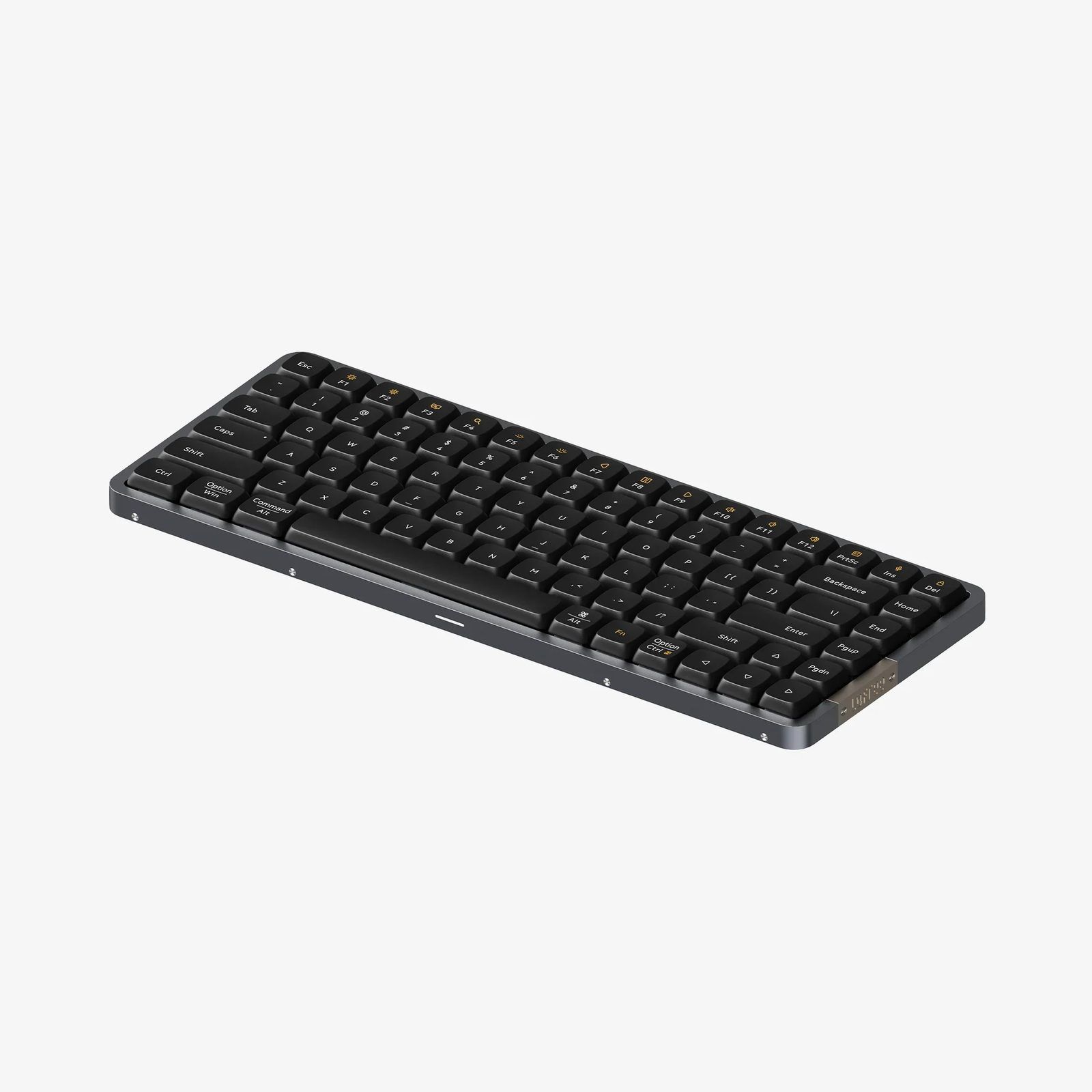
The colour and the switch are tied together at purchase: white comes with Ghost linears, black with Phantom tactiles. You can swap them afterwards, but you cannot order the combination you want.
The layout
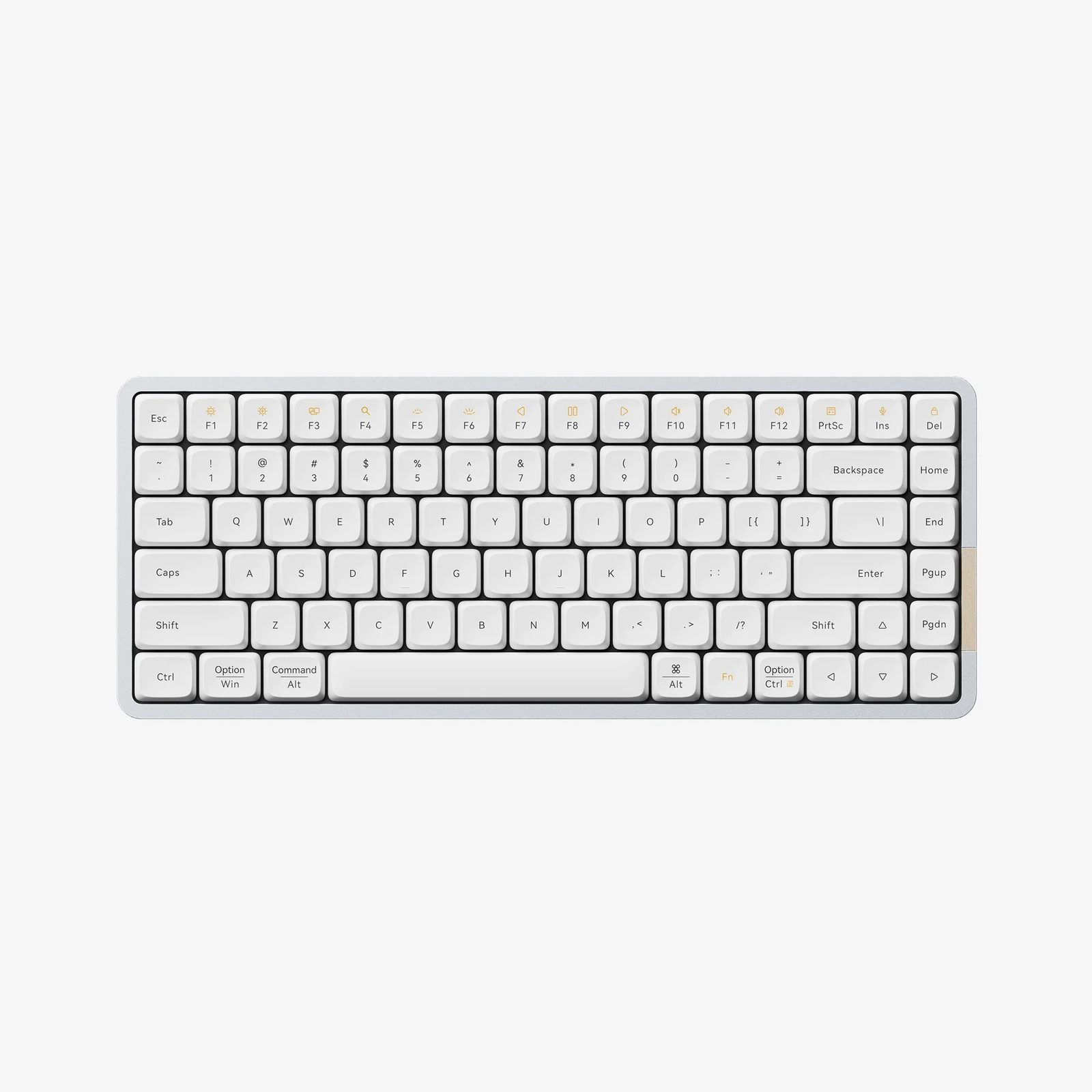
Standard 75%: a function row, arrow keys, and a right-hand column carrying Home, End, PgUp, PgDn, Delete, Insert and PrtSc. Nothing exotic, which is the point. Legends are dual-marked for both macOS and Windows on the modifiers.
At 24.5mm thick and 594g it is heavier than it looks. That weight is the aluminium case, and it is why the board does not slide around.
Build
The construction is the reason to care. A gasket mount suspends the plate between layers of IXPE and Poron foam rather than screwing it hard to the case, which softens the impact at the bottom of each keystroke and kills the hollow sound cheap low-profile boards make.
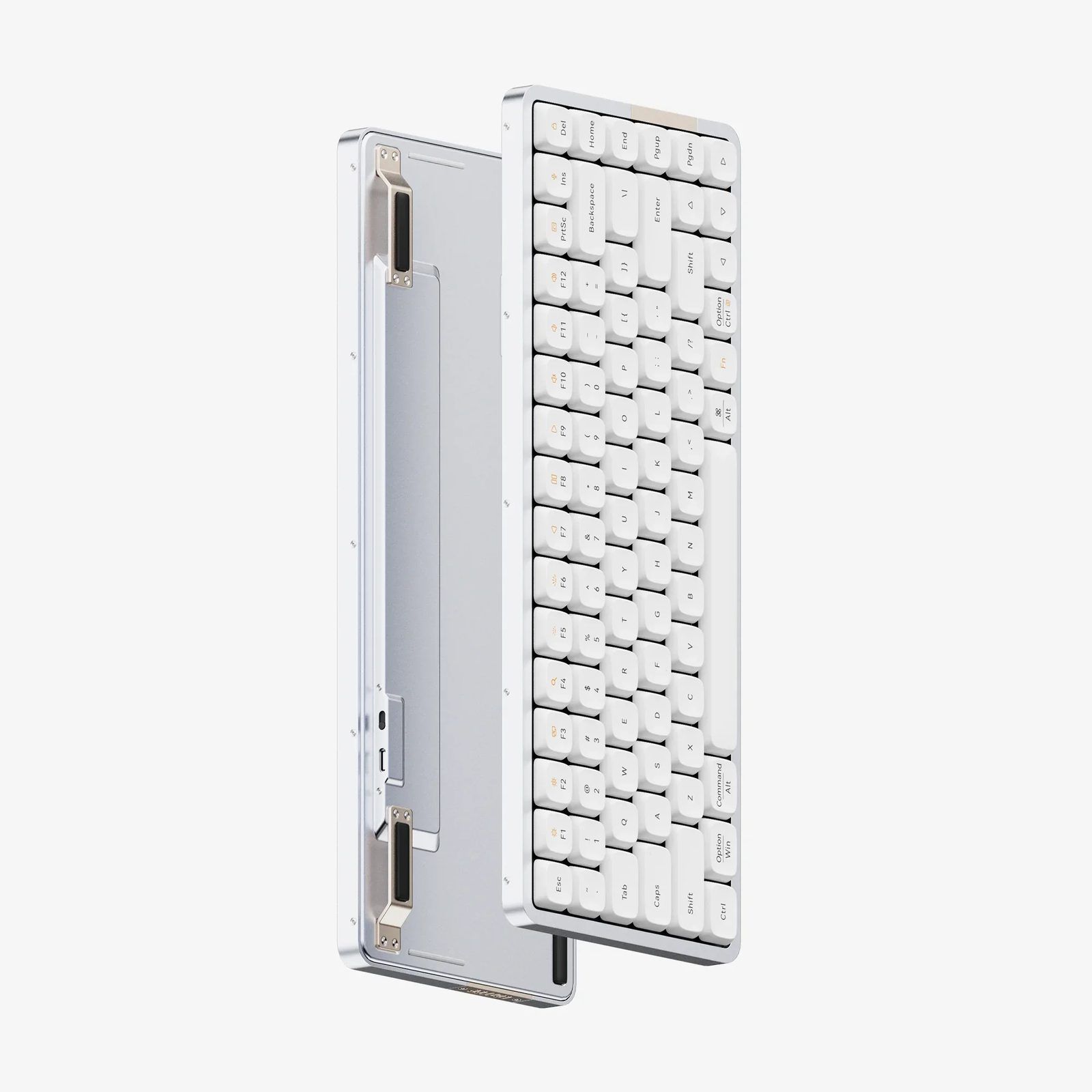
Low profile plus gasket mount plus PBT caps is an unusual combination at this price. Most low-profile boards are tray-mounted with ABS caps and sound like it.
What it gets right
- Typing feel. The whole review consensus, and Lofree's own marketing name, comes down to this. Smooth, quiet, dampened.
- Hot-swap on a low-profile board. Rare. It means the switch choice is not permanent.
- PBT keycaps rather than ABS, so they resist shine and hold their legends.
- It looks like a desk object, not gaming hardware. No RGB spilling out of the keys.
- 594g of aluminium that stays put.
What it gets wrong
3 things, and 2 of them are serious.
- No key remapping at all. No VIA, no QMK, and no Lofree software either. What is printed on the caps is what the key does. For anyone who builds layers, macros or custom modifiers, that ends the conversation.
- No 2.4GHz. Bluetooth 5.0 or a cable, nothing else. Bluetooth is fine for typing but adds latency and reconnect delays that a dongle avoids.
- 2,000mAh, 40 hours. Fine, not generous, and the backlight eats it.
Smaller things: the typing angle is fixed at 3.9 degrees with no feet, and the switch choice is locked to the colour at checkout.
Flow 2 and the rest of the range
This is the part that decides the purchase. Lofree now sells 3 Flow families.
| Model | Price (USD) | Key differences |
|---|---|---|
| Flow Lite 84 / 100 | 99 / 109 | The budget version, cheaper materials |
| Flow84 (this one) | 119 | Bluetooth and wired, no remapping |
| Flow 2 68 / 84 / 100 | 139 / 159 / 169 | 2.4GHz, VIA, 3,000mAh, touch bar |
Flow 2 adds the 3 things missing here: tri-mode connectivity with a 2.4GHz dongle at 1,000Hz polling, full VIA support for remapping and macros, and a 3,000mAh battery rated up to 120 hours with the backlight off. It also brings new Cloud switches with tighter tolerances and a touch-sensitive bar for volume and brightness. Mac-specific versions are sold separately.
40 USD separates the Flow84 from the Flow 2 84. That is not a close call.
Alternatives
- Keychron K3 Pro and the K11 Max: low profile, QMK and VIA out of the box, 2.4GHz on the Max line. Less pretty, far more configurable.
- NuPhy Air75 V2: the direct competitor on looks and low-profile feel, with VIA support.
- Apple Magic Keyboard: the thing the Flow is styled after. Thinner, no mechanical feel, no hot-swap.
Buying from Germany
Lofree ships from China or a US warehouse. There is no EU warehouse.
- Standard shipping runs 10 to 30 days, express 7 to 10 days.
- Prices exclude VAT and import tax. Lofree's policy says it declares a lower value where it can, but customs decides.
- Add 19% German import VAT plus a courier handling fee, so 119 USD lands closer to 130 to 145 EUR.
- Check EU-based keyboard retailers before ordering direct. The price difference usually disappears once VAT and handling are counted, and an EU purchase gives you EU returns and a shorter wait.
My take
Good keyboard, wrong moment. Everything reviewers praise about the Flow84 is still true, and Lofree solved the hard problem of making a low-profile board that does not feel hollow. But it is now the older model at a clearance price, and the newer one is better in the exact places this one is weak.
The remapping gap is what rules it out for me. My Kinesis Advantage360 runs ZMK macros that switch the monitor input and hop Bluetooth profile in a single keypress, so I can move between the Studio, the Mac mini and the work MacBook without touching anything else. A board where a key does only what is printed on it cannot participate in that at all.
Where it still makes sense: a second desk, a travel bag, or anyone who types a stock layout and wants something that feels good and looks quiet. At 119 USD it is a fair price for the build.
If you want a Flow, buy the Flow 2 84 at 159. Pay the 40 and get VIA, the dongle and 3 times the battery.
Further reading
- Flow 2 84, the successor
- Flow Lite 84, the budget version
- Lofree shipping policy
- Flow84 vs Flow 2 84 spec comparison