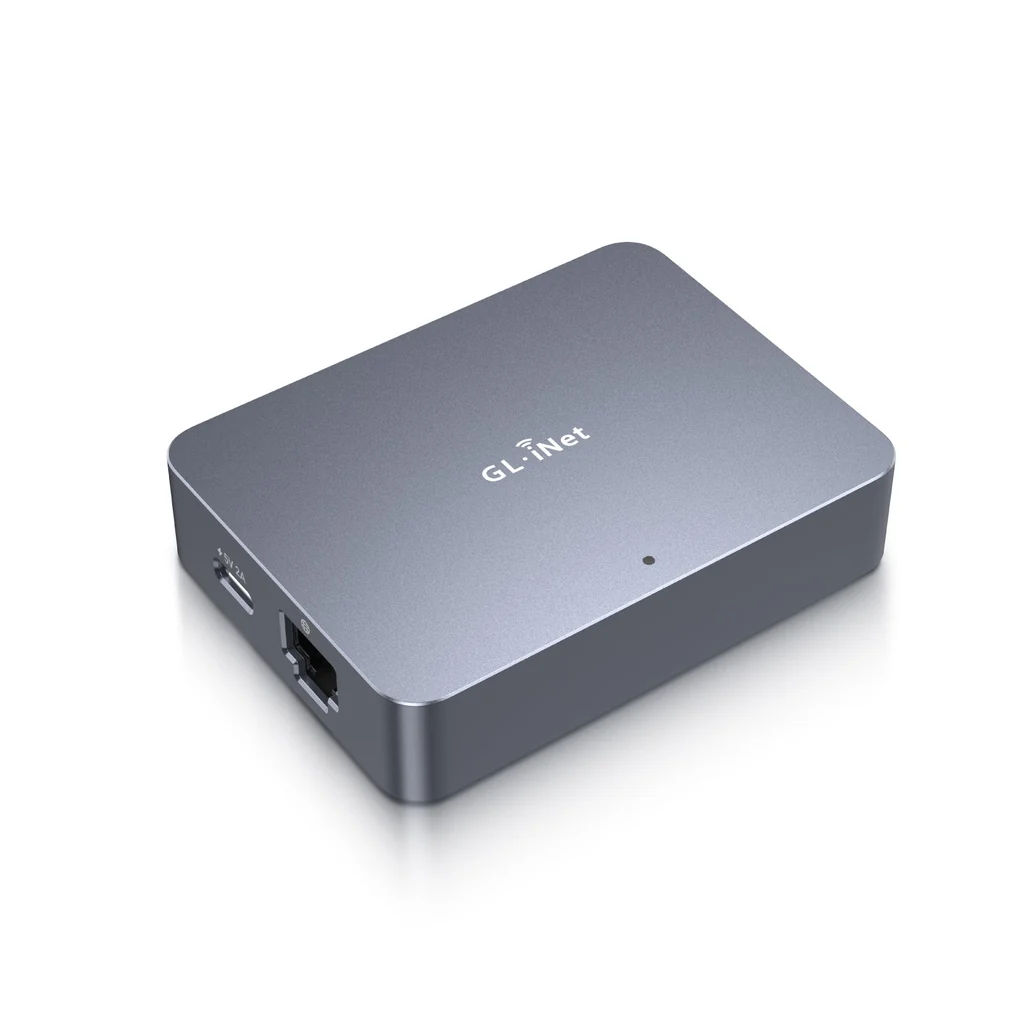
An IP-KVM is not a desk KVM switch. It plugs into one computer's HDMI and USB, captures the screen, emulates a keyboard and mouse, and serves the whole thing to a browser somewhere else. You get the machine's console from the moment it powers on, including the BIOS and the disk-encryption prompt, without sitting in front of it. GL.iNet's Comet line does this for around 110 EUR, with no subscription.

How DHH actually uses them
He described the setup on Lex Fridman's podcast, episode #501, at 01:35:40. It is worth getting the shape right, because it is not a desk KVM at all.
The motivation was parallel agents:
I went on this crazy phase just about a month ago realizing that doing this work on a single machine is not fast enough. It's like I've discovered multi-core programming, but I only have two cores. I'm like, "What if I had 16 cores? What if I had 32 cores? What if I had 64 cores?" So I instantly went out and I bought these amazing KVMs called GL.iNet Comets.
Then the mechanics, and the part that matters most:
You connect this thing in, you go to a webpage, log in once, set one password. Now this thing can hop on your tailnet. [...] Tailscale is essentially turning all the computers you have into a local network wherever you are. Like right now on my phone, I have direct access to all the computers in my Malibu office. I also have access to all my computers in my Copenhagen office. And I can treat them as though I sat right next to them without having to punch holes in a firewall or set up complicated VPNs.
And the result:
I looked at my closet, and I realized I had a bunch of mini PCs from prior experiments, and I just said, "What if I just connected all of them?" [...] They all had their little Comet, and suddenly I could run agents on more computers at the same time, and I could control them all with Herdr.
Four takeaways from that:
- One Comet per machine. "They all had their little Comet." He bought several units, not one multi-port box.
- The machines are headless. Mini PCs in a closet, no monitors, no keyboards. The Comet is the only way in.
- Tailscale is the unlock, not the KVM on its own. The Comet joins the tailnet, so every box is reachable from a phone in another country with no firewall work.
- He tops out around four to five machines running roughly three agents each, about 16 threads, all driven through Herdr.
The answer to the three-computer question
One RM1 controls one computer. That is the model line, not a limitation of a particular unit. GL.iNet's own FAQ says it plainly:
The following GL.iNet KVMs can only control one target device: Comet (GL-RM1), Comet PoE (GL-RM1PE), Comet Pro (GL-RM10), Comet 5G (GL-RM10RC), Comet Q (GL-RMQ1).
One model in the family breaks that rule.
| Model | Targets | Notes |
|---|---|---|
| Comet (GL-RM1) | 1 | Ethernet only, no Wi-Fi. About 111 EUR |
| Comet PoE (GL-RM1PE) | 1 | Powered over Ethernet |
| Comet Pro (GL-RM10) | 1 | Wi-Fi 6, touchscreen, 32 GB eMMC, Tailscale built in |
| Comet 5G (GL-RM10RC) | 1 | 5G RedCap for sites with no LAN |
| Comet Q (GL-RMQ1) | 1 | USB-C DisplayPort Alt Mode, single cable to a Mac |
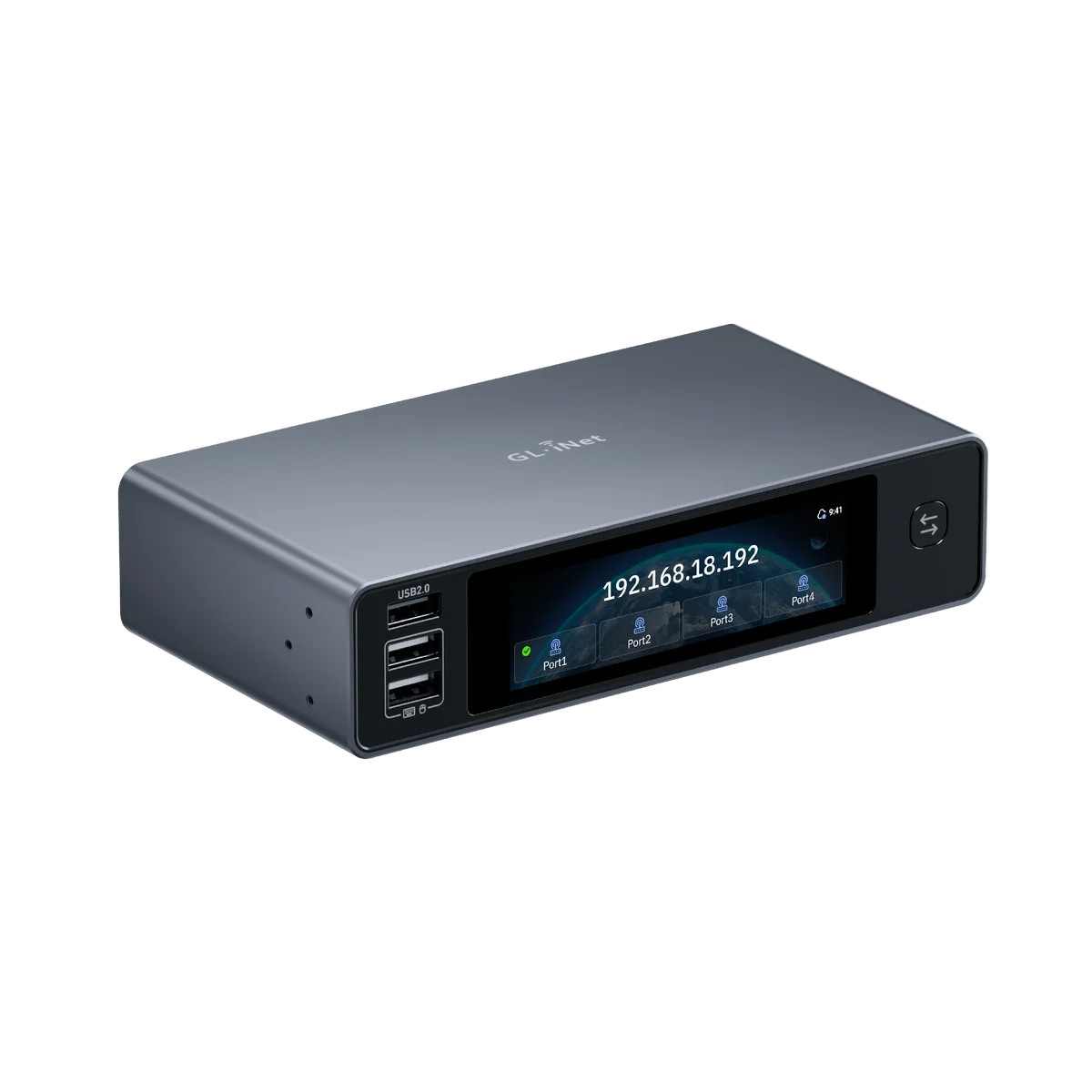
| Comet X (GL-RM4PE) | 4 | 4x HDMI in, 1x HDMI out, front-panel switch button |
Comet X (GL-RM4PE)
The only Comet that reaches four machines from one box. The front touchscreen lists the four ports and shows which one is live, and a button next to it cycles between them when you are at the desk.
| Targets | 4, one controlled at a time |
| CPU | Quad-core ARM Cortex-A53 |
| RAM | 1 GB DDR3L |
| Storage | 64 GB eMMC, enough for ISO files and OS deployment |
| Operating system | Linux 6.1 |
| Video | 4K@30 FPS |
| Screen | 3.69 inch TFT touchscreen |
| HDMI | 4x IN, 1x OUT |
| USB | 3x front USB 2.0 Type-A, 4x rear USB 2.0 Type-A, 4x USB-C device |
| Network | 1 Gbps Ethernet with 802.3af/at PoE |
| Power | PoE, or USB-C 5V/3A PD-compatible |
| Dimensions | 170 x 90 x 40 mm, 560 g |
| Mounting | 10-inch and 19-inch racks |
| Power control | Remote ATX board and Fingerbot accessories |
| Price | 295,05 EUR, DE store |
| Availability | Sold out |
Worth noticing that DHH did not buy one. With four boxes in a closet he had the exact use case for a Comet X, and he still fitted each machine with its own RM1. On a tailnet, a per-machine unit means every box is independently reachable at once, rather than three of them queueing behind a switch position.
Two ways to wire this, and they are not equivalent
A. Comet X as the desk KVM
Three machines into the Comet X, its single HDMI out into the Dell, USB-C from the Comet X to each machine. The Dell stays on one input forever. Press the button to switch.
This is tidy, and it would retire two problems at once: the BetterDisplay input switching on the Dell, with its one-way limitation and the SSH switch-back from the Mini, and the AVMTon two-port USB switch that only reaches two machines.
The catch is the refresh rate. Every published Comet spec says 4K@30 FPS, and GL.iNet does not document whether the local HDMI output is a native loop-through or is capped by the capture stage. ServeTheHome's review of the Comet Pro mentions the passthrough exists but never tests it. The Dell U2720Q runs 4K@60. If the passthrough is capped at 30 Hz, this is a daily-use downgrade you would feel in every mouse movement. Confirm this with GL.iNet support before buying anything.
B. One RM1 per machine, the way DHH does it
Leave the physical desk arrangement alone. Put one RM1 on the Mac Mini and, if the work laptop allows it, a second on the MacBook Pro. Sit at the Studio, which drives the Dell natively at 4K@60, and open each remote machine in a browser window or on the tailnet.
The Studio needs nothing, because it is the machine you are sitting at. So three computers costs two RM1 units, about 222 EUR.
| Comet X | Two RM1s | |
|---|---|---|
| Cost | ~295 EUR | ~222 EUR |
| Availability | Sold out | In stock |
| Local display quality | 4K@30, unverified | Studio stays native 4K@60 |
| Machines reachable at once | One at a time | All of them |
| Replaces BetterDisplay switching | Yes | No |
| Replaces the AVMTon USB switch | Yes | No |
| Matches DHH's setup | No | Yes |
Option B is the one to test first. It costs less, it is purchasable, it puts nothing in the path of the display used all day, and it is the pattern that actually works at the scale that prompted the question.
RM1 specifications
| Targets | 1 |
| Video capture | 4K@30 FPS, H.264 hardware encoding |
| Latency | 30 to 60 ms on a local network |
| Network | Gigabit Ethernet. The RM1 has no Wi-Fi |
| Remote access | Cloud service, or Tailscale, ZeroTier and NetBird via the Apps Center |
| Power | USB-C |
| Extras | Remote audio out, file transfer to an offline machine, USB drive mounting |
| Hosting | Cloud or self-hosted, no subscription |
| Price | 110,92 EUR, DE warehouse, EU/UK plug |
| Warranty | 2 years, 30-day money back |
On the RM1, Tailscale is an app you install from the Apps Center rather than something built in. The Comet Pro ships with it preinstalled. Either way the effect DHH describes is the same: the KVM itself joins the tailnet, so the target machine does not need to be reachable any other way.
What it changes in my setup
- The Dell's spare input finally has a use. The Studio is on USB-C and the Mini on DisplayPort; HDMI has been free since the July re-cable. A Comet X output would land there.
- The Bluetooth keyboard problem disappears. An IP-KVM emulates a wired USB keyboard, so it can type at the pre-boot prompt. That is the exact blocker in the Omarchy plan for the Mini: full-disk encryption will not accept a Bluetooth board at startup, and the Kinesis is Bluetooth. A Comet on the Mini types the passphrase from a browser window.
- A headless Omarchy Mini becomes practical. Console access from power-on means no monitor, no keyboard, no walking over. That alone may justify one unit, and it is precisely what DHH's closet boxes are.
- Tailscale makes it reachable from anywhere, including a phone, without opening a port on the UniFi gateway.
- The work MacBook is the uncertain one. Corporate device management sometimes blocks unrecognised USB HID devices, and plugging a network-connected capture device into a company laptop is a conversation with IT rather than a purchase decision. Test on the two personal machines first.
Verdict
The RM1 is the right model, and the reason to buy one is not "control three computers from one screen". It is console access to a machine that has no monitor. Start with one on the Mini once Omarchy is on it: about 111 EUR, it solves the encryption-password problem, and it tells you whether the browser-window model is something you can work in.
The Comet X exists if the desk-switching idea still appeals later, but it is sold out, it carries an unanswered question about 60 Hz, and it is not what the person who prompted this question chose for the same job.
Further reading
- Comet (GL-RM1) product page
- Comet X (GL-RM4PE) product page
- GL.iNet KVM FAQ, the multi-target answer
- GL-RM1 user guide, including the Tailscale tutorial
- ServeTheHome review of the Comet Pro