

Shotee is the screenshot app I now use on my Mac. It replaces CleanShot X, which I ran through Setapp: macOS app subsciption since 2022. I press ⌘⇧5, click a window, and the JPEG is on disk and on the clipboard before my hand is back on the keyboard. Speed is the main goal. Everything else in the design follows from it.
I built it with Claude Code: version 1.0 shipped on 21st October 2026, version 1.0.1 on 24th October. The app is 1.4 MB. The name follows the -ee family of my tools. It works with my recent-files app, see Lastee: my own recent-files app for macOS.
Why I replaced CleanShot X
CleanShot X is a good app. It counts its own use per year, and those counts showed how little of it I needed:
| Year | Captures | Annotated | Videos | Cloud uploads |
|---|---|---|---|---|
| 2022 (from 19th June) | 578 | 292 | 10 | 0 |
| 2023 | 1,483 | 613 | 29 | 0 |
| 2024 | 1,499 | 316 | 78 | 0 |
| 2025 | 1,333 | 109 | 0 | 0 |
| 2026 (to 19th October) | 1,923 | 151 | 13 | 0 |
- About 8 captures a day, area and window both.
- Claude Code is the main reader. About 40% of my captures show up by path in a Claude Code session within 30 days. Most show one of my own apps, to show the agent a bug.
- Annotation is for sharing. 8% of captures get annotated. In 2026: 100 arrows, 85 pixelates, 68 rectangles, 29 highlights, 7 texts, 2 crops.
- Never used: cloud upload (0 in 4 years), OCR, scrolling capture (0 since 2024), pin to screen, self-timer, the history window.
CleanShot does about 40 things. I do 5 of them. Shotee does those 5, and video stays in my screen recorder.
What Shotee does
1 key, 3 modes
⌘⇧5 freezes every display and opens the capture overlay:
| Mode | How I get there | A click captures |
|---|---|---|
| Window | The overlay opens on it: a red frame | The window under it |
| Display | Space, and Space again goes back | The display under it |
| Area | Press and hold 250 ms, or drag | The area I drag |
- Enter captures the whole display under the pointer, in every mode. Esc cancels.
- Area mode has a loupe at 8x with the pixel position and the selection size. ⇧ keeps a square, ⌥ draws from the centre, Space moves the selection, the arrow keys move an edge by 1 pixel.
- The frozen screen keeps open menus and hover states as they were. No cursor, no desktop icons, no window shadow.
⌘⇧6captures the previous area again, without the overlay.⌥⌘5opens the newest capture in the editor.
After a capture, a red frame shows around the captured area for 150 ms. No sound, no thumbnail.
25 Oct 2026 The menu bar icon is a camera viewfinder. It used to be my hexagon logo, like 5 of my other menu bar apps, and 6 identical hexagons in a row were impossible to tell apart. Each app now has its own SF Symbol glyph, and my design system says so: see My apps: everything I built for myself.
Names that say what's in the file
YYYYMMDD-HHMMSS-<app>-<site>.jpg, for example 20261021-183522-filee.jpg or 20261021-183522-edge-skyscanner.jpg (dummy names: the file names, paths and outputs in this note are examples, not my real captures). The app is the one with the largest visible part of the capture. For a browser, Shotee asks the browser for the tab's address through Apple Events, with a 150 ms limit, and falls back to the window title. Never the path, the query or the page title.
The path still reaches Claude the same way as before: ⌥⌘T in Lastee copies the path of the newest file.
The editor
| Key | Tool or action |
|---|---|
| V | Select: move, resize, delete |
| A, R | Arrow, rectangle |
| P | Pixelate, with [ ] for the strength |
| H, T | Highlight, text |
| C | Crop, snaps to edges and objects |
| 1 to 5 | Colours |
| ⌘S, Esc | Save over the capture |
| ⇧⌘S | Save as, in the last folder used |
| ⌘⌫ | Back to the original capture |
- Lines start at width 8. The − and + buttons, or
[], change it. - Pixelate strength goes from 1 to 20. With the Pixelate tool on, or a pixelated area selected, the same − and + set the strength instead of the width. Shotee keeps the last strength for the next capture.
- A saved edit goes to the clipboard, like a new capture.
Saving over the capture keeps the name, so a path I already pasted into Claude stays valid. The original and the objects stay 30 days, so a capture opens again with editable arrows and boxes. I can drag the image out of the editor into a chat or an email.
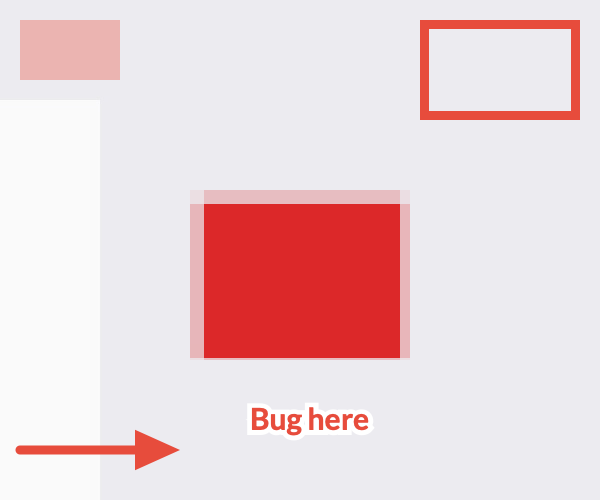
The image comes from QA, on a synthetic test screen. Shotee's QA never reads my real screen.
Speed
Measured in daily use
Shotee times every capture and keeps the numbers. shotee perf prints them against the budgets. From my real captures since version 1.0, on 4 displays:
| Step | Budget | p50 | p95 |
|---|---|---|---|
| Key to the first frame | < 100 ms | 46 ms | 80 ms |
| Key to the frozen overlay | < 100 ms | 56 ms | 90 ms |
| Mouse up to the file on disk | < 60 ms | 21 ms | 35 ms |
| Browser site lookup | < 150 ms | 16 ms | 72 ms |
100 ms is the line where a response feels instant. The frozen screen is up before my fingers leave the keys.
I never timed CleanShot X the same way, so I have no side-by-side table. What I can say: Shotee meets every budget at p95, and the steps that cost time are Apple's, not Shotee's.
The spike
Before any app code, the agent ran a spike: a signed test app on my 4 real displays, 2 rounds, on 21st October 2026. It answered the questions the design depended on:
| Step | Measured |
|---|---|
1 display, captureImage |
52 to 68 ms |
| 3 displays started together, the last one in | 135 to 144 ms |
| 3 displays as sample buffers | 224 ms |
| Pointer's display first, alone, on screen | 73 ms |
| First capture after 5 to 30 min idle | 128 to 167 ms |
| Trigger by Darwin notification | 4 ms |
Trigger by shotee:// URL |
66 ms |
3 results shaped the app:
- ScreenCaptureKit serves captures 1 at a time, about 45 ms apart, in no fixed order. So Shotee asks for the display under the pointer alone, shows it, then asks for the others. The eye is on the first display; by the time it moves, the others are up.
- The capture service gets cold. After 5 minutes idle, the first capture took 2x to 3x longer. Shotee refreshes its display and window cache every 120 s while the screens are awake. It never captures just to stay warm.
- Darwin notifications are 15x faster than the URL scheme. My Stream Deck and Hammerspoon use them.
Rules that keep it fast
These rules are in the spec. A change that breaks one needs a measured reason.
- Capture first, then show, then take the focus. Activating the app closes another app's open menu, so Shotee activates only after the frames are in.
- Nothing to look up at the key press. Displays and content filters are ready before I press anything.
- The fast capture where it's safe. A plain rectangle capture takes 35 to 50 ms but can't leave out windows. A filtered capture takes 75 to 90 ms. Shotee uses the fast one everywhere, and replaces it with a filtered frame only on a display that may show desktop icons.
- No CPU drawing in the overlay. The dimming, the loupe and the red frame are Core Animation layers. Implicit animations are off.
- Pre-built windows. The overlay windows and the editor exist from launch, hidden.
- Hover capture. When the red frame rests on a window for 60 ms, Shotee captures that window in the background. The click then only encodes.
- The save first, then the overlay goes. Ordering 3 panels out before the save cost 20 to 40 ms.
- 1 colour conversion, with vImage. It converts a frame to sRGB in 5 to 20 ms. ImageIO's own conversion took 155 to 180 ms on the same frames.
- Never read a protected folder. Listing the Desktop to count icons put a privacy prompt on screen and froze the main thread.
How it's built
Stack
- Swift 6.3, AppKit and Core Animation. No SwiftUI, Settings window included.
- ScreenCaptureKit for frames,
CGWindowListCopyWindowInfo(3 to 7 ms) for hit tests and app names. - ImageIO for JPEG at quality 0.85. A 4K JPEG encodes and writes in 27 ms. PNG took 85 ms and HEIC 103 ms in the benchmark, so JPEG stays.
- Carbon hotkeys, which need no Accessibility permission.
- SQLite for the history and the timings of every capture.
- A Python CLI, standard library only.
- No dependencies.
Why not Rust: the milliseconds of a capture go into ScreenCaptureKit, the window server, the display refresh and ImageIO. Every language calls the same code. Shotee's own code on the hot path runs in under 1 ms.
Private by default
- No network code. Apple Events go only to the browsers on this Mac.
- No EXIF, no XMP, no display profile in the file. ImageIO adds a small EXIF block and an empty Photoshop block to every JPEG; Shotee strips both from the bytes before the write, in under 0.1 ms.
- 1 Finder attribute, so Spotlight's
kind:screenshotstill works. Attributes stay on the Mac: a drag into another app sends the bytes only.
Gotchas worth knowing
- Started from a terminal, the binary inherits the terminal's Screen Recording grant. Test the real app through
open, never from the shell. - 2 apps can register the same Carbon hotkey. Shotee can't warn about it, so CleanShot had to give up its keys first.
- A display without a name. 1 of my displays reports an empty name. Shotee calls it
display-<id>and can exclude a display by its size. - The prompter stays out. A dimmed overlay on the display in front of my camera would show in a call.
- Pixelated text can be read back. The redaction tool planned for phase 2 uses solid boxes, never a pixelate.
The agent interface
Every command takes --json, so NicAI can use Shotee inside a task (see What is NicAI). Commands that act open a shotee:// URL and confirm once the app echoes the request id:
shotee capture --mode window --json   # the front window, saved at once: returns the path
shotee last --json                    # the newest capture
shotee perf --days 7 --json           # p50 and p95 per step against the budgets
A capture answers with 1 JSON document. Dummy example:
{
  "ok": true,
  "confirmed": true,
  "action": "capture",
  "mode": "window",
  "path": "/Users/you/Screenshots/20261021-183522-filee.jpg",
  "created_at": "2026-10-21T18:35:22+02:00"
}
How it was built
Shotee followed my appee process for apps:
- Usage review: CleanShot's statistics and settings, my screenshots folder, and the key maps of my other apps, so no hotkey clashes.
- Questions: 30, each with a recommended answer, answered on 21st October 2026. CleanShot's settings became Shotee's defaults: JPEG, frozen screen, no shadow, no sound.
- Spike and spec: the measurements first, then the rules and budgets.
- Build and QA: version 1.0 on the evening of 21st October. A smoke test on the real displays changed 4 things in the code before I used it.
- Version 1.0.1 on 24th October: window mode first, every capture on the clipboard, and the agent interface.
QA at version 1.0: 18 unit tests and 84 end-to-end checks. QA runs the real app on fake displays made of test images, with fake browser answers and a private clipboard. It never registers global keys and never takes the focus, so it runs while I work.
Next
Phase 2 adds text: OCR in a short-lived helper process, a key to copy the text of an area, redaction of emails, keys and IBANs, and shotee search over the text of every capture.
Further reading
The app Shotee replaces:

Apple's framework behind every capture:

The tool I built it with:

- see Lastee: my own recent-files app for macOS, which copies the path of the newest capture for Claude
- see Recordee: my own screen and camera recorder, after 10 years of OBS, which records video, so Shotee never does
- see Tilee: my own tiling window manager in Hammerspoon, which keeps the editor floating
- see The era of personal software is here, why I now build the apps I use
- All my apps: see My apps: everything I built for myself