
25 Oct 2026
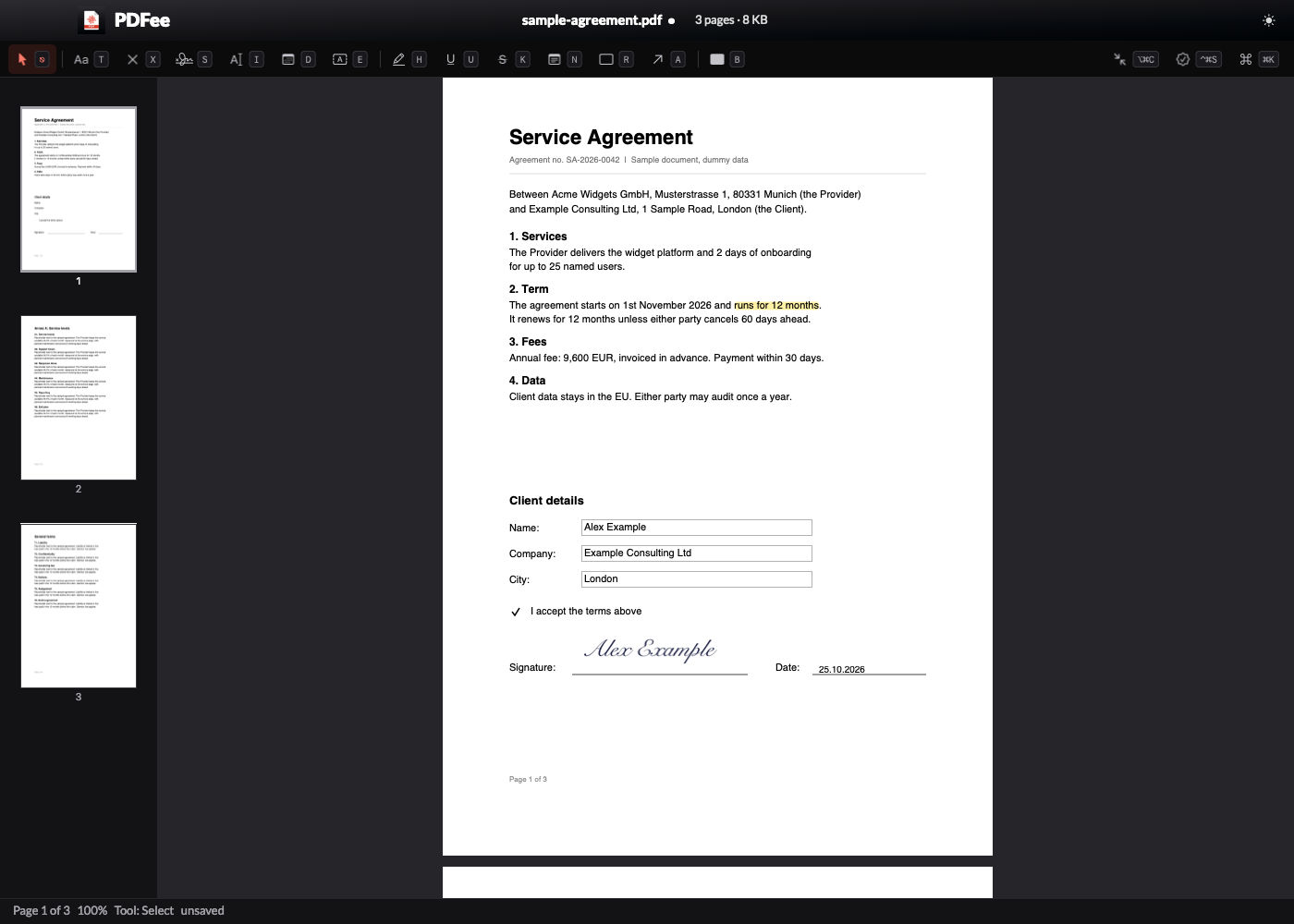
PDFee is the PDF app I built for my Mac. It replaces 2 paid apps, PDF Squeezer for compression and Nitro PDF Pro for forms and signatures, and it takes over from Preview as the app that opens my PDFs. It does only the jobs I actually do with PDFs: read them, shrink them, fill and sign forms, fix the page order, black out what must go, and check what changed between 2 versions.
I built it in 1 day with Claude Code: a round of 33 questions, a spec, a benchmark of compression engines, then the app, the tests and the QA. The name follows the -ee family of my other tools, next to Lastee: my own recent-files app for macOS and Filee: my own file manager for macOS.
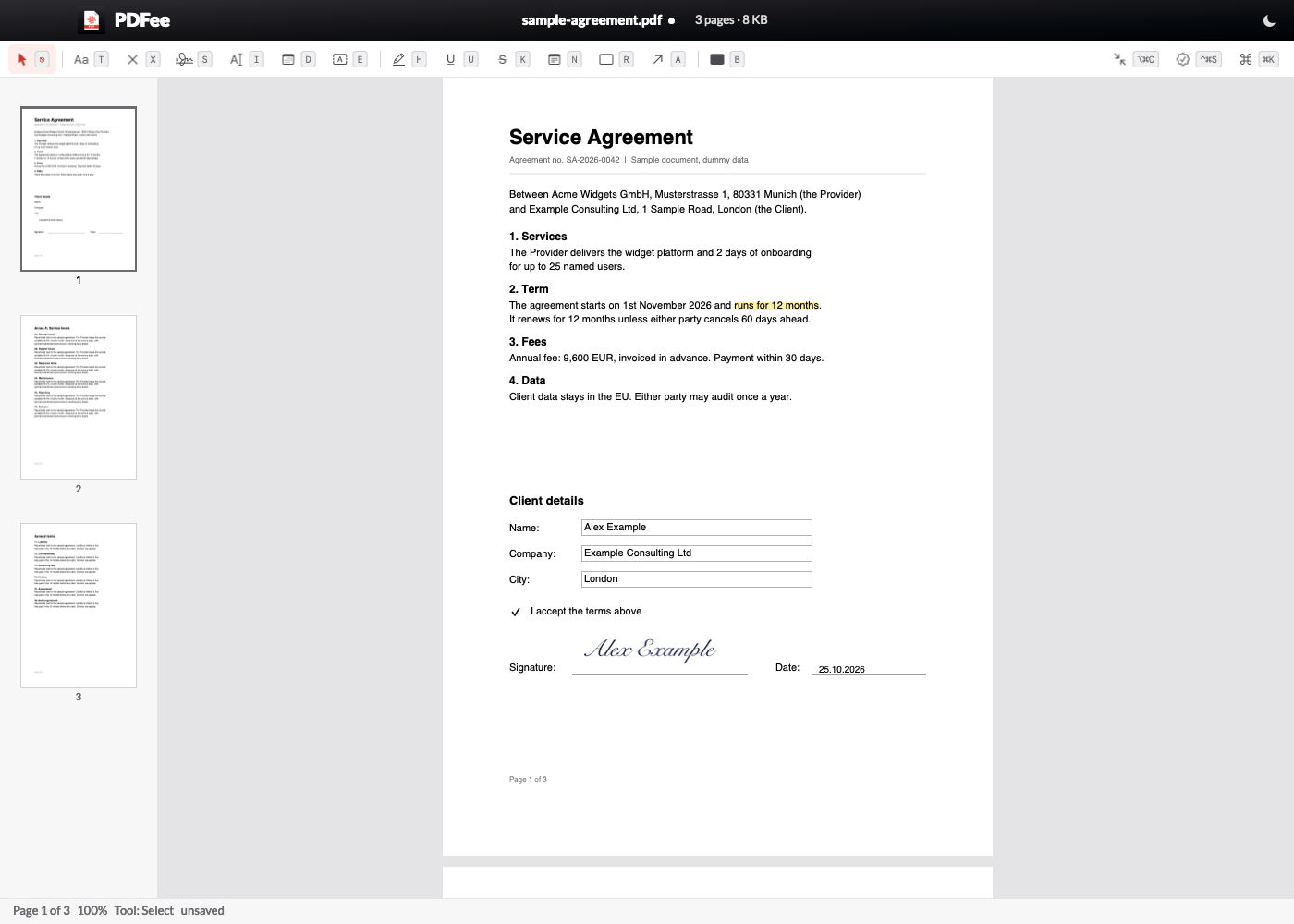
The screenshots use a dummy contract. The names, companies, addresses and amounts in it are made up.
Why I replaced 3 apps
Before I wrote a line, I counted what I really did with PDFs over 30 days:
| What I found | Value |
|---|---|
| Preview | 2,637 PDF opens on record, 79 different PDFs in 30 days |
| PDF Squeezer | 77 launches, 64 files compressed, 978 MB down to 298 MB |
| Nitro PDF Pro | 10 documents, almost all forms to fill and sign |
| Memory when idle | PDF Squeezer 139 MB, Nitro 133 MB, Preview 58 MB |
3 apps for 1 file type. Preview to read, PDF Squeezer to shrink a deck before I email it, Nitro when a form needs a signature. Each one has its own window, its own shortcuts and its own idea of where the result goes. 2 of them are subscriptions through Setapp.
The numbers also showed what I don't use: no PDF creation from scratch, no conversion to Word, no cloud sync, no batch scripts in Nitro. So PDFee leaves all of that out.
What PDFee does
Read
- Continuous pages at fit width, thumbnails with drag to reorder, find that ignores case and accents.
- Auto-reload. When a script or an agent rewrites the open file, PDFee shows the new version in about 5 ms, on the same page and at the same zoom. This matters more than any other feature, because my agents now write a lot of the PDFs I read.
- Page and zoom remembered for the last 500 documents.
Compress
- 3 profiles: Strong (72 dpi), Medium (144 dpi) and Light (300 dpi). The Compress sheet runs all 3 at once and shows the real size of each result before I pick 1.
- Drop files or folders on the Compress window, or use the Finder Quick Action "Compress with PDFee".
- The original goes to the Trash and the compressed file takes its name.
⌘Zundoes a compression, and every replaced file stays in a backup for 30 days.
Fill and sign
- Form fields as the PDF defines them, plus stamps for the forms that have no fields: text box (
T), tick (X), today's date (D), my signature (S) and my initials (I). - My signature comes from a scan. I imported it once from a photo, and PDFee removed the paper background.
- Save keeps the fields editable. Save Flattened Copy (
⌥⌘S) burns everything into the page for sending. - Certificate signatures (
⌃⌘S) from the keychain or a.p12file, written as an incremental update so an earlier signature stays valid.
Mark up, edit and redact
- Highlight (
H), underline (U), strike through (K), notes (N), rectangles (R) and arrows (A). - Edit Text (
E): click a line of the PDF and type the new text. - Redact (
B): draw black boxes, then apply them on save. The page becomes an image with the boxes burnt in, plus an invisible text layer from Apple's OCR, so the page stays searchable without the redacted words.
Pages and files
- Delete, rotate, reorder and insert pages, extract pages to Finder, split a file, merge files.
- Compare With: a text diff of 2 versions, page by page. Good for the 2nd draft of a contract.
- Make Searchable (OCR in German, English and French), Export Pages as Images, Add or Remove Password (AES-256).
⌘Kcommand centre: every command with its shortcut, searchable.
For scripts and agents
The pdfee command line gives my scripts and my Claude Code agents the same engine as the app:
pdfee compress deck.pdf --strong        # replaces the file, original to the Trash
pdfee fields form.pdf                   # the form fields as JSON
pdfee fill form.pdf data.json           # fill them from JSON
pdfee merge a.pdf b.pdf -o both.pdf
pdfee diff v1.pdf v2.pdf                # what changed between 2 versions
pdfee restore deck.pdf                  # back to the version before the last change
My email scripts now use it too: a PDF over 10 MB goes out as a compressed copy, and the original stays as it was.
Speed
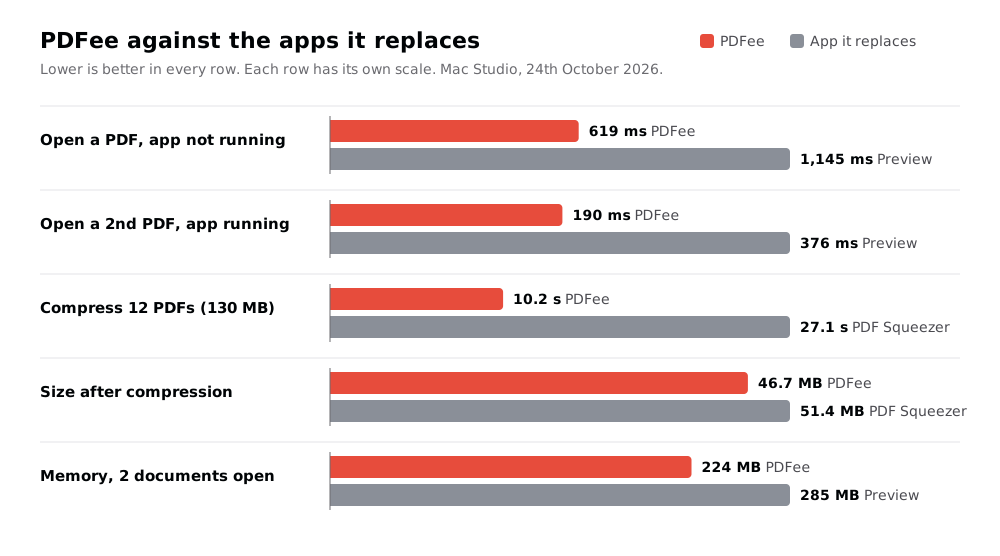
Speed was the 1st goal, so every number has a budget, measured in the installed app against the app it replaces.
| Metric | Budget | PDFee |
|---|---|---|
| Launch to first page drawn | < 500 ms | 334-410 ms |
| Reload after a script rewrites the file | < 200 ms | 5.5 ms |
| Save with form fields | < 300 ms | 10.8 ms |
| Thumbnails of the visible pages | - | 2.3 ms |
| CPU when idle | ~ 0% | 0.2% |
My first memory budget was 80 MB. It was wrong: Apple's PDF engine alone takes about 150 MB once it draws a page, so the budget became "no more than Preview".
How the compression works
PDF Squeezer was the app to beat. Before I chose an engine, I ran 3 against it on 12 real PDFs from my own folders, 130 MB in total:
| Engine | Result |
|---|---|
| PDF Squeezer | 51.4 MB in 27.1 s |
| Ghostscript | 3 of the 12 files got bigger, 1 lost its text |
| Apple's built-in filter | 31% smaller, 1 file failed |
| PDFee, Medium | 46.7 MB in 10.2 s |
| PDFee, Strong | 24.8 MB in 9.5 s |
PDFee only touches the images. qpdf exports the file's structure as JSON, PDFee measures how large each image is actually drawn on its page, then re-encodes it with Apple's ImageIO at the resolution that size needs. A 4,000-pixel photo shown 6 cm wide doesn't need 4,000 pixels. Text, fonts, links, bookmarks and form fields stay byte for byte as they were.
Every write follows the same rule: write to a temp file, check it (the page count, and the text of the first 50 pages), then replace the original. A file that fails the check never replaces anything.
⚠️ WARNING: qpdf's
--recompress-flateoption looked like a free extra saving. On 1 of my test files it lost the text. PDFee never uses it.
QA
- 20 unit tests and 150 end-to-end checks in 10 groups. The QA script runs the real app on generated test PDFs, in a scratch folder, with hidden windows. It never touches my files, my screen or the Trash, so it runs while I work.
- A 2nd agent reviewed the code that saves and changes files, in 2 rounds. It found 18 bugs, and each one now has a check. The worst:
⌘Zafter a later save could throw away saved work, a redaction deleted every other annotation on its page, and signing an already-signed PDF broke the 1st signature. - A 2nd PDF renderer checks the stamps. A signature on a rotated or cropped page must land where I placed it, so QA renders the saved file with Poppler, not only with PDFee.
What I gave up
- PDF creation, conversion to Word and cloud sync. I never used them.
- A drop on the Dock icon opens the file, it doesn't compress it. macOS sends a Dock drop and a Finder double-click as the same event. The Compress window takes drops instead.
- Redaction replaces the page. A link from another page to a redacted page stops working.
- Thumbnails show the page without its annotations. That keeps them fast.
- Nobody else maintains it. That one is mine to carry.
What I learned
- Measure the engines before you pick one. The best-known tool, Ghostscript, was the worst of the 3 on my real files.
- macOS won't let a script change the default PDF app. The old API returns "no error" and changes nothing. The new one shows a confirmation that only an app with a window can display, so the
pdfee defaultcommand hands the switch to the app, and I click once. - PDFKit has sharp edges on rotated pages. Drawing a page for a stamp or a snapshot needs the page's own transform first, or a signature on a rotated page moves and turns.
- Agents change what a PDF app is for. My agents write many of the PDFs I read. Auto-reload on the same page and a command line for agents matter more to me than any editing tool.
Further reading
The 2 apps PDFee replaces:


The PDF toolkit under PDFee's compression:

The tool I built it with:

- Lastee: my own recent-files app for macOS: my recent-files app, built the same way a few days earlier.
- Setapp: macOS app subsciption: where PDF Squeezer and Nitro came from.
- The era of personal software is here: why I now build the apps I use.