
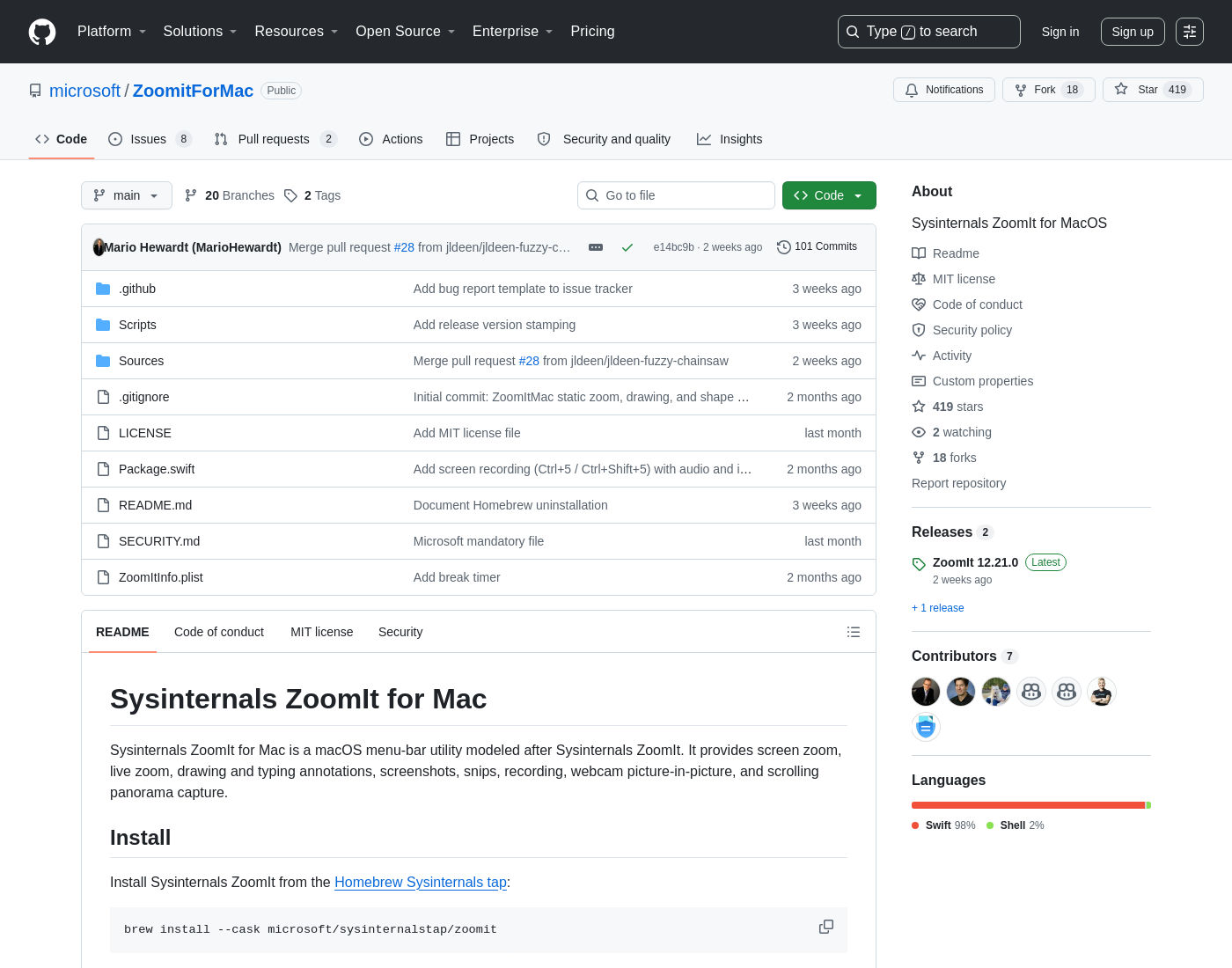
ZoomIt is the tool Mark Russinovich has used in every Sysinternals demo for over 20 years: press a hotkey, the screen freezes and magnifies, you draw on it, press Escape and carry on talking. It never existed on macOS. In July 2026 it shipped as microsoft/ZoomitForMac, a native Swift rewrite under the MIT licence, and it lands close to feature parity with the Windows original.
How it got built is the part worth knowing. Russinovich had refused the port for years as too much work. He wrote it in two days by prompting GitHub Copilot with GPT-5.5 and Opus 4.8, then Microsoft shipped it as an open-source Sysinternals release.

Install
One line, via the Sysinternals Homebrew tap:
brew install --cask microsoft/sysinternalstap/zoomit
brew uninstall --cask zoomit
| Version | 12.21.0, released 24th July 2026 |
| Requires | macOS 14 Sonoma or newer |
| Binary | Universal (Apple Silicon and Intel), 1.4 MB DMG |
| Licence | MIT |
| Language | Swift 98%, Swift 6 toolchain, SwiftPM |
| Permissions | Screen Recording always; Microphone and Camera only for those recording options |
It runs as a menu-bar item with no Dock icon. First capture triggers the Screen Recording prompt, and you have to relaunch after granting it.
What it does
| Action | Shortcut |
|---|---|
| Static zoom | Control+1 |
| Draw without zoom | Control+2 |
| Break timer | Control+3 |
| Live zoom | Control+4 |
| Record screen / region | Control+5 / Control+Shift+5 |
| Snip to clipboard / file | Control+6 / Control+Shift+6 |
| OCR region to clipboard | Control+Option+6 |
| DemoType | Control+7 |
| Panorama to clipboard / file | Control+8 / Control+Shift+8 |
All of them are configurable in Settings. While zoomed, Option+Up and Option+Down change the zoom level, Command+C and Command+S copy or save the viewport, and Esc or right click exits.
Drawing works the way it does on Windows. Left click starts drawing, Shift constrains to a line, Control draws a rectangle, Control+Shift an arrow, Tab an ellipse. Colour keys are R/G/B/O/Y/P/W/K, and holding Shift with a colour switches to highlighter ink. T types text, Command+Z undoes, E erases.
DemoType is the undocumented one. It is bound to Control+7 in SettingsStore.swift with a script file, a speed setting and a user-driven mode, but it appears nowhere in the README's feature list or hotkey table. It types a prepared script into whatever has focus, so you never fat-finger a command live on stage.
For business people
This is presentation infrastructure. If you demo software to customers, the difference between "let me zoom in here" followed by fumbling with macOS Accessibility zoom, and one hotkey that freezes and magnifies the exact region while you circle the thing you are talking about, is the difference between a demo that lands and one that does not.
The economics are simple: free, MIT licensed, from Microsoft, 1.4 MB. The nearest commercial equivalents on macOS are Screen Studio and Cleanshot X, both paid, both aimed more at polished recordings than at live presenting. ZoomIt is for the live moment.
The risk to weigh is maturity. Version 12.21.0 is three weeks old with a handful of open bugs, including a crash when Draw is activated during a webcam recording. Fine for internal demos, worth a dry run before a customer call.
For technical people
Straight SwiftPM package, swift-tools-version: 6.0, StrictConcurrency enabled, 37 Swift files across a ZoomItMacCore library plus two executables (the app and a self-test runner). No third-party dependencies at all.
The Apple frameworks doing the work:
- ScreenCaptureKit for both the frozen display capture behind static zoom and the live feed behind live zoom. Live zoom excludes ZoomIt's own windows to avoid a feedback loop.
- AVAssetWriter for MP4 recording, with system audio, microphone and a fixed webcam picture-in-picture composited into the frame.
- Vision for the OCR snip, running entirely on-device with no extra permission and no network call.
- A hand-rolled
PanoramaStitcher(the second-largest file in the repo at 77 KB) that records a scroll region, filters duplicate frames, suppresses fixed headers and footers, and stitches the result.
The interesting engineering problem is not the graphics, it is TCC. macOS keys privacy grants to bundle id plus code-signing requirement, so a contributor's ad-hoc build would fight the official app over the same Screen Recording grant. Scripts/build-app.sh derives the identity from the signing identity: no Developer ID gives you ZoomIt (Dev).app with bundle id com.sysinternals.zoomitmac.dev, a real one keeps com.sysinternals.zoomitmac. The README also ships the tccutil reset ScreenCapture recipe for when a stale grant makes Control+1 do nothing. That is a whole class of Mac-specific pain that has no Windows equivalent.
Camera and microphone need explicit entitlements (com.apple.security.device.camera, com.apple.security.device.audio-input) under the hardened runtime, or macOS denies them even after the user says yes. Screen Recording needs none, being pure TCC.
Build and run it yourself:
swift build
swift run ZoomItMacSelfTest
zsh Scripts/build-app.sh release

Windows vs Mac
| Feature | Windows ZoomIt | ZoomIt for Mac 12.21 |
|---|---|---|
| Zoom, live zoom, draw, break timer | Yes | Yes, same hotkeys |
| Snip and OCR snip | Yes | Yes |
| Panorama capture | Yes | Yes |
| Screen recording | MP4 or GIF | MP4 only |
| Post-recording trim editor | No | Yes |
| Webcam picture-in-picture | No | Yes |
| DemoType | Yes | Yes, undocumented |
| Blur pen, LiveDraw | Yes | Not documented |
| Touch and pen input | Yes | No |
The Mac build is not a straight subset. The video editor that opens after recording stops, with trim, append, fades and mute before the save panel, has no Windows counterpart.
The AI angle
Russinovich announced it as a summer project he had previously judged too expensive to attempt, then completed in two days of prompting with Copilot. He walks through the port and the problems it hit in a 13-minute Microsoft Developer video, which also demos Demo Mirror, sharing a screen or window without leaving PowerPoint Presenter View. Demo Mirror is not in the Mac source tree as of 12.21.0.

The honest read on the two-day claim: this is a rewrite, not a translation. The Windows source is C++ and Win32, the Mac source is Swift against ScreenCaptureKit and AVFoundation, sharing nothing but the spec. What the AI compressed was the cost of learning an unfamiliar platform's frameworks well enough to ship, and that is exactly the cost that used to make ports not worth starting. The 87 KB SelfTestRunner.swift covering viewport maths, annotation rendering, settings persistence and panorama regressions is the part that makes it credible rather than a demo.
My take
Installed and set up in under a minute. For anyone who demos on a Mac this is the obvious default, and the price and the licence make the decision trivial. Control+1 alone earns it.
The bug list is short but real, so I would not activate Draw mid-recording in front of a customer until issue #39 closes. Worth checking releases every few weeks: it is moving fast, with 101 commits in its first two months and Russinovich himself merging UI fixes.
The wider point is the one I keep coming back to. A 20-year-old tool nobody would fund a port for now exists on a second platform because the marginal cost of writing unfamiliar-framework code collapsed. That maths applies to a lot of internal tooling.
Further Reading
- microsoft/ZoomitForMac, source, releases and issue tracker
- ZoomIt on Microsoft Learn, the Windows original and full shortcut reference
- Homebrew Sysinternals tap, also carries ProcDump for Mac
- ZoomIt for Mac: How AI Ported a 20+ Year-Old Windows Tool, Microsoft Developer