
09 Jun 2024
By the maker of TablePlus TablePlus
Tinyweb is a native macOS app pegged as "The Tiniest Bezeless HTTP Client".
Use it to take clean screenshots of web pages without any browser distractions.


Now a web browser
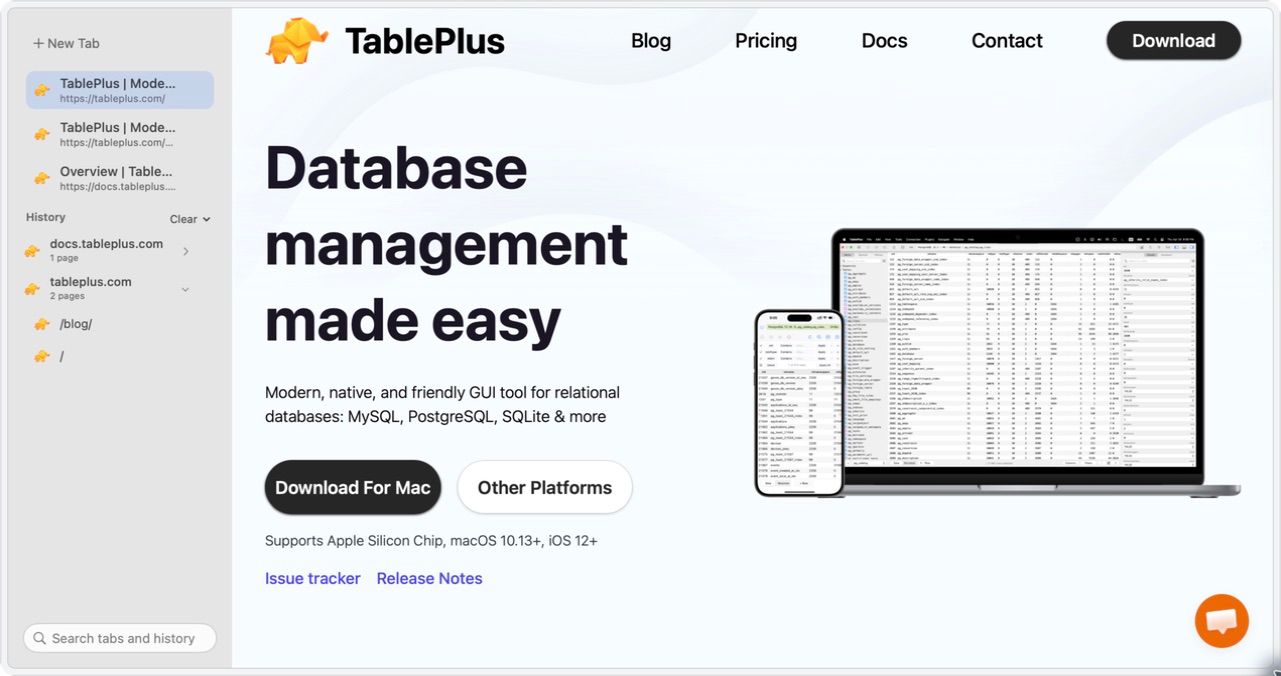
21 Sep 2026 revisited. TinyWeb is no longer pitched as an HTTP client. The site now calls it "The Tiniest, Bezeless Web Browser": a native browser for macOS with vertical tabs, searchable history and a glass border that takes on each site's colour. Same makers, the TablePlus team. The changelog lists the new layout and vertical tabs under Build 102.
What it does now:
- WebKit, not Chromium. The same engine as Safari, so it stays fast and light.
- A bezeless window. A thin glass border adapts to the website's colour, and you can remove it completely.
- Vertical tabs in a compact sidebar, next to a searchable history.
- No telemetry, according to the site.
- Make an App. Turns a website into its own Mac app with a custom icon. Paid.
- Always on Top, downloads and find on page.
- macOS 12 or later, up from macOS 11 in 2024.
The original use still works: remove the border and the window is only the page, which is exactly what a clean screenshot needs.
Pricing
| Plan | Price | What you get |
|---|---|---|
| Free | $0 | Tabs, searchable history, downloads, find on page, Always on Top |
| Pro | $5, one-time | 2 Macs, adds Make an App, 1 year of updates, keep using it after |
| Custom | $4 per seat, 3 seats minimum | Teams, 1 Mac per seat |
An extra device costs $4, and renewing updates costs $3 per device. Details on the pricing page.
Worth knowing
- Safari already makes web apps for free. On macOS Sonoma 14 or later, File > Add to Dock turns any page into an app, per Apple's guide. TinyWeb's Make an App mostly matters on macOS 12 and 13, or if you want the custom icon and TinyWeb's window around it.
- It's small and early. The public issue tracker on GitHub has 9 open issues, and the changelog lists 2 releases. Good for a secondary browser, not yet for a daily driver.
