
I've been using TablePlus since 2020 to manage my local SQLite databases. It's open on my Mac every day.

TablePlus is a database client: an app to open a database, browse its tables, edit rows and run SQL. What sets it apart is that it's a real native app, not a web page in a wrapper. It opens in a second, stays fast on big tables, and looks like it belongs on a Mac.
It comes from the TablePlus team in Toronto, who also make DBngin, TinyWeb (see Tinyweb ), NotePlus and, since October 2026, VMPal (see VMPal ).
| Maker | TablePlus Inc., Toronto |
| Platforms | macOS (Apple Silicon native), Windows, Linux, iOS |
| Databases | MySQL, PostgreSQL, SQLite, SQL Server, Redshift, MariaDB, CockroachDB, Vertica, Redis, MongoDB, Oracle, Cassandra, BigQuery, ClickHouse, Turso |
| Users | 100,000+ developers, per TablePlus |
| Price | $99 once for 1 Mac, 1 year of updates. A free version with limits |
What it does
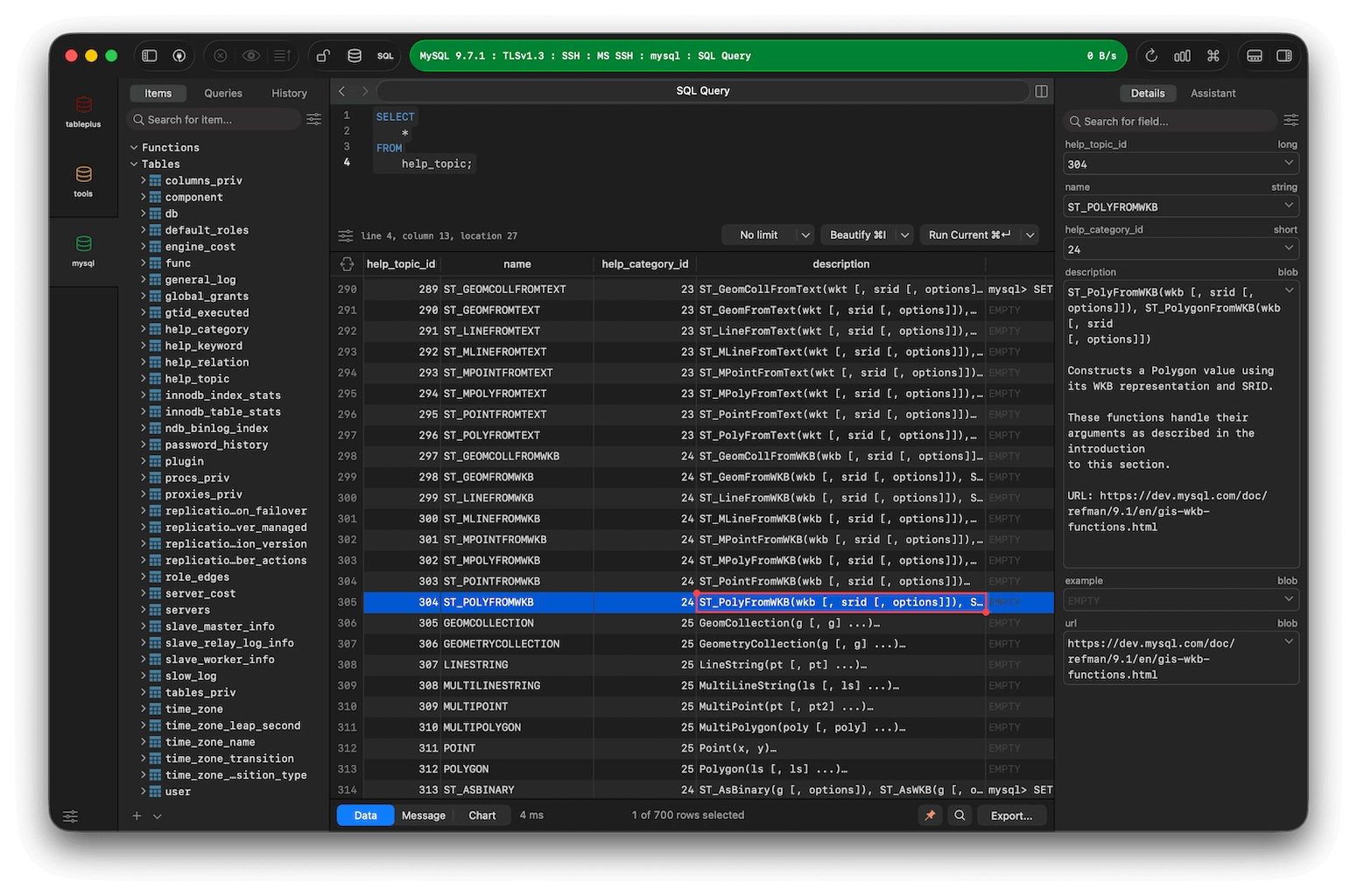
- Browse and edit data inline, like a spreadsheet, with filters on any column.
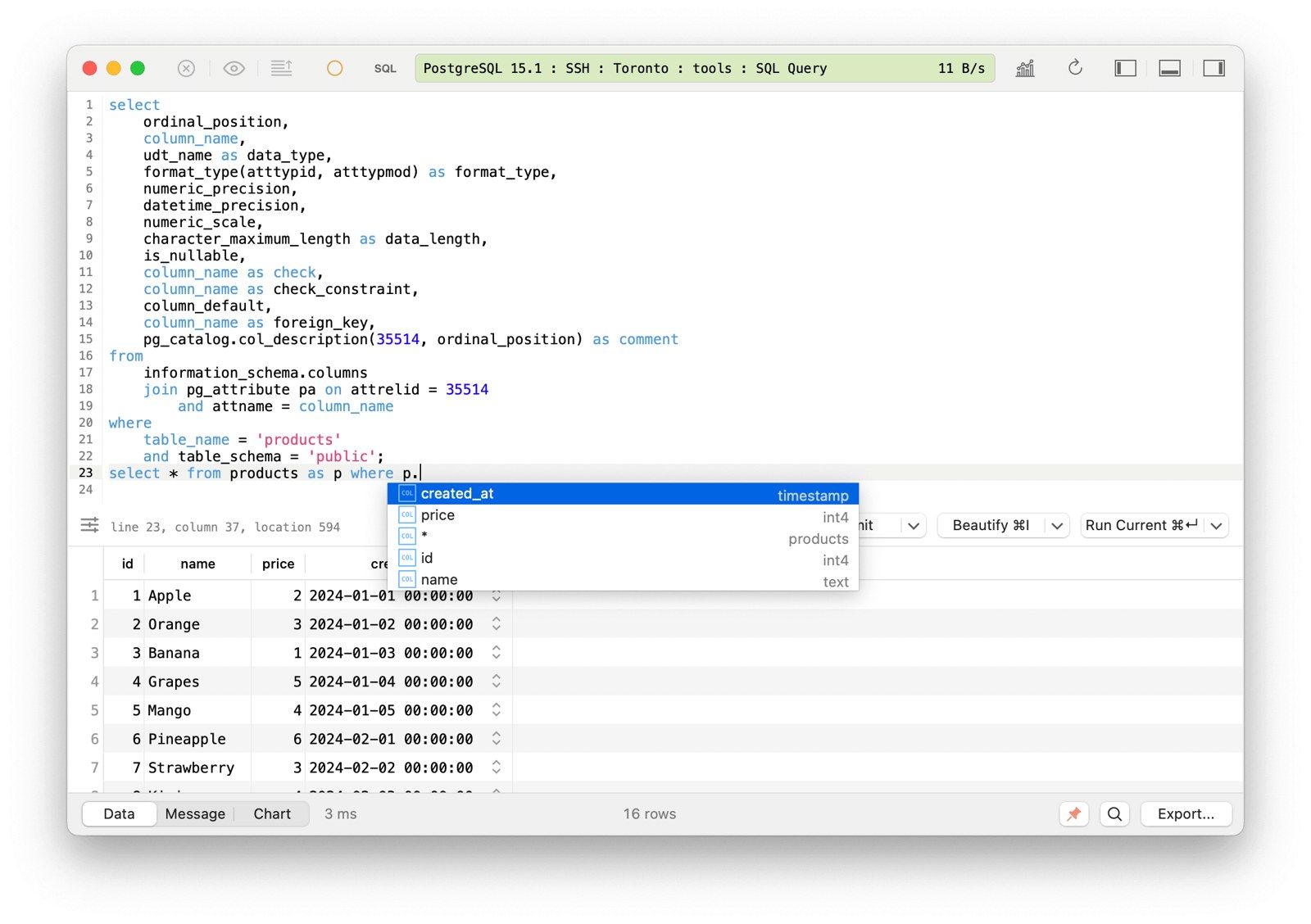
- SQL editor with autocomplete, syntax highlighting, formatting and split panes.
- Code review before commit: every edit stays pending and shows as SQL, and nothing reaches the database until you press commit. You can undo before that.
- Safe mode for production connections: warnings or a password prompt before any write.
- Many tabs and windows, so several databases and queries stay open side by side.
- Connections over SSH and TLS, with a colour per connection, so production looks different from local.
- Import and export to SQL dumps and CSV.
- Metrics Board for small dashboards from queries, and JavaScript plugins in beta.
For business people
What it is: the tool for anyone who works with data in a database and wants to see it, fix it and query it without a terminal.
Why it's good value: a one-time licence, not a subscription. The software keeps working after the year of updates ends.
| Plan | Price | Includes |
|---|---|---|
| Free | $0 | 2 tabs, 2 windows and 2 advanced filters at a time |
| Basic | $99 once | 1 device, 1 year of updates |
| Standard | $129 once (discounted from $198) | 2 devices, 1 year of updates |
| Team | $79 per seat, from 3 seats | 1 device per seat |
| Renewal | $59 per device | Another year of updates, optional |
Every paid plan also covers the iOS app on extra devices.
The limits: it's a client, not a data tool. No built-in charts beyond the Metrics Board, no data modelling, and for heavy analysis a notebook or a BI tool does more.
For technical people
- Native code on each platform, which is where the speed comes from.
- Connection URLs: right-click a connection and choose Copy as URL. That URL opens the connection from anywhere, and takes parameters such as
tableandconditionto open a filtered table. - CLI and deep links: the
opencommand on macOS hands a connection URL straight to TablePlus. - Safe mode levels per connection, plus a status colour and an environment label (local, staging, production).
Opening a filtered table from Python
03 Aug 2025 how I open a table with a filter applied, straight from a script. Opening an arbitrary SQL query this way doesn't seem to be supported.
import subprocess
import urllib.parse

# Right-click the connection in TablePlus, then "Copy as URL"
base_url = "sqlite://@%2FUsers%2F...%2Fbtob.db"

params = {
    "name": "BtoB",
    "env": "local",
    "table": "people",
    "condition": urllib.parse.quote("vip = 1"),
}
url = base_url + "?" + "&".join(f"{k}={v}" for k, v in params.items())
subprocess.run(["open", "-a", "TablePlus", url])
Value
TablePlus is the window onto everything I build. My whole setup runs on SQLite: prospects, pipeline, LinkedIn contacts, client intelligence, the notes index. Scripts and agents write to those databases. TablePlus is where I look at what they wrote, fix a row by hand, or run a quick query before turning it into code.
The code review step is the feature I'd miss most. With agents changing data all day, seeing every pending change as SQL before it commits is the right default.
Further Reading