
20 Oct 2026
Overview
Alfred is a keyboard launcher for macOS. Press a hotkey, type a few letters, and it opens apps, finds files, searches the web, does maths and runs your own automations.
It replaces Spotlight, then goes much further with workflows: small automations triggered by a keyword, a hotkey or a selected file.
It is made by Running with Crayons, a small UK company, and has been around since 2010. The current version is Alfred 5.8.1 (24th September 2026). Alfred 6 is announced for autumn 2026, and a Powerpack bought now includes the upgrade.

The Powerpack is the paid upgrade that unlocks workflows, clipboard history, snippets and sync:
The Alfred Gallery installs curated workflows in one click:
The community forum is the best place for workflow help, and for workflows that never made it to the Gallery:

What it's for
- Launching apps, files, folders, bookmarks and System Settings panes without the mouse.
- Searching the web, a specific site, or your own files with custom filters.
- Text: clipboard history and snippets with auto-expansion.
- Acting on things: select a file, URL or text anywhere, then copy, move, send or transform it.
- Automation: wrap any script or app action in a keyword or hotkey.
Good for anyone who lives on the keyboard. The free version is a better Spotlight. The Powerpack turns it into an automation layer for the whole Mac.
Core capabilities
| Capability | Free | Powerpack |
|---|---|---|
| App, file and web search | ✅ | ✅ |
| Calculator, dictionary, system commands | ✅ | ✅ |
| Custom web searches | ✅ | ✅ |
| Workflows | ✅ | |
| Clipboard history and snippets | ✅ | |
| Universal Actions | ✅ | |
| File navigation and file actions | ✅ | |
| Music Mini Player, Contacts Viewer | ✅ | |
| Terminal and shell commands | ✅ | |
| Custom themes | ✅ | |
| Settings sync (Dropbox, iCloud) | ✅ |
Pricing
| Option | Price | What you get |
|---|---|---|
| Alfred | Free | Launcher and search |
| Single License | £34 | Powerpack for Alfred 5, with the free Alfred 6 upgrade |
| Mega Supporter | £59 | Powerpack with free lifetime upgrades |
Prices from the Powerpack page, October 2026. One-time payment, no subscription. Details: license types.
For business people
The problem it solves. Small repeated actions eat the day: finding a file, opening the same 5 sites, pasting the same reply, renaming exports. Each one takes seconds. Together they take hours a week. Alfred puts each of them behind 2 or 3 keystrokes.
Where it fits. Between you and every app on the Mac. You don't change tools; Alfred gets you into them faster. A team can share snippets and workflows, so everyone writes the same signature, uses the same templates and runs the same shortcuts.
Value. A single license costs less than 1 hour of a senior person's time, and you pay once. I use it 25 to 100 times a day.
Limits and risks.
- macOS only. There is no Windows or iOS version (Alfred Remote on iPhone and iPad only triggers actions on the Mac).
- Workflows are code written by the community. Install them from the Gallery or from authors you trust, because a workflow can run any script with your user rights.
- Old workflows break when macOS changes. Apple removed Python 2 in macOS 12.3 and a generation of workflows stopped working (see Convert in my notes below).
When to choose it over the alternatives. Choose Alfred if you want a native, local, private tool with a one-time price. Raycast has a larger extension store and built-in AI, on a subscription model. The macOS 26 Spotlight now runs actions, which covers the basics for light users.
For technical people
Architecture. Alfred is a native macOS app. Everything lives in one preferences bundle, Alfred.alfredpreferences, which you can sync through Dropbox or iCloud. Each workflow is a folder workflows/user.workflow.<UUID>/ holding an info.plist (the object graph), an icon and its scripts. A .alfredworkflow file is that folder zipped: double-click to install.
The workflow model. You connect objects on a canvas:
| Object type | Examples |
|---|---|
| Triggers | Hotkey, External Trigger, Universal Action, File Action, Snippet |
| Inputs | Keyword, Script Filter, List Filter, File Filter |
| Actions | Run Script, Open File, Open URL, Terminal Command |
| Utilities | Replace, Filter, Arg and Vars, Conditional, Split |
| Outputs | Copy to Clipboard, Post Notification, Large Type |
Script Filters are the interesting part. Alfred runs your script on every keystroke and shows whatever JSON it prints as live results:
#!/usr/bin/env python3
import json
import sys

query = sys.argv[1] if len(sys.argv) > 1 else ""
items = [
    {"uid": "desktop", "title": "Desktop", "subtitle": "~/Desktop", "arg": "~/Desktop"},
]
print(json.dumps({"items": [i for i in items if query.lower() in i["title"].lower()]}))
arg is what flows to the next object. Keep uid stable and Alfred learns which results you pick and ranks them higher.
Script languages. Run Script takes bash, zsh, Python, Ruby, PHP, Perl, AppleScript and JavaScript for Automation, or any interpreter through /usr/bin/env.
Environment variables. Every script gets alfred_* variables, the most useful being:
| Variable | Use |
|---|---|
alfred_workflow_data |
Persistent data folder for the workflow |
alfred_workflow_cache |
Cache folder, safe to delete |
alfred_preferences |
Path to the synced Alfred.alfredpreferences |
alfred_version |
Alfred version, to guard version-specific features |
alfred_debug |
Set to 1 while the debugger is open |
Workflow variables and user configuration are passed as environment variables too, so secrets never need to sit in the script.
Calling Alfred from outside. An External Trigger lets any script start a workflow:
tell application id "com.runningwithcrayons.Alfred" to run trigger "my_trigger" in workflow "com.example.myworkflow" with argument "hello"
Gotchas.
- Scripts don't load your shell profile, so
PATHis minimal. Use full paths or/usr/bin/env. - Hard-coded paths break silently when you move a folder. Point workflows at one runner script and the next move is a 1-line fix.
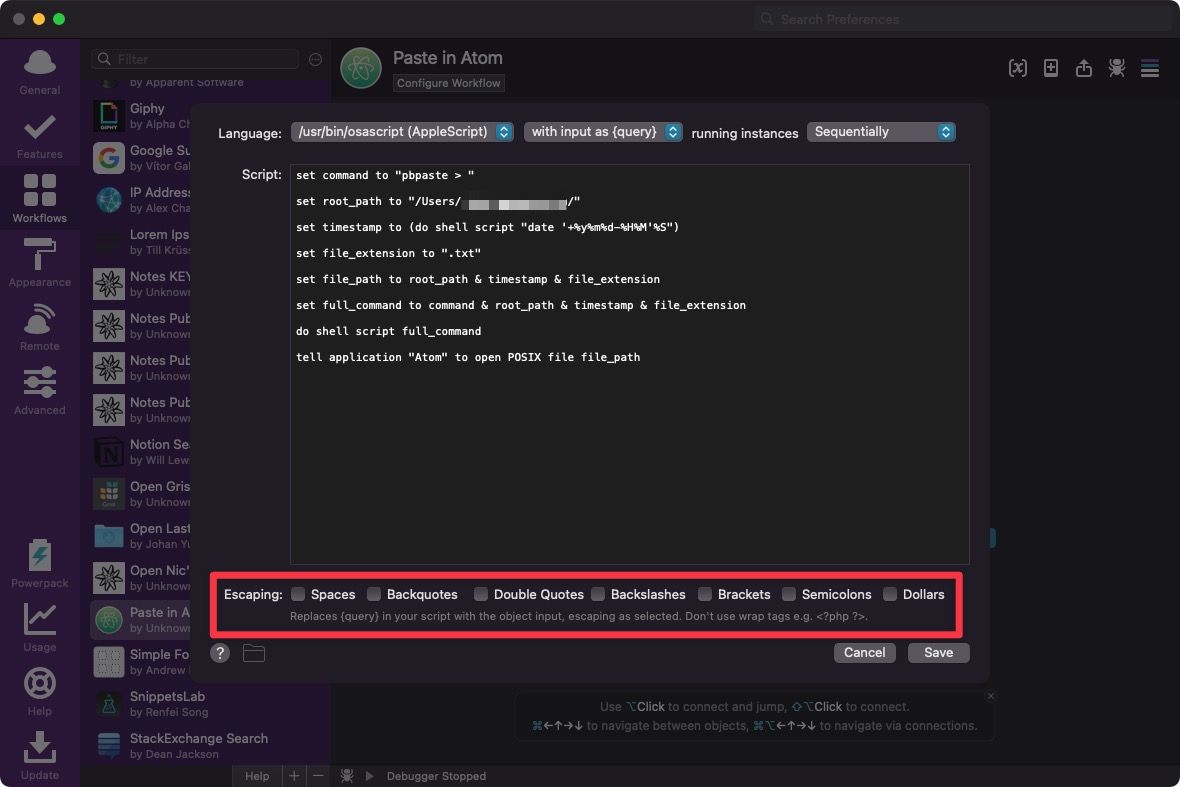
- The Escaping options on Run Script rewrite
{query}. With the query passed as an argument, untick them (see Paste to Atom below). - Alfred stores what you pick in
~/Library/Application Support/Alfred/Databases/knowledge.alfdb(SQLite). Copy it before you query it.
Alternatives
| App | Model | Best at |
|---|---|---|
| Raycast | Free, Pro subscription | Extension store, built-in AI, team features |
| LaunchBar | One-time license | Long-standing launcher with deep Mac actions |
| Spotlight (macOS 26) | Built in | Basic search and actions, nothing to install |

My notes since 2020
2020 started using Alfred.
03 Jul 2022 started this note.
I use Alfred 25 to 100 times a day, according to its in-app usage report. Most of that value comes from workflows, not from launching apps.
Universal Actions
Universal Actions let you act on a selected file, URL or piece of text from anywhere in macOS: copy it, open it, send it to a workflow.
Sync
Local data lives in ~/Library/Application Support/Alfred.
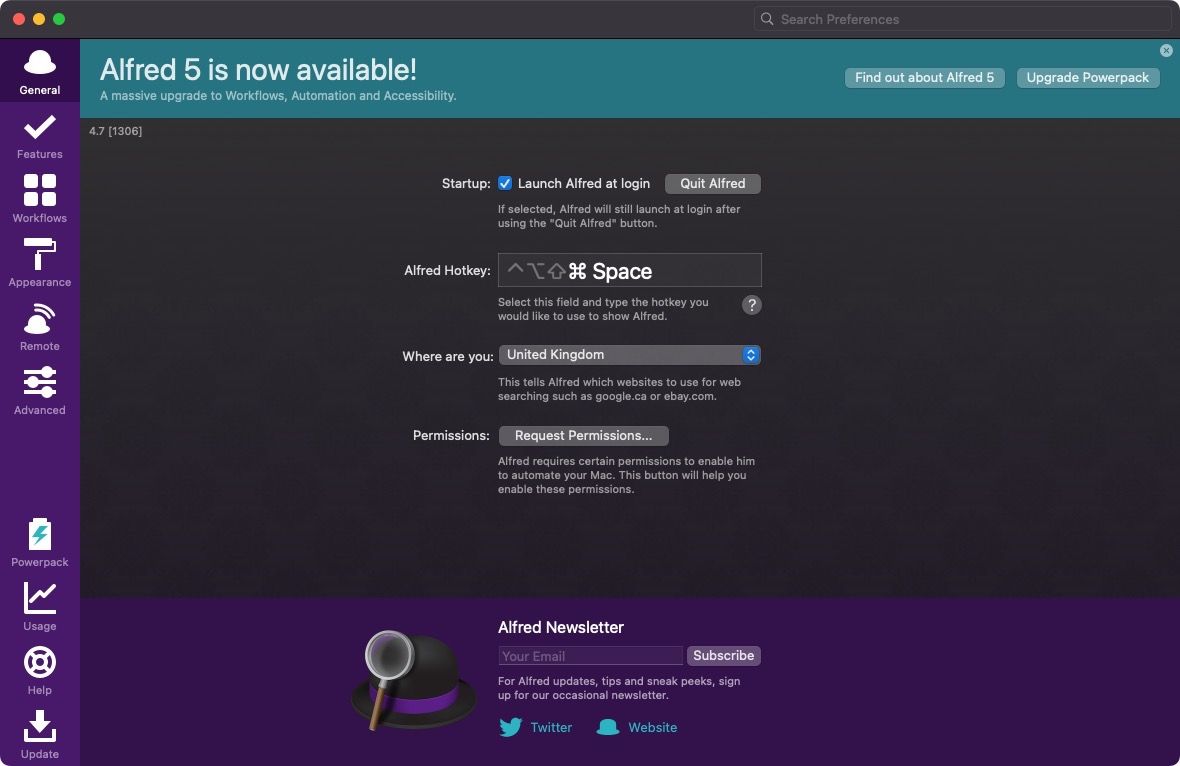
The settings themselves sit in an Alfred.alfredpreferences bundle. Put it in Dropbox and every Mac with Alfred shares the same settings and workflows. Mine is Dropbox/Alfred.alfredpreferences.
Set the location under Alfred Preferences > Advanced > Syncing > Set preferences folder.
Migrating to Alfred 5
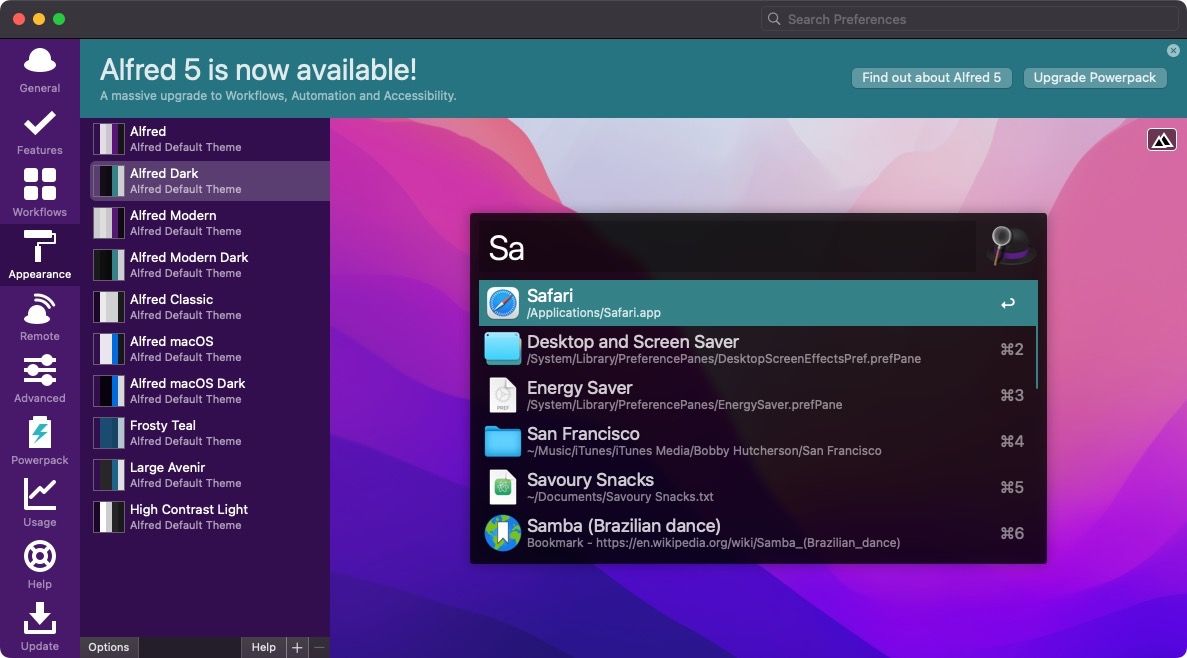
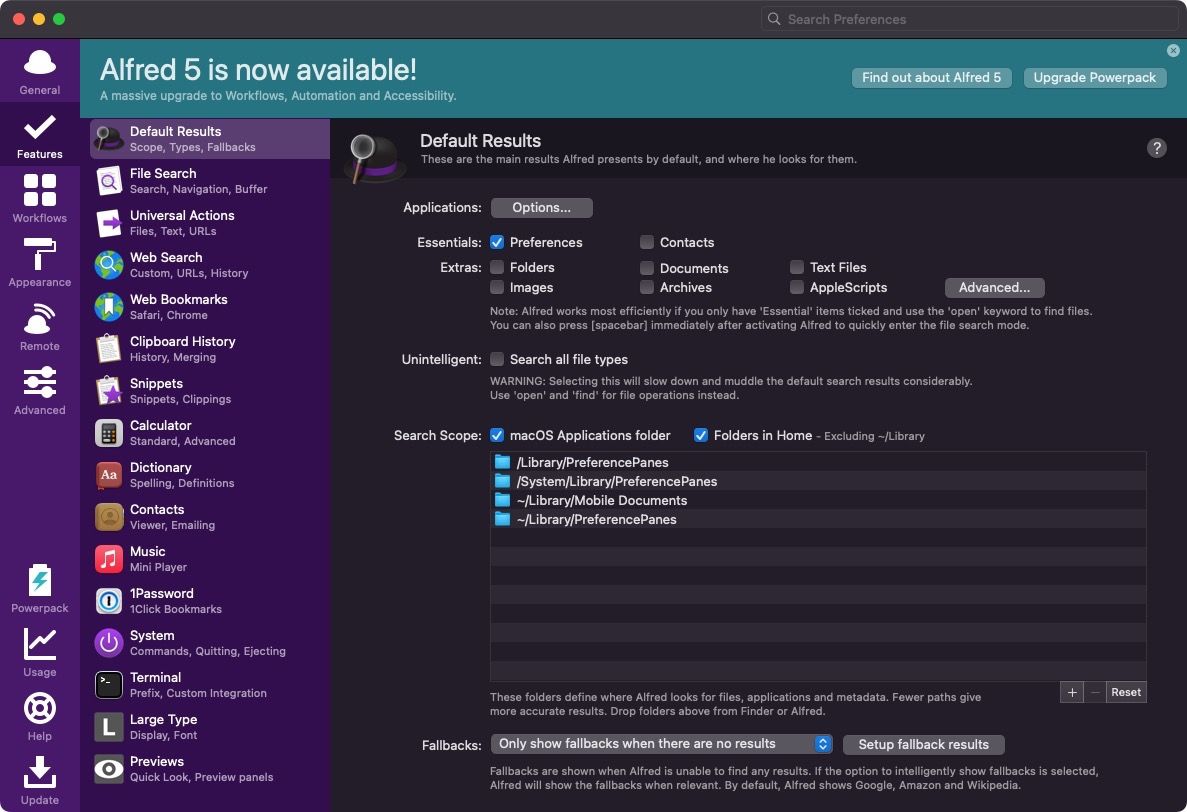
20 Sep 2022 my Alfred 4 settings, saved for reference before the upgrade.
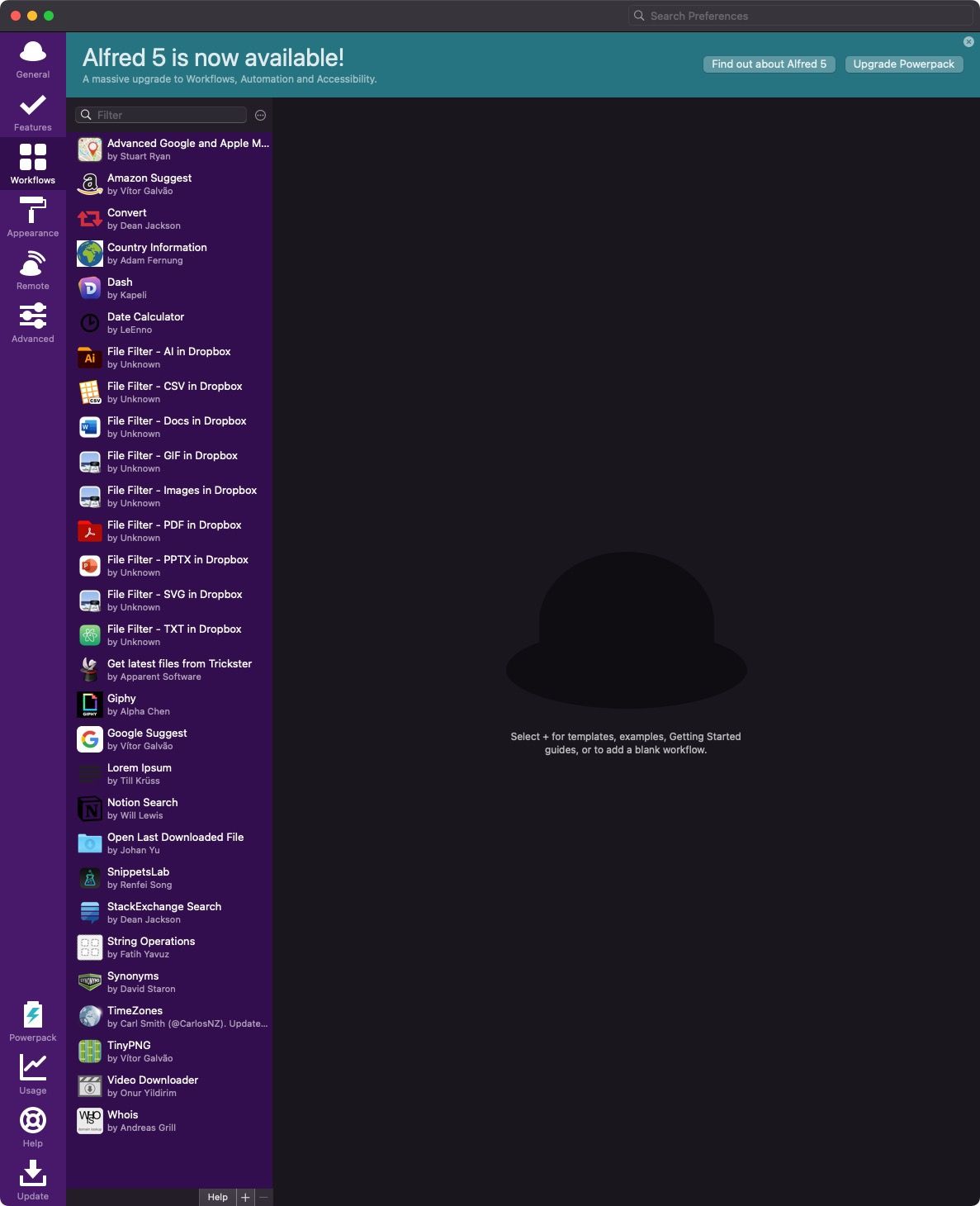
Workflows
The official gallery is the first stop for new workflows:
To build my own, variables are the concept to learn first:
Workflows I use
Latest files
Lists my most recent files.
| Trigger | Value |
|---|---|
| Global key | Alt L |
| Keyword | tt |
It started as the workflow that ships with Trickster.
19 Oct 2026 Trickster is retired. The same workflow (Alt L, tt) now lists my recent files from see Lastee: my own recent-files app for macOS, through its CLI.
Dash
Fast search of the Dash documentation browser, with results in-line.
Music
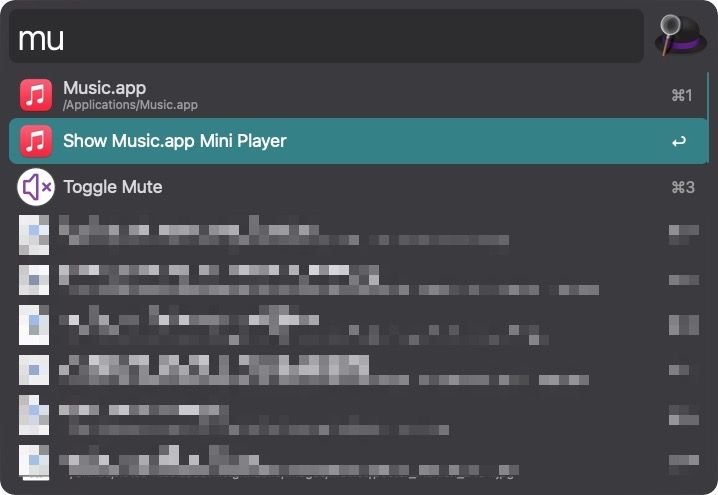
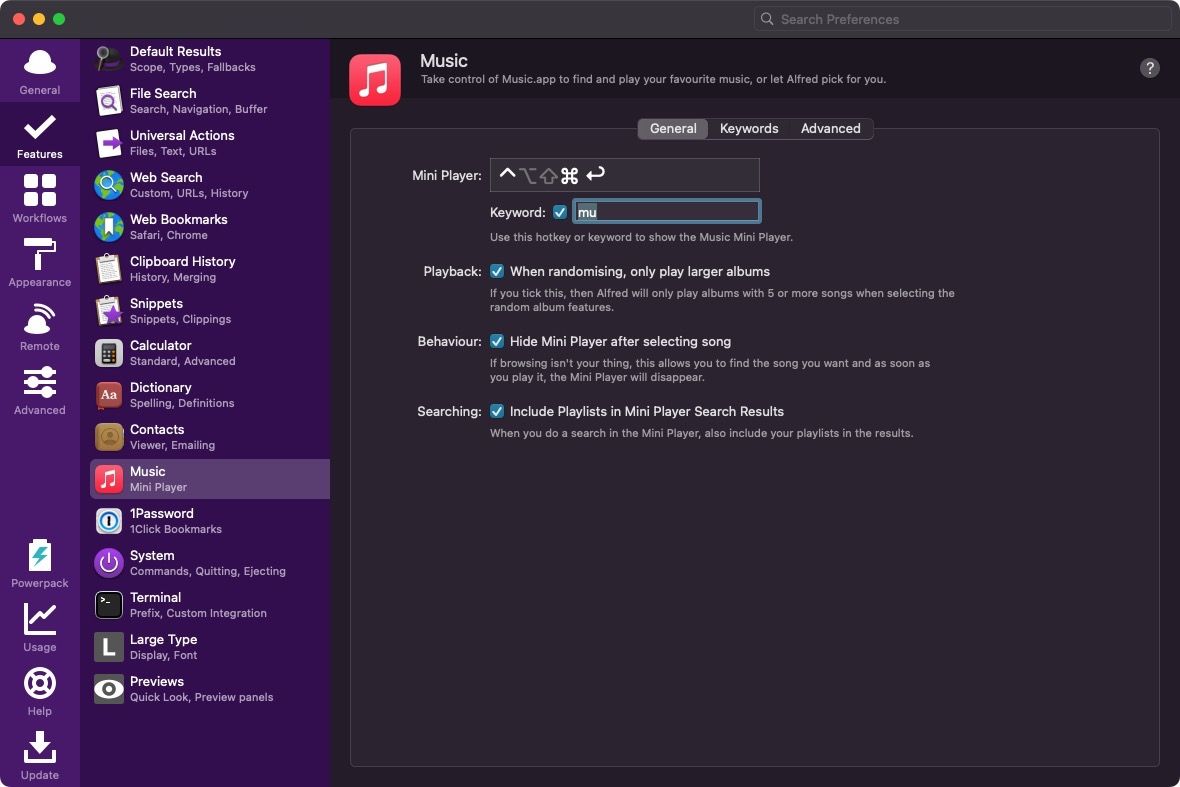
Find and play music in Apple Music by artist, album or playlist. The keyword mu opens the Mini Player.
Google Suggest
A sample workflow included in Alfred. Search Google from the Alfred box and see suggestions in-line.
Stack Overflow
Search Stack Overflow answers from Alfred with .so.

GitHub
Pick a GitHub repository and open it, straight from Alfred.
TinyPNG
Compresses images with TinyPNG so they load faster.
19 Sep 2022 it needs a TinyPNG API key:

The first 500 compressions each month are free.
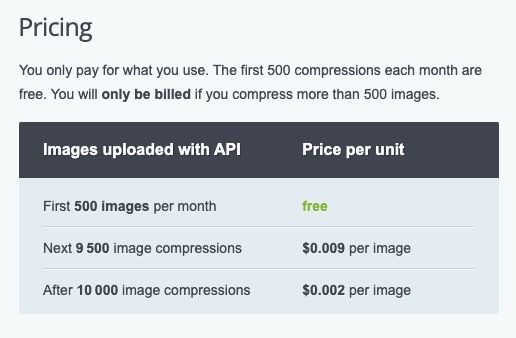
No password needed to sign up, and I had the API key in under a minute 😁
The catch: the workflow only works with Alfred 5 😕

Advanced Maps
Google Maps and Apple Maps search, with a saved Home and Work location to check traffic before leaving.
Directions from Home to an address:
dirfh your-query
Timezones
A world clock: my chosen cities with their current local time.
Convert
Converts units: distances, quantities, time and more. Works offline.
The original workflow broke when macOS dropped Python 2 (/usr/bin/python), and its author never updated it. I now use this fork:
My custom workflows
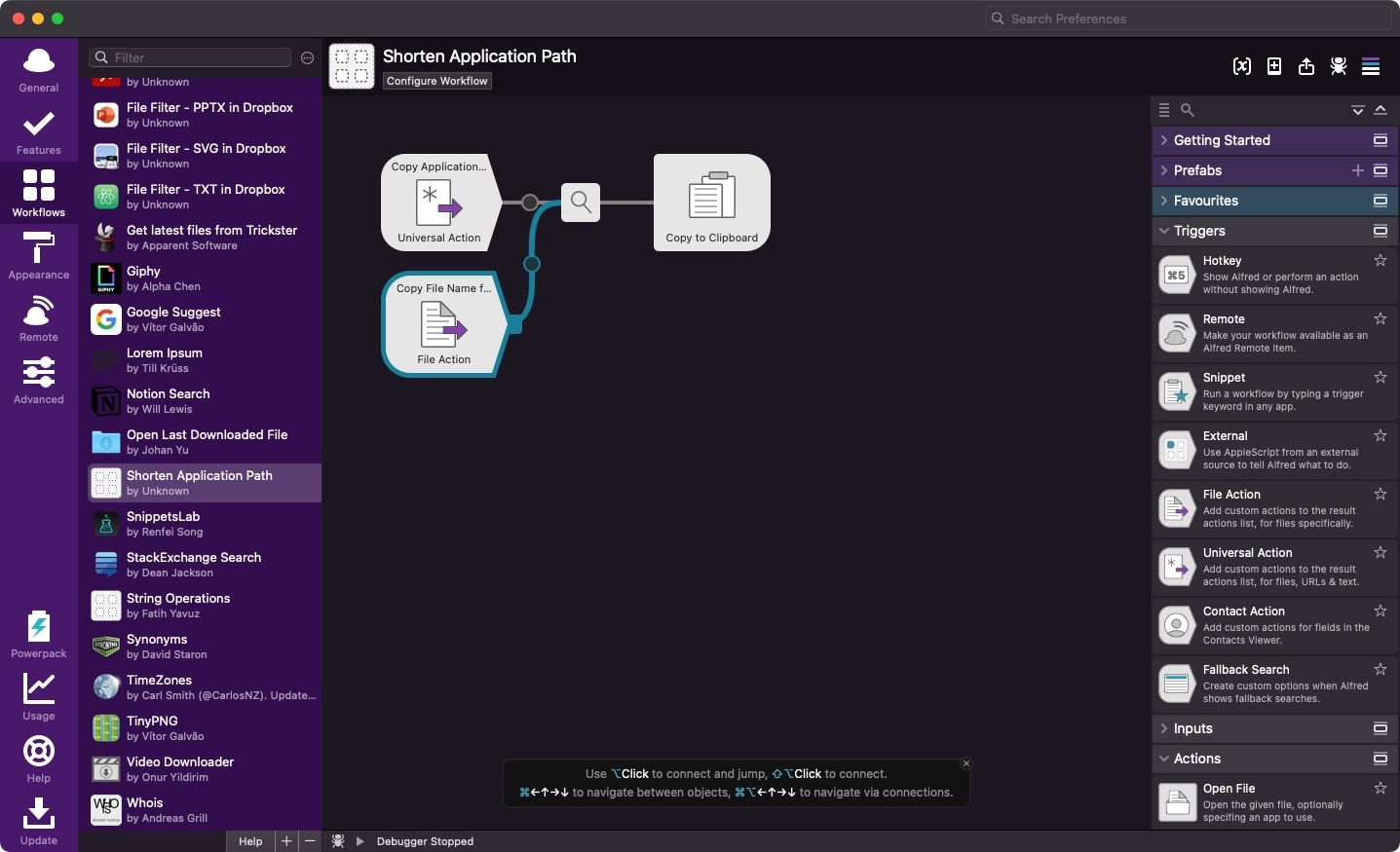
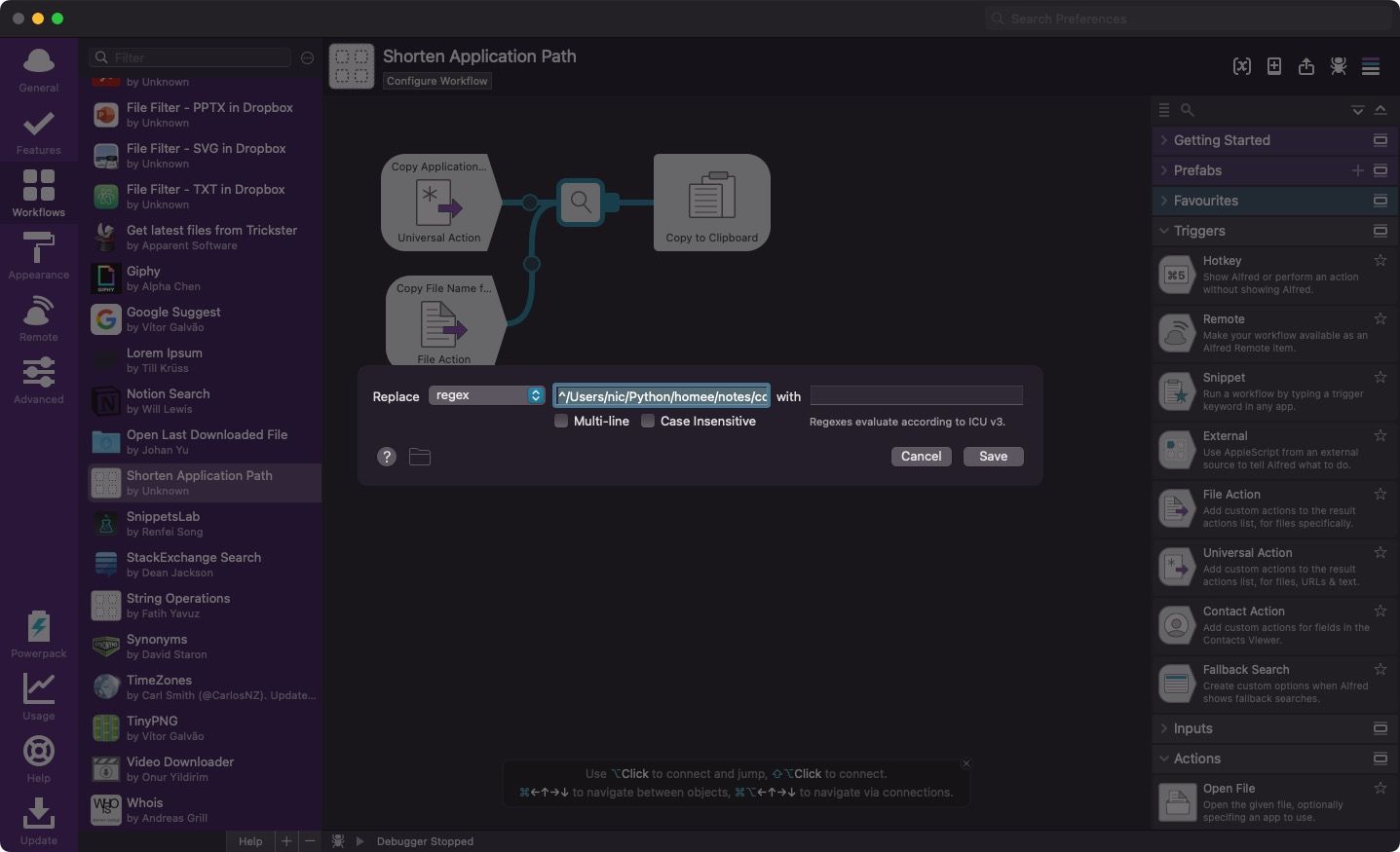
Copy file name and parent folder for notes
To add an image to a note on this site, I chain 2 things:
- The latest-files workflow finds the image I just saved.
- This custom workflow copies the file name with its parent folder (the note name) to the clipboard.
A VS Code snippet then pastes the clipboard into the image tag (see VS Code). Adding an image takes seconds.
Paste clipboard to Atom
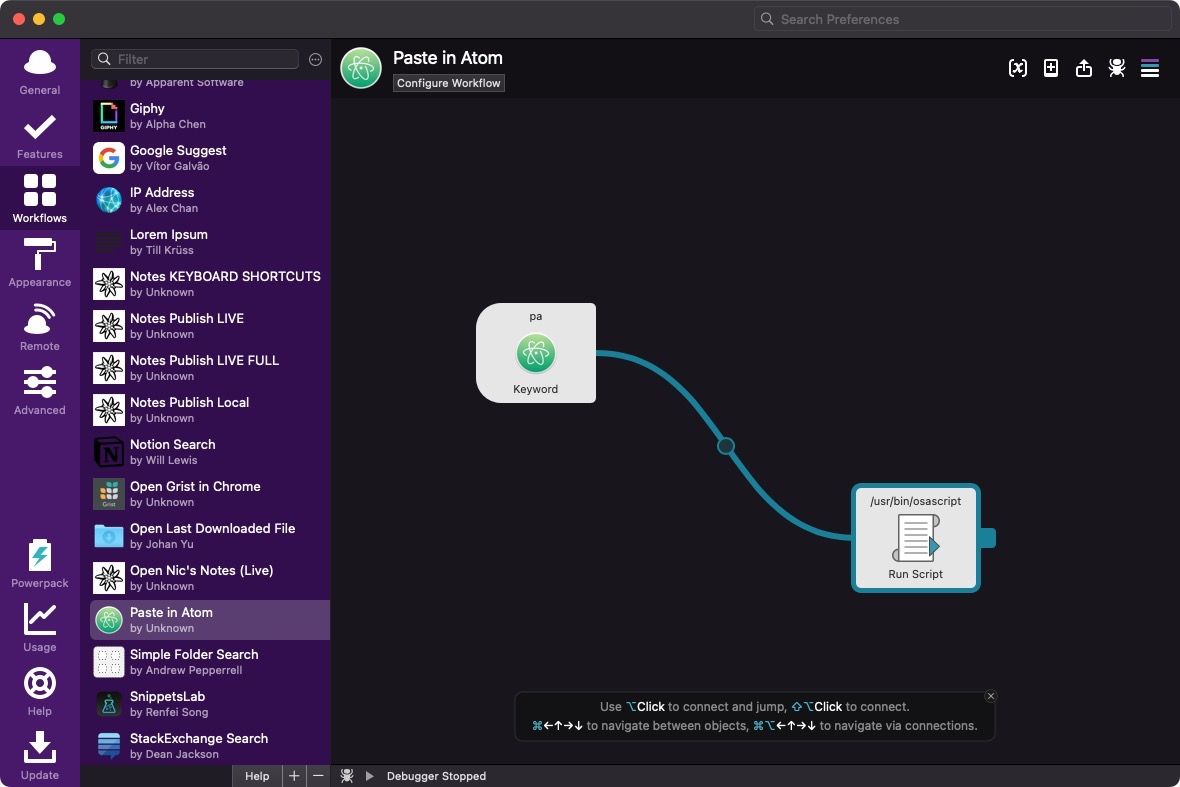
The keyword pa (Paste to Atom) saves the clipboard to a timestamped .txt file in a central folder, then opens it in Atom (see Atom). Every paste gets a backup, and I never see a "Save as" dialog.
It's AppleScript, because opening a file in a specific app is much easier there than in Python.
It's faster than my previous version, which used only the Stream Deck.
set command to "pbpaste > "

set root_path to "/Users/xxxx/path/to/folder/"

set timestamp to (do shell script "date '+%y%m%d-%H%M'%S")

set file_extension to ".txt"

set file_path to root_path & timestamp & file_extension

set full_command to command & root_path & timestamp & file_extension

do shell script full_command

tell application "Atom" to open POSIX file file_path
⚠️ WARNING: untick every Escaping option in the Run Script step, or the script fails.
Browser and network workflows
URL Actions
Gets the URL and title of the current browser tab.
Didn't work for me.
Copy URL
23 Sep 2022 copies the browser URL and title in different formats: Markdown, an anchor tag, or your own template.
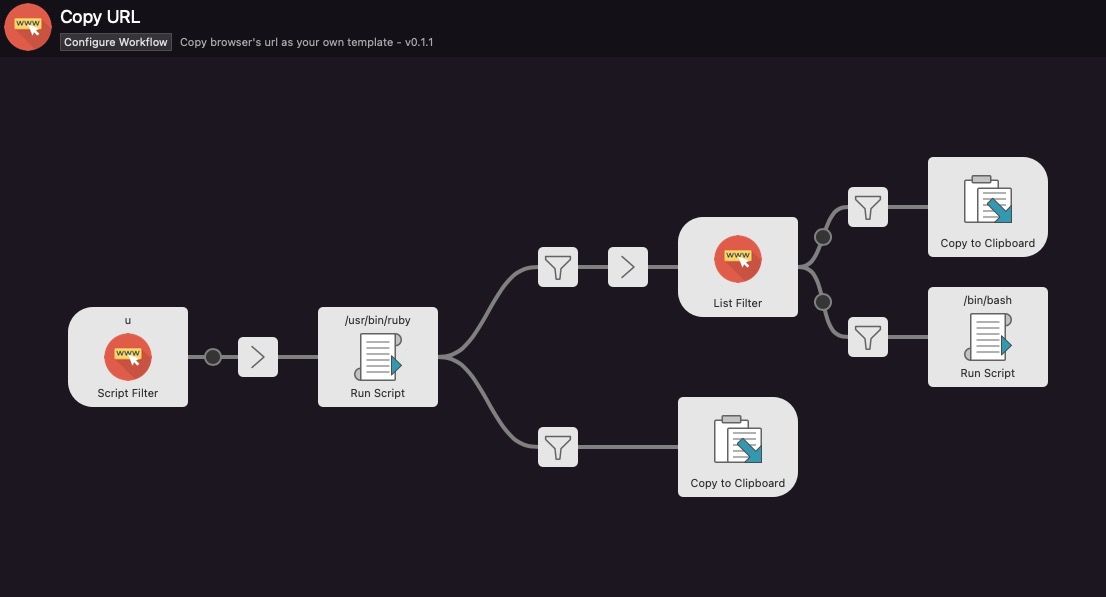
Not working either, as far as I can tell.
My IP
Shows my local and external IP addresses with the keyword ip. This one works.

Others installed
| Workflow | What it does |
|---|---|
| Spotify Mini Player | Controls Spotify: find albums and artists, play songs |
| OmniFocus | Searches projects, folders and tasks in OmniFocus 3 |
| Shortcuts | Runs installed macOS Shortcuts (since macOS 12 Monterey) |
| Launch a URL in 3 browsers | Opens a URL in Safari, Chrome and Firefox at once, for site testing |
| Browses subreddits and searches hot posts in a subreddit | |
| Google Drive | Lists Google Drive File Stream contents |
| Amazon Suggest | Sample workflow: Amazon search suggestions in-line |
| Movie & TV Show Search | Finds a movie or show and shows a few ratings |
| Power Thesaurus | Synonyms and antonyms in-line |
| Smart Folders | Browses macOS Smart Folders |