
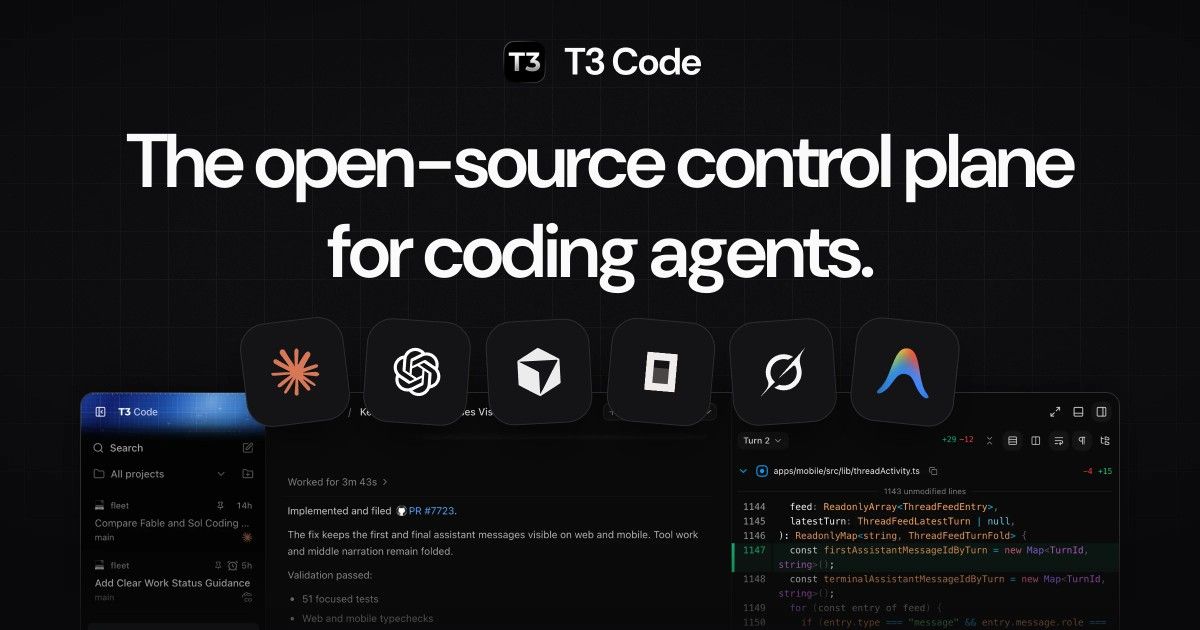
T3 Code is a free, open-source app for running coding agents. It has no model of its own. It drives the agent CLIs you already have, signed in with your own subscriptions: Claude Code, Codex, Cursor, OpenCode, Grok Build and Google Antigravity.
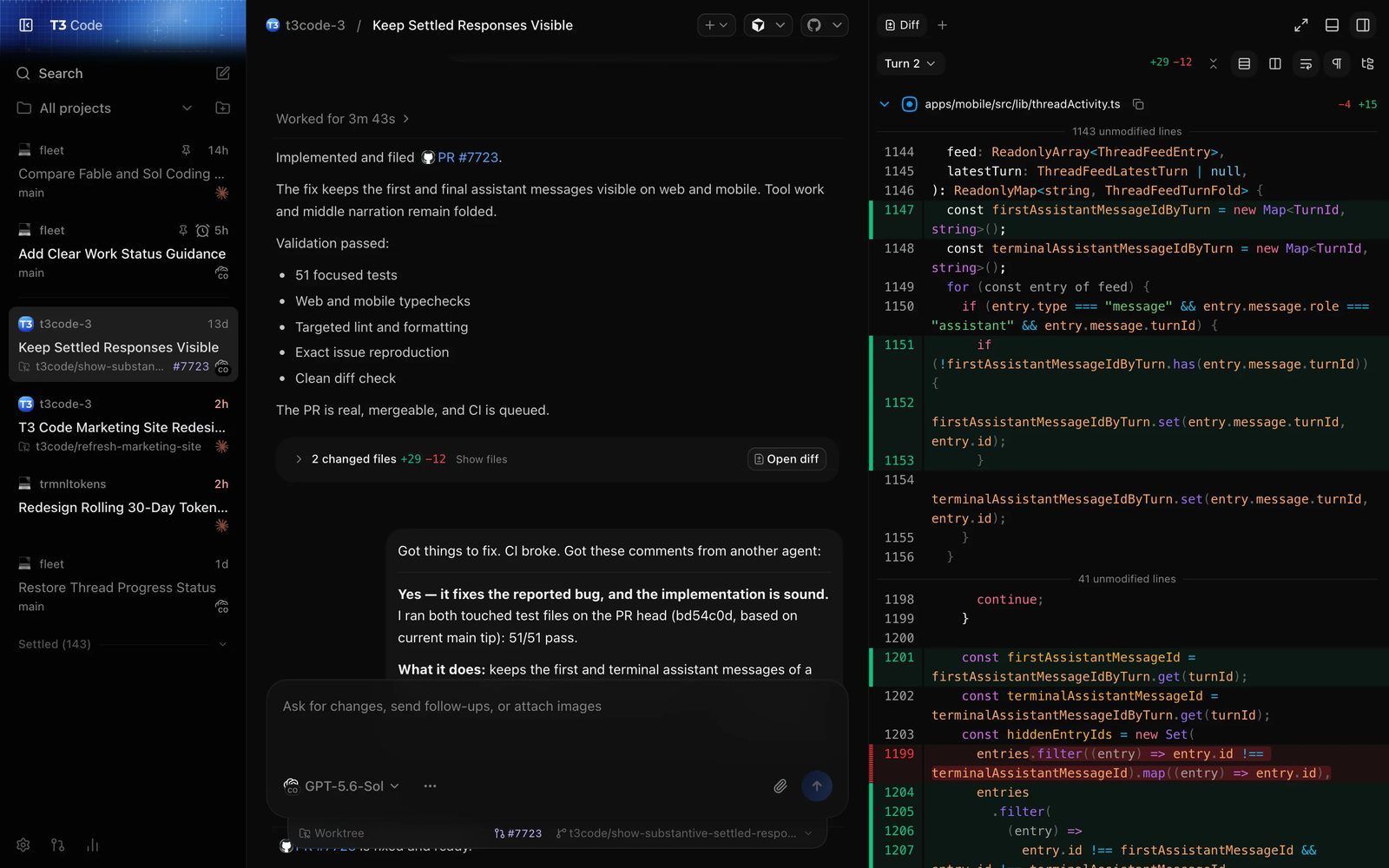
Each task is a thread. A thread runs 1 agent on its own Git branch, shows the diff as it goes, and ends with a pull request in 1 click. You follow every thread from the desktop app, the browser or your phone.
It comes from Theo Browne (t3dotgg), the YouTuber behind the T3 Stack and T3 Chat. The team's pitch: they tried the Codex desktop app, Conductor, Claude Desktop and Cursor, and none met their bar.
Key facts
| Maker | T3 Tools Inc., Theo Browne's team (the Ping.gg crew) |
| Licence | MIT. Free, no paid tier. You pay only for your own agent subscriptions |
| Started | Repo opened 8th February 2026, public launch in March 2026 |
| Stack | TypeScript, Electron desktop app, native iOS and Android apps |
| Platforms | macOS, Windows, Linux, web app, iOS, Android |
| Traction | 27,656 GitHub stars and 7,365 forks on 15th October 2026 |
| Latest | v0.0.45 stable (2nd October 2026). Nightly builds ship several times a day |
| Status | "Very very early. Expect bugs." Outside contributions mostly not accepted yet |
What it does
- Many agents, 1 window. Run Claude Code, Codex and the others side by side, and switch model in the middle of a thread.
- Your own subscriptions. T3 Code signs in through each CLI's own login. It resells no keys and adds no quota.
- Branch per thread. Each thread works on its own branch or Git worktree, so parallel agents don't collide.
- Commit, push and PR in 1 step. The PR gets a generated title, body and changelog. Draft, stacked and amended PRs work too.
- Inline diff review before anything leaves your machine.
- Remote control. Pair a phone or another computer and keep working while the agents run at home.
- Permission modes per thread: Supervised, Auto-accept edits, Auto, or Full access.
- MCP server. Outside agents, including Claude Code in a terminal or ChatGPT, can read threads and start new ones.
How it compares
| Tool | What it is | Difference with T3 Code |
|---|---|---|
| Conductor | Mac app for parallel Claude and Codex | Mac only, no web or phone app |
| Codex app | OpenAI's own agent app | Codex only |
| Claude Desktop | Anthropic's own app | Claude only |
| Herdr | Terminal multiplexer for agents | Terminal, no Git or PR flow, no phone app |
For business people
- What it solves: developers now run several AI coding agents at once, each in its own terminal. T3 Code puts them all in 1 window, with the code changes and the pull requests next to the conversation.
- Cost: €0. The agents bill as before, through your Claude, ChatGPT or Cursor plan.
- Where it fits: a developer or a technical team that uses more than 1 agent, or wants to check on agents from a phone.
- Risks:
- It's early software, version 0.0.x, with a release most days.
- New threads default to Full access: the agent runs commands and edits files with no approval prompt. Change the default before the first real task.
- Remote access through T3 Connect needs a T3 account and goes through T3's service. Pairing over the LAN or Tailscale keeps it on your own network.
- The project doesn't take outside features, so its direction is the team's call. The MIT licence means anyone can fork it.
For technical people
Architecture
A server owns everything that runs: the agent processes, terminals, Git and the project files. The desktop, web and mobile apps are thin clients that talk to it over an authenticated RPC. The desktop app bundles its own server.
Each provider sits behind an adapter, so the orchestration layer only sees normalised commands and events. An event log in a database is the source of truth, and side effects run after the intent is committed.
Install
Sign in to at least 1 agent CLI first (claude auth login, codex login, agent login for Cursor, opencode auth login, grok login).
# Desktop app on macOS
brew install --cask t3-code

# Or the server plus local web app
curl -fsSL https://t3.codes/install.sh | sh
t3                        # start the server and open the web app
t3 service install        # keep it running in the background
npx t3@latest             # try once without installing
Remote access
t3 serve --host <tailscale-or-lan-ip>   # listen on a private address
t3 pair                                 # QR code and link for a new device
t3 connect                              # T3 Connect, no router setup
Pair the phone app by scanning the QR code. Each pairing link is single-use.
Drive it from Claude Code
T3 Code exposes an MCP server at the environment's address plus /mcp:
claude mcp add --transport http t3 https://<environment-address>/mcp
claude mcp login t3
The first sign-in gets Read only access. Grant Supervised or higher to let the outside agent start and steer threads.
Gotchas
- Full access by default. Set Settings → General → New threads → Permissions to Supervised or Auto.
- Auto mode varies. Codex, Claude, Cursor and Grok use their own automatic review. OpenCode and Antigravity fall back to asking.
- The host must stay awake. Remote clients only control the machine. They never run anything themselves.
- Docs live in the repo, under
docs/. There's no docs site yet.
My take
T3 Code solves a problem I have: several Claude Code sessions in parallel, and no single view of what each one is doing. Today that view is Herdr, in the terminal. T3 Code adds what Herdr can't: a diff next to each conversation, a branch per task, a PR button and a real phone app.
What I like:
- It drives the official CLIs with my existing subscription, so my Claude Code skills, hooks and
CLAUDE.mdfiles should still apply. - MIT licence and a server I run myself. Nothing forces my code through their cloud.
- The MCP server. A Claude Code session that can start and check other threads is the coordinator pattern, without the plumbing.
What holds me back:
- Version 0.0.x and several nightly builds a day. I'd stay on the stable channel.
- The PR flow assumes GitHub-style work. Much of what my agents do is notes, decks and scripts, not pull requests.
- Full access as the default is the wrong default for a tool built to run many agents at once.
My first test would be 2 parallel threads on 1 small repo, 1 on Claude Code and 1 on Codex, and checking both from the phone.
Further reading

- T3 Code docs: install, permission modes, remote access, outside agents
- T3 Code web app
- T3 Code on the App Store
- Herdr, the terminal way to run many agents
- Noam Brown on agent swarms and recursive self-improvement, on coordinator and swarm patterns for agents