

Polar is a browser with an agent inside. You type what you want done, and Polar clicks, types and navigates websites the way you would, logged in to your own accounts. The tasks can be short, or run for hours across many sites: build a market map, enrich a spreadsheet, work through a queue of forms.
The team helped build Perplexity's Comet browser and left with one conclusion: the first AI browsers were good at chatting with your tabs, but the work still landed on you. Polar's line is "100 hours of work from 30 seconds of typing", and then 10 of those running in parallel.
Video: Polar, from the Polar site.
| Maker | Recursive Intelligence, Inc. |
| Launched | 29th July 2026, after 7 months in private use |
| Platforms | macOS, Windows |
| Engine | Chromium |
| Funding | $5.7M seed led by Madrona |
| Price | Free to start, $20 a month for individuals, $50 per seat for teams |
| Security | SOC 2 in progress |
What it does
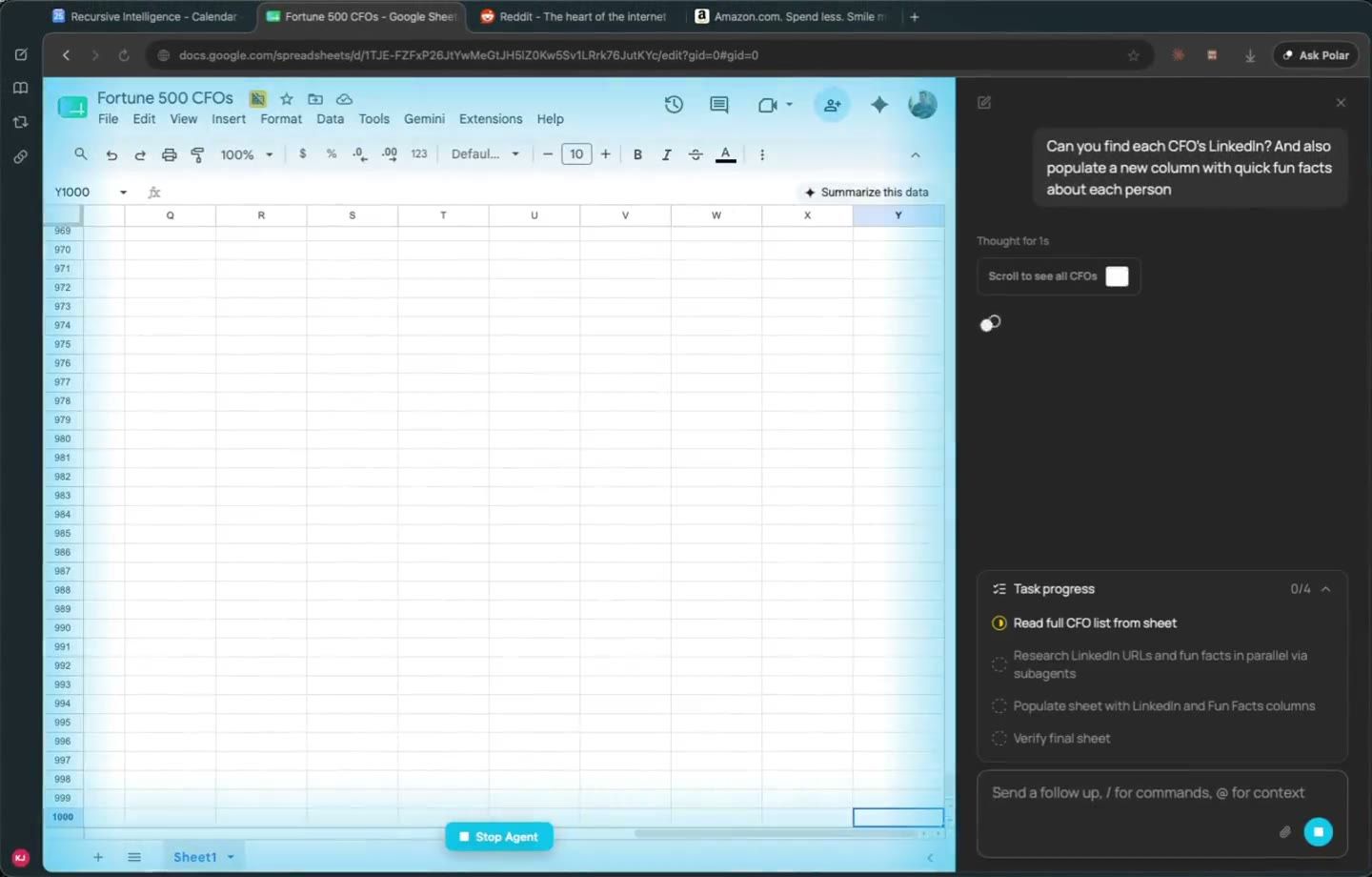
- You type, Polar does. It works with the tools you already use, inside your existing sessions, and can run on its own for hours. You watch along in the browser and can take over at any time.
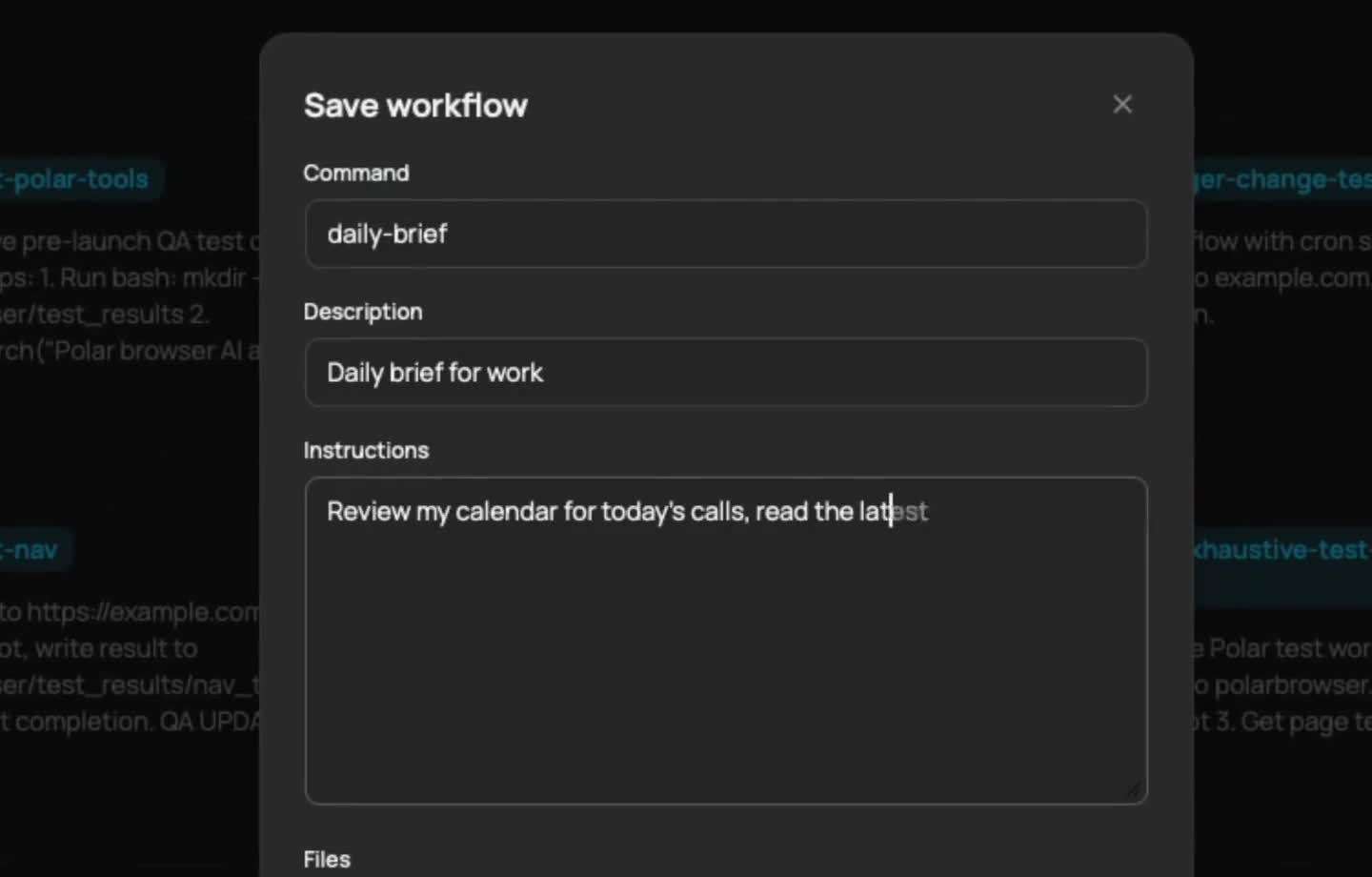
- Scheduled workflows. Save a prompt as a workflow and re-run it on demand, hourly, daily, weekly or on a custom schedule, with the same context each run. Example: a daily brief from your calendar and inbox.
- Polar in any tab. Ask about the current page, or hand off a task from it without switching context.
- Sub-agents. Long jobs split into parallel agents, for example 1 per row of a spreadsheet.
- Memory. Polar learns about you over time to do your tasks better.
- Templates for research, sales, recruiting, data, email, marketing and personal tasks.
For business people
The problem: a large share of knowledge work is browser grunt work. 30 tabs to answer 1 question, the same form 100 times, a spreadsheet to update from 5 sites. Polar takes that layer off your plate.
Who uses it: founders, sales and growth people, recruiters and ops teams. The testimonials on the site cover account research and ICP checks, deal sourcing, CRM updates, inventory checks and order follow-ups. One customer says Polar replaced a plan to hire 1 to 3 ops people. Polar says one company saves 25+ hours a week per person, and cancelled Clay.
Traction: 4.5 million actions taken by users before the public launch. Polar says it has seen single tasks run for more than 15 hours.
Pricing
Credits pay for agent work. Longer tasks use more.
| Plan | Price | Includes |
|---|---|---|
| Free | $0 | 3,000 credits to start, then 100 a day, capped at 1,000 |
| Individual | $20 a month | 10,000 credits a month, top-ups anytime. Pro+ and Max tiers above |
| Teams | $50 per seat a month | 25,000 pooled credits per seat, central billing, usage analytics |
Annual billing saves 17%.
The limits:
- It acts as you. Polar runs inside your logged-in accounts. A mistake goes out under your name, and some sites ban automated use. Polar's own marketing shows recurring LinkedIn outreach, which breaks LinkedIn's terms and can get the account restricted.
- Credits are opaque. "Longer tasks use more" makes the real cost hard to predict before you try.
- Security is a promise for now. Guardrails stop high-risk actions, but SOC 2 is still in progress. Think twice before pointing it at finance or admin accounts.
- It wants to be your main browser. It works without that, but its context is best when it sees all your work.
For technical people
How Polar gets long tasks right, per the launch post:
- Many purpose-built tools to drive hard web UIs in a general way: spreadsheets, maps, docs, social media.
- Orchestration: a lead agent delegates to a team of sub-agents and handles agent-to-agent communication.
- Several models mixed across the agent, not 1 model for everything.
- A memory system that learns your preferences over time.
Benchmarks
Polar's published chart for the Odysseys and BU Bench V1 browser-agent benchmarks:
| Agent | Score |
|---|---|
| Polar | 98.0 |
| Aside | 75.5 |
| Browser Use | 70.0 |
| GPT-5.4 | 60.8 |
| Claude Opus 4.6 | 44.5 |
Polar itself says these benchmarks don't represent real knowledge work. Treat them as a vendor claim until someone independent repeats them.
Compared with other browser agents
| Tool | Approach | Best for |
|---|---|---|
| Polar | Desktop browser, agent logged in as you, scheduled workflows | Long, multi-site tasks in your own accounts |
| Comet | Perplexity's AI browser | Research and quick actions in tabs |
| Browser Use | Open-source agent library and cloud | Developers building their own agents |
| Browserbase skills | Cloud browsers driven from Claude Code (see Browserbase Skills ) | Agents in code, headless, at scale |
Value
Polar sits right in my lane: account research, ICP checks, building lists, updating sheets. Today I do that with Claude Code, Firecrawl and FullEnrich (see Firecrawl ), which gives me structured data in SQLite rather than clicks in a browser.
Where Polar could earn a place is the long tail of sites with no API: portals, internal tools, forms behind a login. The scheduled workflows are the interesting part, a daily brief that runs without me.
The hard line for me: Polar never touches LinkedIn. A browser agent clicking through LinkedIn as me is exactly what LinkedIn's terms forbid, and the account is worth more than any list.
Further Reading