

BrowserOS makes 2 open-source browsers, both built on Chromium and both free:
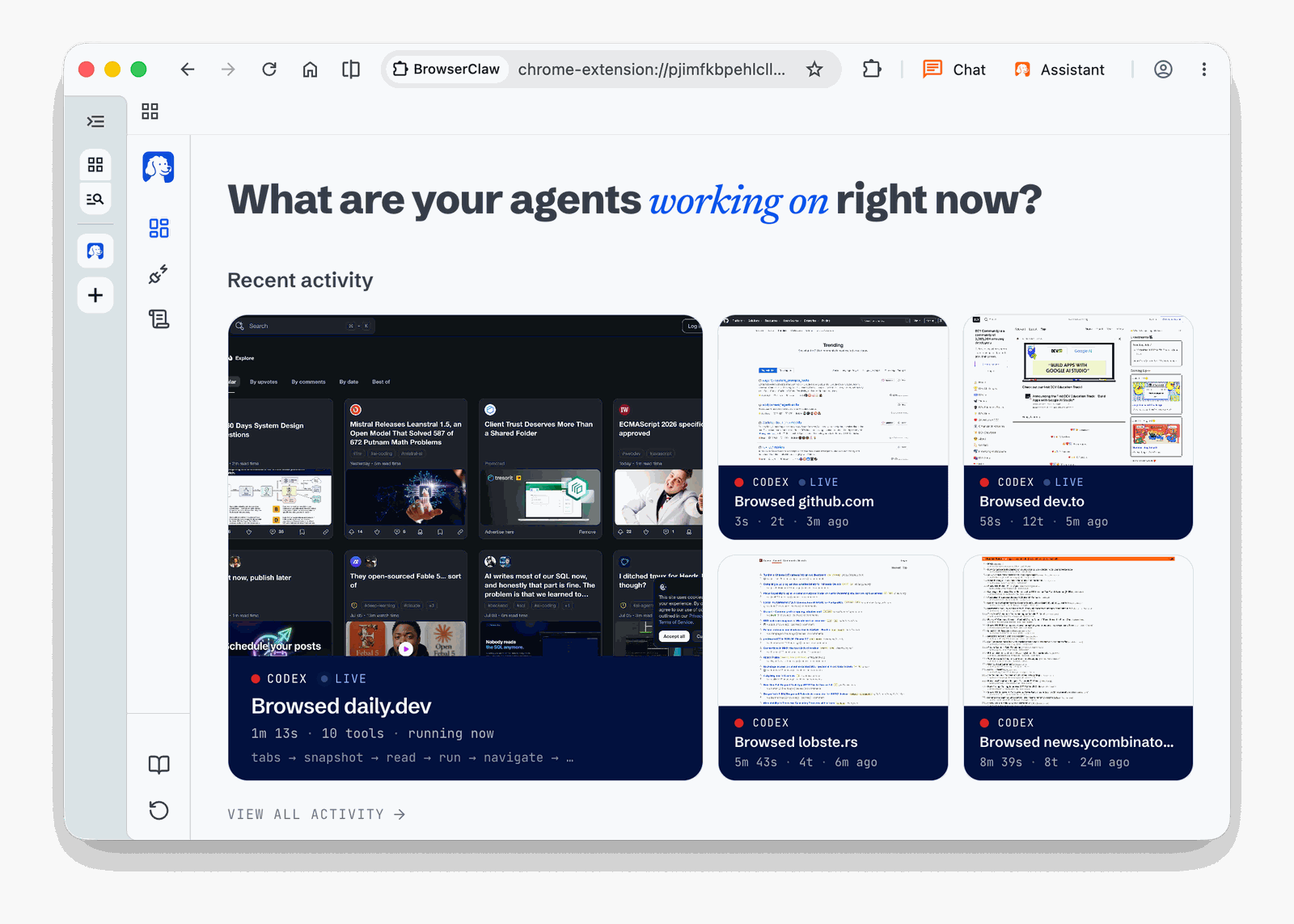
- BrowserOS neo is a second browser for your AI agents. You import your logins from Chrome, connect Claude Code, Codex or any MCP agent, and hand off web tasks. The agents work in their own tabs, you watch them live, and every session is saved as a replay. It was called BrowserClaw until early August 2026.
- BrowserOS is an AI browser for humans: a Chrome replacement with an agent in every new tab, running on your own AI keys or a local model.
Since the rebrand, the homepage leads with neo. That's the interesting one for me. My agents can already read the web through Firecrawl, but they can't do anything that needs me to be logged in.
Key facts
| Maker | Felafax, Inc., San Francisco. Y Combinator, Summer 2024 batch |
| Founders | Twins Nithin Sonti (ex-Google, YouTube, NVIDIA) and Nikhil Sonti (ex-Meta) |
| Licence | AGPL-3.0. Free, with an enterprise option on request |
| Platforms | macOS, Windows, Linux x64 (AppImage, DEB) |
| Engine | Chromium fork, so Chrome extensions work |
| Traction | 13,897 GitHub stars and 1,490 forks on 13th October 2026 |
| Latest | BrowserOS v0.51.0 (5th October 2026). The neo extension ships almost every day |
| Name history | BrowserOS since May 2025. Neo started as BrowserClaw in July 2026, renamed August |
BrowserOS neo: the browser your agents drive
The idea is simple: keep Chrome for yourself, and give your agents their own browser next to it.
- Your logins. 1 click imports logins, bookmarks and extensions from Chrome. Agents work in your real accounts, not in a blank sandbox.
- Parallel agents. Each agent works in its own tabs, so several tasks run at once while you keep browsing. The agents don't touch the tabs you have open.
- Live dashboard. The new tab page shows every running agent: the site, the tools it called and how long it has run.
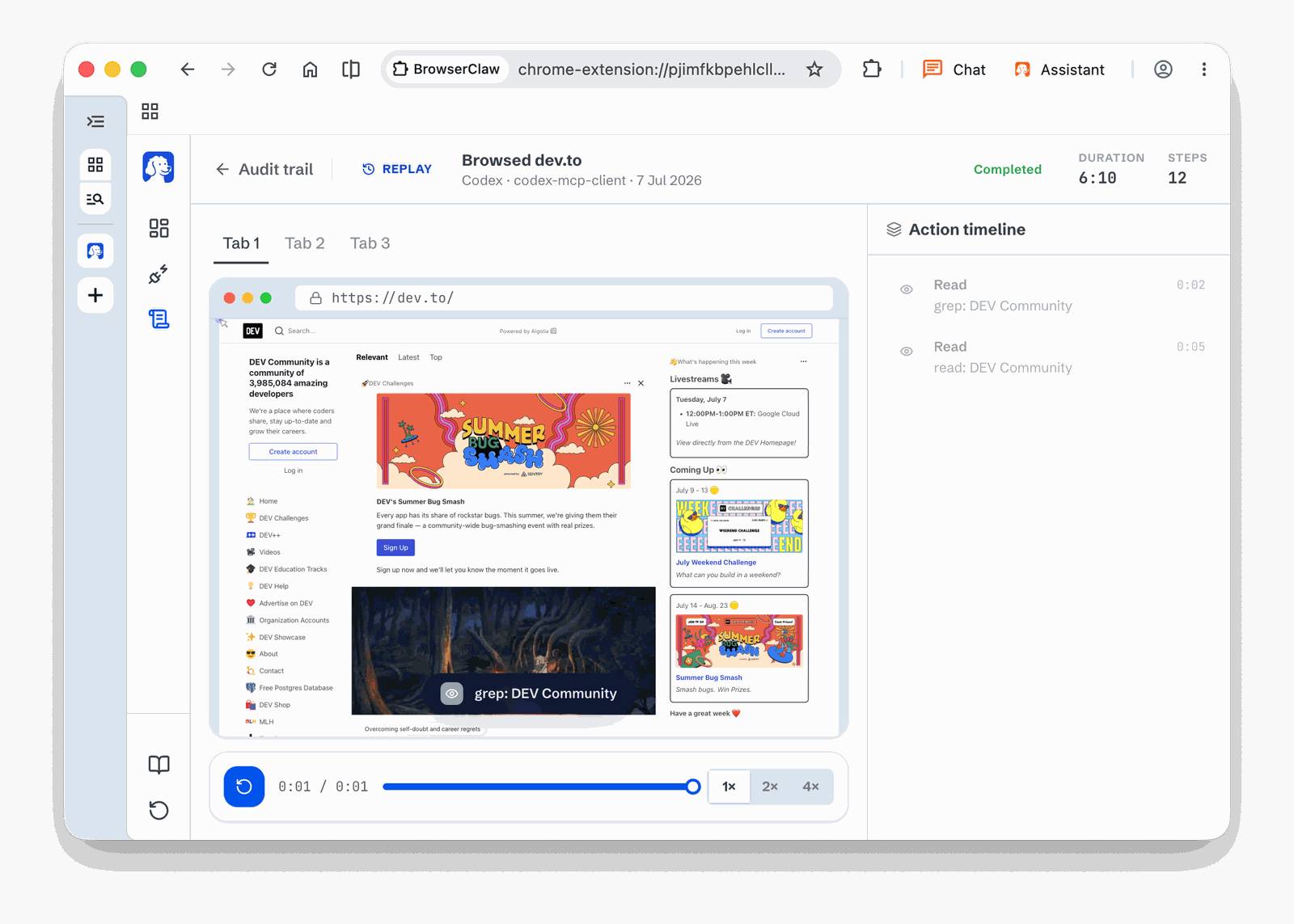
- Replay and audit. Every session is saved on disk as a video you can scrub, with a step-by-step action timeline.
- Fewer tokens. Agents get compact page snapshots and batched actions instead of raw HTML. The team claims neo uses fewer tokens than Claude's Chrome extension or the Codex browser, but publishes no figures.
How it compares
The team positions neo against 3 kinds of tool:
| Type | Examples | The problem neo solves |
|---|---|---|
| Headless drivers | Playwright, agent-browser | A fresh Chrome with no logins: fine for CI, not for my inbox |
| Cloud browsers | Browserbase, Browser Use | Datacenter IPs get blocked, logging in is painful |
| Locked-in AI browsers | ChatGPT Atlas, Perplexity Comet, Dia | They only work with their own AI |
The closest rival for me is Anthropic's own Claude in Chrome, which drives your real Chrome profile. Neo's difference is the separation: a second browser, parallel agents in their own tabs, and a replay of every run.
BrowserOS: the AI browser for humans
The original product, launched in 2025, still ships from the same repo. It's a Chrome replacement with an agent built in:
- an agent in every new tab, with 20+ built-in tools and 40+ app integrations (Gmail, Slack, GitHub, Linear, Notion)
- a side panel to chat about the current page
- scheduled tasks that run agents hourly or daily
- bring your own AI: Claude, OpenAI, Gemini, ChatGPT Pro through OAuth, or local models through Ollama or LM Studio
- uBlock Origin with full Manifest V2 support, which Chrome dropped
- its own MCP server, so Claude Code can drive it too
Its pitch against Comet, Atlas and Dia: those route your prompts through their cloud and their model. BrowserOS runs on your machine with your keys.
For business people
- What it solves: most real web work happens behind a login: the CRM, the expense tool, the inbox, internal reports. Neo lets an AI agent do that work in your accounts, on your computer, while you watch or check the replay later.
- Where it fits: repetitive, logged-in tasks with a clear end. The team's examples are inbox clean-up, CRM updates, expense filing, report pulls, price comparison and social posting.
- Cost: €0 for the browser. The AI is the agent you already pay for (Claude Code, Codex, Cursor).
- Risks:
- An agent with your logins can do anything you can do. A wrong click sends the email or deletes the record. The replay tells you what happened, it doesn't undo it.
- Some sites ban automation in their terms. LinkedIn in particular restricts accounts it catches automating, and a real browser on a home IP doesn't change the terms.
- The product is young and moves fast: a new extension release most days, and a rename 1 month after launch.
- Telemetry is on by default. It's anonymous usage events only, and 1 toggle in Settings turns it off.
- Choose it over a cloud browser when the task needs your own logged-in session. Choose a cloud browser for scale and for work that must run without your Mac.
For technical people
Architecture
A single monorepo ships both browsers:
| Part | Tech | Job |
|---|---|---|
packages/browseros |
C++ patches, Python | The Chromium fork, build system and signing |
apps/claw-server |
Rust | Neo backend: the MCP endpoint and the dashboard API |
apps/claw-app |
WXT, React | Neo dashboard extension: watch, replay, manage sessions |
apps/server |
Bun, TypeScript | BrowserOS MCP server and the built-in agent loop |
apps/cli |
Go | Command-line tool |
crates/, packages/ |
Rust, TypeScript | CDP bindings, browser control, MCP tools |
Agents control the browser through the Chrome DevTools Protocol, behind an MCP server that listens on 127.0.0.1 only.
Install and connect
brew tap browseros-ai/tap
brew install --cask browseros-neo
The MCP page in neo has a Connect button per agent. It writes a browseros-neo entry into that tool's MCP config, then you restart the tool. Claude Desktop and Cowork get a 1-file extension instead.
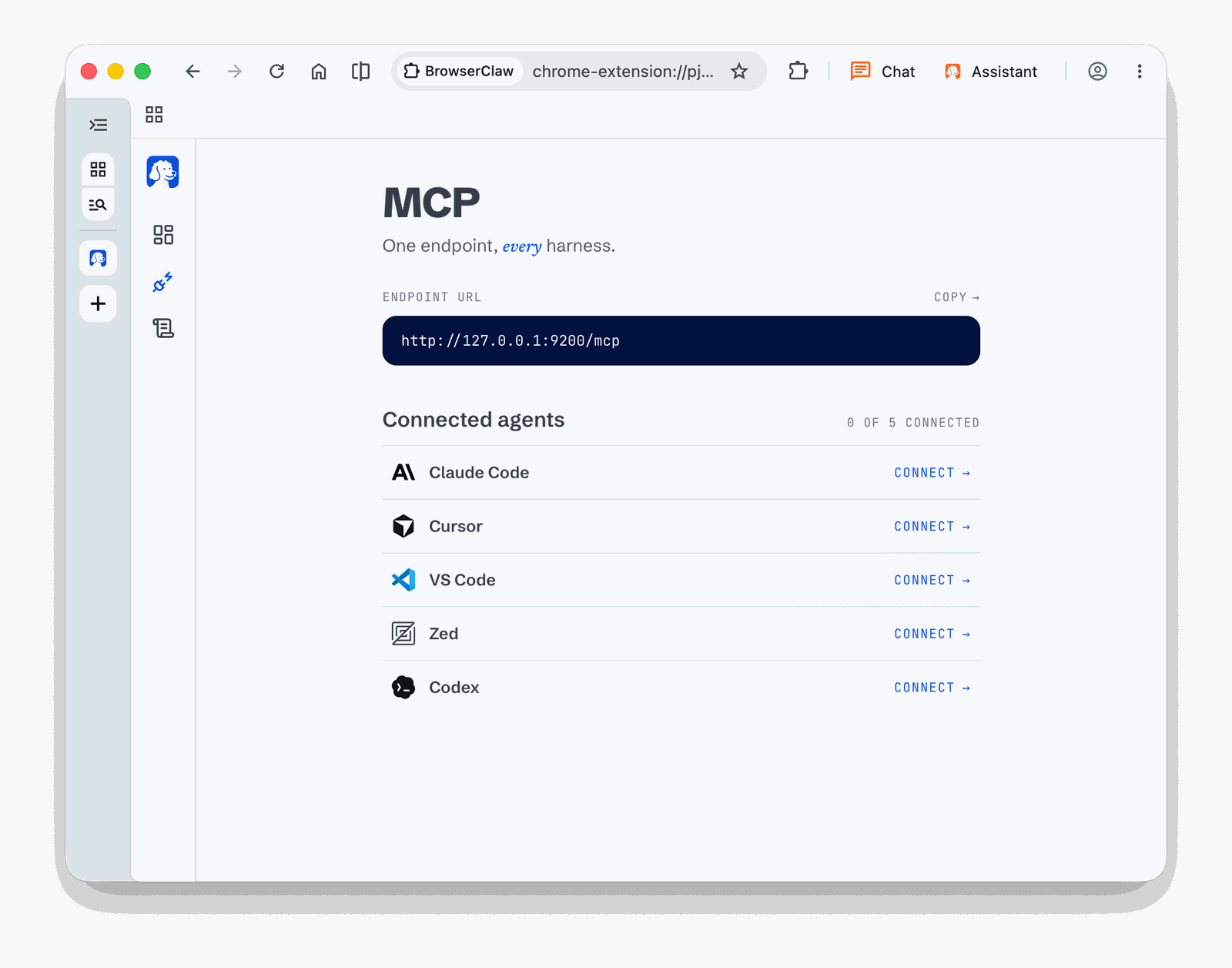
For a manual setup, point any MCP client at the local endpoint. In Claude Code:
claude mcp add --transport http browseros-neo http://127.0.0.1:9200/mcp
Then give the task from the agent, not from the browser: "Book me the cheapest flight to London."
Data and gotchas
- Local files. Sessions, screenshots, replays, history and settings live under
~/.browserclaw/, the folder name from before the rename. - Telemetry. Anonymous events (agent connect and disconnect, version, OS). The privacy page says URLs, page content, prompts, tool results and screenshots are never sent.
- No isolation between agents yet. All agents share 1 browser profile and its logins. Per-agent profiles are on the roadmap.
- 2 apps, 2 casks.
browseros-neois the agent browser,browserosis the human browser. They run side by side. - AGPL-3.0. Fine for personal use. A company that modifies it and offers it over a network must publish the changes.
My take
Neo fills the gap in my agent setup. Firecrawl and Cloudflare cover public pages. Nothing covers the pages behind my logins, and that's where most of the repetitive work is.
What I like is the design: a separate browser, agents that never touch my own tabs, and a replay of every run on my own disk. That's the right shape for trusting an agent with a real account. Same logic as giving agents read-only credentials, see How AI agents can use your passwords safely: limit what an agent can reach, and log everything it does.
What holds me back for now:
- 1 shared profile. I'd want each agent to see only the accounts its task needs.
- The token claim. It's the main argument against Claude in Chrome, and it comes with no numbers.
- Speed of change. A rename after 1 month and a release most days. I'd pin a version before I build anything on it.
My first test would be a low-risk, logged-in, read-only task: pull a report from a web app that has no API, and check the replay.
Further reading

- BrowserOS on Y Combinator
- BrowserOS, the browser for humans
- Browserbase, the cloud browser approach
- Claude Cowork, one of the agents neo connects to